Introduction
In the modern software development landscape, it is estimated that up to 90% of a typical application’s code consists of open-source components. While this accelerates innovation, it also creates a massive “blind spot” for security and legal teams. Software Composition Analysis (SCA) Tools are automated security solutions designed to identify these open-source dependencies within a codebase. These tools scan your project to create a comprehensive “bill of materials,” flagging known security vulnerabilities (CVEs) and checking for license compliance issues that could lead to legal disputes.
The importance of SCA has skyrocketed following major supply chain attacks and the widespread exploitation of vulnerabilities like Log4j. By implementing SCA, organizations can “shift left,” catching risks during the development phase rather than after a product has been shipped. Real-world use cases include preventing the use of “copyleft” licenses (like GPL) in proprietary commercial software, automatically blocking builds that contain high-severity vulnerabilities, and maintaining a Software Bill of Materials (SBOM) for federal or enterprise compliance. When evaluating tools, users should look for vulnerability database accuracy, low false-positive rates, transitive dependency tracking, and seamless CI/CD integration.
Best for: Security engineers, DevOps teams, and legal counsel in companies of all sizes—from high-growth startups to Fortune 500 enterprises. It is critical for industries with high regulatory oversight, such as Finance, Healthcare, and Government contracting.
Not ideal for: Organizations that develop 100% of their code in-house without any third-party libraries (an extremely rare scenario) or solo hobbyists working on transient, non-commercial projects where security and licensing risks are negligible.
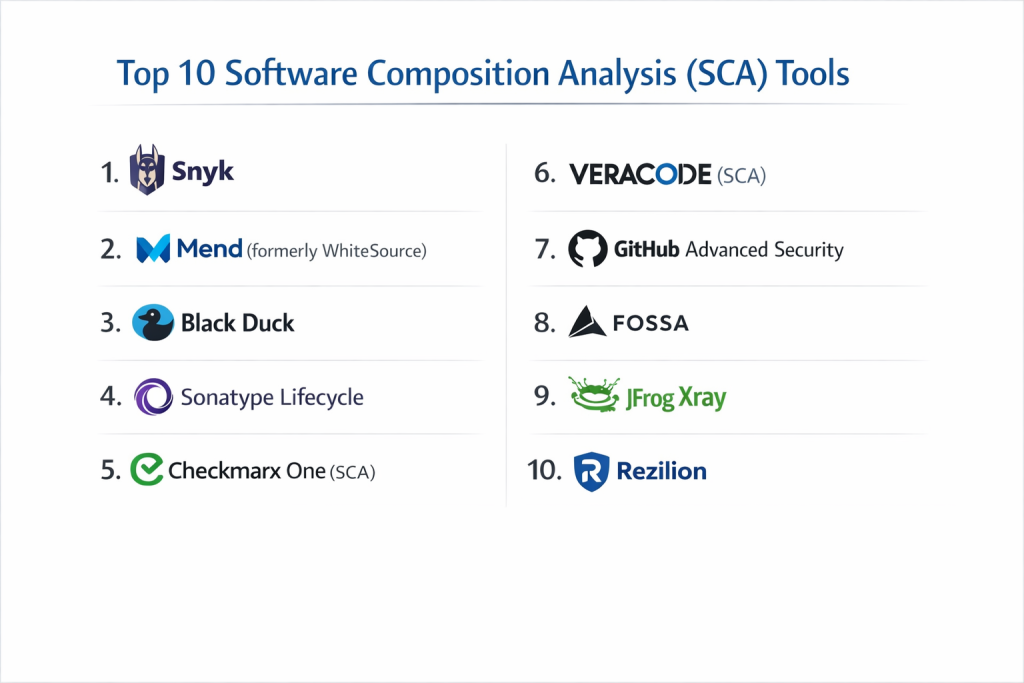
Top 10 Software Composition Analysis (SCA) Tools
1 — Snyk
Snyk is widely considered the industry leader in developer-first security. It focuses on integrating directly into the developer’s workflow, providing real-time feedback and automated remediation.
- Key Features:
- Automated Fix PRs that suggest the exact version upgrade needed to resolve a vulnerability.
- Transitive Dependency Mapping to find vulnerabilities hidden deep within your dependency tree.
- License Compliance Management with customizable policies.
- Snyk Intel DB, a proprietary vulnerability database that often catches issues before they hit the public NVD.
- Infrastructure as Code (IaC) scanning alongside standard SCA.
- Native IDE Integrations for VS Code, IntelliJ, and more.
- Priority Scoring based on exploit maturity and reachability.
- Pros:
- Exceptionally high developer adoption due to its “helpful” rather than “punitive” interface.
- The automated remediation suggestions save hours of manual research.
- Cons:
- The pricing model can become expensive as your developer count grows.
- Can occasionally produce “noise” in very large projects with thousands of dev-dependencies.
- Security & Compliance: SOC 2 Type II, ISO 27001, GDPR compliant; supports SSO (SAML/OIDC) and granular RBAC.
- Support & Community: World-class documentation, a massive “Snyk Learn” portal, active community forums, and dedicated enterprise success managers.
2 — Mend (formerly WhiteSource)
Mend is a powerhouse in the SCA space, known for its robust “Diffend” technology that protects against malicious packages in open-source registries.
- Key Features:
- Mend Prioritize to determine if a vulnerable function is actually being called by your code.
- Automated Renovate integration for keeping all dependencies up to date.
- Supply Chain Defender to catch malicious “typosquatting” attacks in real-time.
- Comprehensive SBOM Generation supporting CycloneDX and SPDX formats.
- Proprietary Vulnerability Database with high accuracy and low false positives.
- Extensive Language Support covering over 200 programming languages.
- Unified Policy Engine to enforce security and licensing rules across the org.
- Pros:
- Excellent for large enterprises that need to manage massive portfolios of applications.
- The “reachability analysis” significantly reduces the number of “non-actionable” alerts.
- Cons:
- The user interface can feel more “corporate” and complex compared to Snyk.
- Initial setup and policy tuning require a dedicated security champion.
- Security & Compliance: SOC 2, HIPAA, GDPR, and ISO 27001 compliant; features advanced audit logs and SSO.
- Support & Community: Professional 24/7 global support, extensive knowledge base, and enterprise-grade onboarding.
3 — Black Duck
Black Duck is one of the most established names in SCA, often favored by legal teams for its unrivaled depth in license discovery and compliance.
- Key Features:
- Deep Snippet Matching that finds open-source code fragments even if they aren’t in a formal package.
- Black Duck KnowledgeBase, the world’s most comprehensive repository of open-source info.
- Policy Management for complex legal and security requirements.
- Security Advisory notifications that provide manual research on vulnerabilities.
- Container Scanning to identify risks within Docker images.
- Binary Analysis to scan software even without access to the source code.
- Operational Risk Tracking to see if a library is being actively maintained.
- Pros:
- The “gold standard” for M&A due diligence and strict legal compliance.
- Ability to find “hidden” open source that other scanners miss.
- Cons:
- Known to be one of the most expensive solutions on the market.
- Scanning can be slower than developer-centric tools due to the depth of analysis.
- Security & Compliance: FedRAMP authorized, SOC 2, ISO 27001, and HIPAA compliant.
- Support & Community: Mature enterprise support ecosystem, technical account managers, and specialized training.
4 — Sonatype Lifecycle
Sonatype is the creator of the Central Repository (Maven Central), giving them a unique “home-field advantage” in understanding how open-source components are built and used.
- Key Features:
- Nexus Intelligence provides highly curated data on over 100 million components.
- Automated Policy Enforcement that can “break the build” if criteria aren’t met.
- Infrastructure-as-Code (IaC) Scanning for cloud configurations.
- Developer-Specific Views within IDEs and Chrome to check packages before download.
- InnerSource Repository management to track internal code sharing.
- Advanced SBOM Management and continuous monitoring.
- Waiver Workflows to manage exceptions to security policies.
- Pros:
- Unmatched data quality for the Java ecosystem and Maven dependencies.
- Very strong integration with the wider Nexus Repository Manager.
- Cons:
- Not as “slick” for pure JavaScript/Node.js environments compared to some competitors.
- High barrier to entry for smaller teams due to enterprise-focused pricing.
- Security & Compliance: SOC 2, GDPR, and ISO 27001 compliant; advanced SAML and LDAP support.
- Support & Community: Large “Sonatype Community” site, professional implementation services, and deep technical documentation.
5 — Checkmarx One (SCA)
Checkmarx offers a unified AppSec platform where SCA sits alongside SAST and DAST, providing a “single pane of glass” for all application security risks.
- Key Features:
- Exploitable Path Analysis to see if a vulnerability is actually reachable in your code.
- Supply Chain Security module specifically for detecting malicious contributors.
- Dependency Graphs to visualize complex inheritance and relationships.
- Unified Risk Scoring combining static and composition analysis results.
- Integrated Remediation Advice with version upgrade paths.
- Support for CI/CD tools like Jenkins, GitLab, and Azure DevOps.
- Compliance Reporting for major industry standards.
- Pros:
- Best for teams that want one vendor for all their application security needs.
- Excellent visualization of how open-source risks impact the overall security posture.
- Cons:
- The platform can feel “heavy” if you only need SCA functionality.
- The UI can be dense and requires a learning curve for new users.
- Security & Compliance: SOC 2, ISO 27001, HIPAA, and GDPR compliant; features FedRAMP authorization.
- Support & Community: Global enterprise support, professional services, and a robust certification program.
6 — Veracode (SCA)
Veracode is a cloud-native security pioneer. Their SCA solution is designed for high-scale automation and is particularly strong for organizations that prioritize SaaS delivery.
- Key Features:
- Vulnerable Method Search to determine if your code actually executes the risky part of a library.
- Auto-Remediation via Command Line for quick patching.
- License Risk Analysis with automated workflows.
- Massive Scale—designed to handle thousands of apps in a single dashboard.
- Integration with the Veracode Pipeline Scan for fast feedback.
- Compliance Mapping for OWASP Top 10 and PCI DSS.
- Software Bill of Materials (SBOM) export in multiple formats.
- Pros:
- No infrastructure to manage; truly cloud-native and highly scalable.
- Strong emphasis on meeting executive-level compliance and reporting needs.
- Cons:
- Can be slower to integrate with local-first developer environments.
- Some users find the pricing for smaller projects to be prohibitive.
- Security & Compliance: FedRAMP authorized, SOC 2, ISO 27001, and HIPAA compliant.
- Support & Community: Professional security consultants available for “ask the expert” sessions; deep library of webinars.
7 — GitHub Advanced Security (Dependency Graph)
For teams already hosting their code on GitHub, GitHub Advanced Security (GHAS) provides a natively integrated SCA experience that requires almost no setup.
- Key Features:
- Dependabot—automatically opens PRs to update vulnerable dependencies.
- Dependency Review during pull requests to block new risks from entering.
- Secret Scanning to find leaked API keys in the same interface.
- Advisory Database curated by GitHub’s security team.
- Alerting and Notifications directly in the GitHub UI.
- SBOM Export via the GitHub interface or API.
- Enterprise-wide Visibility for security leads.
- Pros:
- Lowest possible friction; developers never have to leave GitHub.
- Dependabot is widely considered the best automated-update tool in the industry.
- Cons:
- Only available for GitHub; doesn’t support GitLab, Bitbucket, or on-prem code.
- Advanced features are locked behind the GHAS license, which can be pricey.
- Security & Compliance: Microsoft-level security infrastructure; SOC 1/2/3, ISO 27001, and GDPR compliant.
- Support & Community: Largest developer community on the planet; extensive documentation and GitHub Enterprise support.
8 — FOSSA
FOSSA is a specialized tool that focuses heavily on the intersection of open-source license compliance and security, making it a favorite for legal and “Open Source Program Offices” (OSPOs).
- Key Features:
- Automated License Attribution for generating legal notices and “About” pages.
- Recursive Dependency Scanning to find licenses deep in the stack.
- Vulnerability Management with real-time alerting.
- Customizable Policy Engine for legal and security gatekeeping.
- Jira/Slack Integrations for streamlined issue resolution.
- Support for over 20 languages and package managers.
- Quick “Audit” mode for rapid assessments.
- Pros:
- Arguably the best interface for managing complex open-source licensing.
- Very fast scan times that don’t bloat CI/CD pipelines.
- Cons:
- Vulnerability data isn’t as “curated” as specialized security vendors like Snyk.
- The focus is more on compliance than on deep application security testing.
- Security & Compliance: SOC 2 Type II and GDPR compliant; features SSO and encrypted data storage.
- Support & Community: High-touch customer success, clear documentation, and helpful legal-compliance guides.
9 — JFrog Xray
JFrog Xray is the security component of the JFrog Platform (Artifactory), designed to scan binaries and dependencies at the source.
- Key Features:
- Deep Binary Analysis—scans every layer of a Docker image or a build artifact.
- Impact Analysis Graph to see exactly which production systems are affected by a bug.
- Native Artifactory Integration for blocking “bad” components before they are used.
- IDE and CI/CD Integrations for early detection.
- Contextual Analysis to see if a vulnerability is truly exploitable.
- Security and License Violation policies.
- High Availability for global enterprise deployments.
- Pros:
- If you already use JFrog Artifactory, Xray is the most logical and powerful choice.
- Exceptional at finding vulnerabilities in compiled “binary” artifacts.
- Cons:
- Can be very complex to configure properly for multi-site organizations.
- Dependency on the wider JFrog ecosystem can be a drawback for some teams.
- Security & Compliance: SOC 2, GDPR, and ISO 27001 compliant; advanced encryption and SSO.
- Support & Community: Strong technical support, extensive training via JFrog Academy, and a large enterprise user base.
10 — Rezilion
Rezilion is a newer player that differentiates itself by focusing on “Vulnerability Validation”—drastically reducing the number of issues developers have to fix.
- Key Features:
- Dynamic Runtime Analysis to see which libraries are actually loaded in memory.
- Next-Gen SBOM that tracks the “state” of software, not just the list of files.
- Automated Remediation through optimized patching strategies.
- Continuous Attack Surface Management for production environments.
- Integration with standard CI/CD and container registries.
- Vulnerability Prioritization based on real-world reachability.
- Detailed Reporting on risk reduction over time.
- Pros:
- Can reduce the “backlog” of vulnerabilities by up to 85% by proving they aren’t reachable.
- Modern, high-performance UI that is easy for both security and dev teams to use.
- Cons:
- Smaller community and fewer legacy integrations than the “Big 3” (Snyk, Mend, Black Duck).
- Requires a slight mental shift in how teams define “risk.”
- Security & Compliance: SOC 2 compliant; follows GDPR and standard encryption practices.
- Support & Community: High-growth startup support—very responsive and flexible; clear technical documentation.
Comparison Table
| Tool Name | Best For | Platform(s) Supported | Standout Feature | Rating (Gartner) |
| Snyk | Developer Workflow | SaaS / On-Prem | Automated Fix PRs | 4.7 / 5 |
| Mend | Enterprise Scale | SaaS / On-Prem | Malicious Package Detection | 4.6 / 5 |
| Black Duck | Legal/M&A Due Diligence | SaaS / On-Prem | Snippet Matching | 4.5 / 5 |
| Sonatype | Java / Maven Ecosystem | SaaS / On-Prem | Nexus Intelligence | 4.6 / 5 |
| Checkmarx | Unified AppSec | SaaS / On-Prem | Single Pane of Glass | 4.5 / 5 |
| Veracode | High-Scale Compliance | SaaS-only | Compilation-free Scans | 4.4 / 5 |
| GitHub AS | GitHub-Native Teams | SaaS-only | Native Dependabot | 4.8 / 5 |
| FOSSA | Legal / License Focus | SaaS / On-Prem | License Notice Automation | N/A |
| JFrog Xray | Binary/Artifact Sec | SaaS / On-Prem | Artifactory Integration | 4.4 / 5 |
| Rezilion | Vulnerability Validation | SaaS / On-Prem | Runtime Reachability | N/A |
Evaluation & Scoring of SCA Tools
Choosing an SCA tool requires a balance of speed, accuracy, and developer experience. Use the following weighted scoring rubric to evaluate these tools for your own environment.
| Criteria | Weight | Evaluation Focus |
| Core Features | 25% | Vulnerability database quality, transitive tracking, reachability analysis. |
| Ease of Use | 15% | Developer friction, UI clarity, onboarding time, and noise levels. |
| Integrations | 15% | IDE, CI/CD, Registry, and Issue Tracker connectivity. |
| Security & Compliance | 10% | SBOM generation, license auditing, and vendor reliability. |
| Performance | 10% | Scan speed, false-positive rate, and impact on build times. |
| Support & Community | 10% | Documentation, customer support speed, and user community. |
| Price / Value | 15% | Licensing transparency and ROI on time saved. |
Which SCA Tool Is Right for You?
Solo Users vs SMB vs Mid-Market vs Enterprise
- Solo Users: If you host on GitHub, Dependabot (free) is all you need. For more insight, the free tier of Snyk is excellent.
- SMBs: Focus on Snyk or FOSSA. These tools are easy to set up and provide immediate value without needing a full security team to manage them.
- Mid-Market: Mend or Sonatype offer the right balance of enterprise control and developer speed.
- Enterprise: Black Duck, Checkmarx, or Veracode are the heavyweights. They offer the legal depth and high-level reporting required for global compliance.
Budget-Conscious vs Premium Solutions
If your budget is zero, look into open-source tools like OWASP Dependency-Check or use the free versions of GitHub/GitLab features. If you have the budget, premium tools like Rezilion or Snyk pay for themselves by reducing the hundreds of hours developers spend chasing “false positives.”
Feature Depth vs Ease of Use
- High Ease of Use: GitHub Advanced Security, Snyk, FOSSA.
- High Feature Depth: Black Duck, JFrog Xray, Mend.
Integration and Scalability Needs
If your entire world is in Java, Sonatype is your best bet. If you are a “container-first” company, JFrog Xray or Veracode provide the best binary-level insight. If you want to stop the “backlog” of fixes, Rezilion’s reachability analysis is a game-changer.
Frequently Asked Questions (FAQs)
Q1: What is the main difference between SAST and SCA?
Answer: SAST (Static Analysis) scans the code you write for flaws. SCA (Software Composition Analysis) scans the code others wrote (open-source libraries) that you have imported into your project.
Q2: How does an SCA tool find vulnerabilities?
Answer: It creates a “hash” or an index of your project’s manifests (like package.json or pom.xml) and compares them against known databases of vulnerabilities (like the NVD).
Q3: Can SCA tools detect “zero-day” vulnerabilities?
Answer: Generally, no. SCA tools rely on known vulnerabilities. However, some premium vendors like Snyk or Mend have research teams that identify and publish vulnerabilities before they become public.
Q4: Is GitHub’s Dependabot enough for a professional team?
Answer: It’s a great start, but it lacks advanced features like “reachability analysis,” deep license auditing, and enterprise-wide compliance reporting that tools like Black Duck or Snyk provide.
Q5: What is a Software Bill of Materials (SBOM)?
Answer: An SBOM is a formal, machine-readable record containing the details and supply chain relationships of various components used in building software. It’s essentially an ingredient list for your code.
Q6: Why are “transitive dependencies” dangerous?
Answer: You might import Library A, which is safe. But Library A imports Library B, which has a critical vulnerability. SCA tools are essential because they follow these “hidden” links to find the risk.
Q7: Can these tools help with “Legal” problems?
Answer: Yes. Certain open-source licenses (like GPL) can legally force you to make your proprietary code public. SCA tools flag these “copyleft” licenses before they become a legal liability.
Q8: How often should I run an SCA scan?
Answer: Every time a developer commits code or opens a pull request. This ensures that no new vulnerabilities are introduced during the development process.
Q9: Do SCA tools slow down my build process?
Answer: Modern SCA tools (like Snyk or FOSSA) are designed to be fast, often completing scans in seconds or minutes. Legacy tools can be slower, but most allow for “incremental” scans to save time.
Q10: What is “Vulnerability Reachability”?
Answer: This is a feature that checks if your code actually calls the specific “vulnerable function” within a library. If you don’t use that specific function, you might not be at risk, allowing you to prioritize other fixes.
Conclusion
Choosing the right SCA tool is no longer a luxury; it is a fundamental requirement for secure software delivery. For most modern, agile teams, Snyk and GitHub Advanced Security represent the pinnacle of ease-of-use and developer integration. However, for large-scale enterprises with complex legal and binary requirements, Black Duck and JFrog Xray remain the reliable pillars of software supply chain security.
Ultimately, the best tool is the one that your developers will actually use. If a tool is too slow or creates too much “noise,” it will be bypassed, leaving your organization at risk. Start with a tool that fits your current language stack and build process, and ensure that it provides clear, actionable advice that helps your team stay secure without slowing down.

- Top 10 Email Deliverability Tools: Features, Pros, Cons & Comparison - September 6, 2026
- Top 10 Pharmacovigilance Software: Features, Pros, Cons & Comparison - September 6, 2026
- Top 10 Manufacturing Execution Systems (MES) - July 30, 2026