Introduction
Spatial computing toolkits are software development kits (SDKs), frameworks, and engines that let developers design, build, and deploy applications that understand and interact with 3D physical environments in real time. Instead of only rendering flat 2D screens, these tools help applications track surfaces, recognize space, place digital objects in the real world, and support natural inputs like gaze, gestures, and voice. They typically include APIs for spatial mapping, anchors, hand tracking, environmental understanding, and rendering, along with tooling for simulation, testing, and debugging on AR/VR/MR hardware.
Real-world use cases span enterprise training, remote assistance, digital twins, architecture and construction visualization, healthcare simulations, and consumer applications like gaming, education, and spatial productivity. When choosing a spatial computing toolkit, teams should evaluate device and platform support (visionOS, HoloLens, Quest, mobile), interaction capabilities (hands, eye, voice, controllers), integration with engines like Unity and Unreal, documentation quality, performance on target hardware, and suitability for long-term maintenance.
Best for: Spatial computing toolkits are ideal for product teams, XR developers, 3D designers, medical and industrial innovators, and enterprises building high-impact AR/VR/MR solutions across training, field service, collaboration, and data visualization. Not ideal for: Simple 2D mobile apps, basic web applications, or products without spatial interaction needs may be over-served by these toolkits and are often better built with traditional mobile/web frameworks or lighter AR libraries.
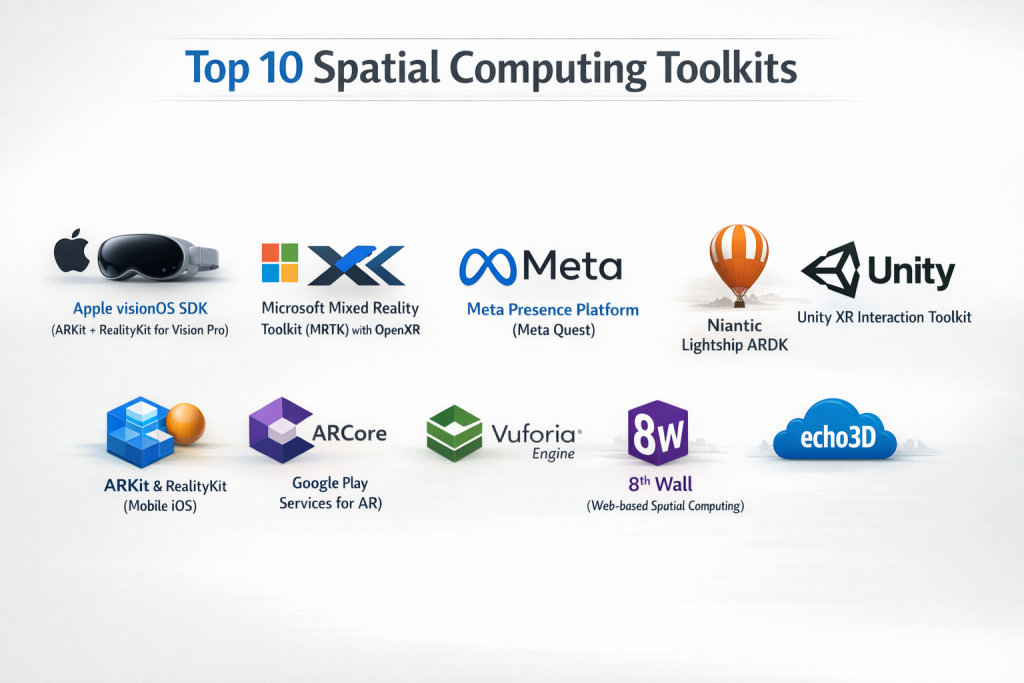
Top 10 Spatial Computing Toolkits
1 — Apple visionOS SDK (ARKit + RealityKit for Vision Pro)
Apple’s visionOS SDK combines ARKit, RealityKit, SwiftUI, and related frameworks to build spatial computing apps for Apple Vision Pro. It targets developers who want high-fidelity spatial experiences in productivity, media, collaboration, and professional visualization on Apple’s premium headset.
Key features
- ARKit for motion tracking, spatial mapping, plane detection, hand and eye tracking, and environment understanding.
- RealityKit for real-time 3D rendering, physics, animations, and spatial audio integrated into immersive scenes.
- SwiftUI and UIKit extensions tailored to spatial interfaces (windows, volumes, and immersive spaces).
- High-resolution passthrough and accurate eye tracking for natural spatial interaction.
- Deep integration with Apple’s ecosystem (iOS, macOS, services, and security model).
Pros
- Extremely polished spatial UI, tracking, and rendering stack designed end-to-end by one vendor.
- Strong alignment with Apple’s privacy and security model, including on-device processing for sensitive signals.
- High-quality documentation, sample projects, and WWDC learning resources.
Cons
- Locked to Apple Vision Pro and visionOS; not cross-platform.
- Hardware is premium-priced, limiting reach for some consumer and enterprise deployments.
- Requires Swift/SwiftUI skills and familiarity with Apple’s tooling stack.
Security & compliance
- Benefits from Apple’s enterprise-grade data protection, sandboxing, and secure enclave where applicable.
- Compliance (GDPR, SOC 2, HIPAA) depends on backend and data design, but platform provides strong privacy defaults.
Support & community
- First-party docs, sample code, and official support channels for registered developers.
- Growing community of spatial computing developers, conferences, and learning content focused on visionOS.
2 — Microsoft Mixed Reality Toolkit (MRTK) with OpenXR
MRTK is Microsoft’s open-source, cross-platform mixed reality toolkit designed to accelerate development for HoloLens, Windows Mixed Reality, and other OpenXR devices using Unity. It is aimed at enterprise and industrial solutions where hand tracking, voice input, and robust spatial interactions are essential.
Key features
- Cross-platform input system supporting hands, controllers, and voice commands.
- Prefab building blocks for common interactions like grabbing, pointing, teleportation, and UI interaction.
- Spatial mapping and spatial awareness components for room-scale experiences.
- Support for HoloLens, HoloLens 2, Windows MR headsets, OpenVR, Ultraleap hand tracking, and some mobile targets via Unity and OpenXR.
- Integration with Unity’s XR Interaction Toolkit and OpenXR workflow.
Pros
- Greatly reduces time to build enterprise MR experiences with reusable patterns.
- Strong alignment with HoloLens and Windows MR hardware for industrial use cases.
- Open-source model encourages community improvements and flexibility.
Cons
- Heavily tied to Unity; not ideal if a team is based on Unreal or fully custom engines.
- Complexity of MR stacks (OpenXR, packages, profiles) can be challenging to configure.
- HoloLens hardware availability and cost may limit adoption in some regions.
Security & compliance
- SDK itself is mainly client-side; enterprise deployments rely on Azure and organizational infrastructure for compliance.
- Microsoft provides extensive guidance on secure deployment, identity, and device management for HoloLens.
Support & community
- Official Microsoft documentation and samples.
- Active community on GitHub and forums, particularly focused on industrial and healthcare use cases.
3 — Meta Presence Platform (Meta Quest)
Meta’s Presence Platform includes SDKs and APIs for hand tracking, Passthrough, spatial anchors, and interaction on Meta Quest headsets. It is tailored for VR and mixed reality entertainment, social experiences, and some enterprise collaboration on Meta’s hardware.
Key features
- Hand tracking APIs for controller-free input.
- Passthrough and mixed reality capabilities to blend virtual content with the physical environment.
- Spatial anchors and room setup tools for persistent AR experiences.
- Integration with Unity and Unreal for VR/MR app development.
- Social presence features that support multi-user experiences within Meta’s ecosystem.
Pros
- Strong headset install base with consumer and developer adoption.
- Advanced hand tracking and mixed reality features for interactive experiences.
- Good fit for gaming, social, and creative applications.
Cons
- Primarily tied to Meta’s hardware and ecosystem; limited cross-device portability.
- Some enterprises are cautious about data handling and platform lock-in.
- Toolkit evolves rapidly, which can impact long-term compatibility.
Security & compliance
- Data handling and compliance are linked to Meta’s broader privacy policies and cloud services.
- Not specifically marketed as a regulated-industry platform; enterprises must carefully assess governance needs.
Support & community
- Developer documentation, samples, and community forums.
- Large VR developer community and ecosystem around Quest.
4 — Niantic Lightship ARDK
Niantic’s Lightship ARDK is a spatial computing toolkit for creating advanced mobile AR experiences, particularly outdoors and at real-world locations. It targets developers building location-based games, shared AR experiences, and geo-aware applications.
Key features
- Real-time mapping and occlusion for placing AR content in real environments.
- Geolocation and geospatial APIs to anchor content at specific real-world places.
- Multiplayer and shared AR capabilities for synchronous experiences.
- Integration with mobile devices and common game engines.
- Tools for persistent AR content that users can revisit over time.
Pros
- Optimized for outdoor, location-based, and multi-user AR scenarios.
- Builds on Niantic’s expertise from large-scale AR games.
- Helps differentiate apps with synchronized, shared AR content.
Cons
- Primarily mobile-focused rather than headset-centric.
- Requires stable connectivity and accurate location services for best results.
- Not always ideal for purely indoor or stationary experiences.
Security & compliance
- Location-based services introduce privacy considerations; Niantic offers policies and infrastructure, but developers must design carefully.
- Compliance posture depends on how location and user data are stored and processed.
Support & community
- Official docs, SDKs, and community channels.
- Growing ecosystem of developers building geospatial AR applications.
5 — Unity XR Interaction Toolkit
Unity’s XR Interaction Toolkit provides a high-level interaction framework for AR and VR across multiple XR platforms. It targets Unity developers who want a consistent way to implement spatial interactions like grabbing, teleportation, and UI input across devices.
Key features
- Component-based interaction model for controllers, hands, and UI.
- Support for AR, VR, and mixed reality devices using Unity’s XR plugins.
- Ready-made locomotion, interaction, and UI patterns.
- Works alongside other XR packages including AR Foundation and platform-specific SDKs.
- Designed to be extensible for custom interaction logic.
Pros
- Reduces boilerplate work for common XR interactions.
- Makes it easier to support multiple devices with a unified approach.
- Backed by Unity’s documentation and ecosystem.
Cons
- UI and configuration can be complex for newcomers to XR.
- Dependent on Unity’s XR stack; not portable to other engines.
- Versioning and package changes may require migration work over time.
Security & compliance
- Primarily client-side toolkit; security and compliance hinge on Unity services and backend systems.
- Developers in regulated industries must design secure data flows themselves.
Support & community
- Official Unity docs, samples, and tutorials.
- Large community of Unity XR developers sharing open-source tools and templates.
6 — ARKit (Mobile iOS) & RealityKit (Non-visionOS)
Beyond visionOS, ARKit and RealityKit also power mobile AR experiences on iOS devices. They are suited to developers building AR apps for iPhone and iPad, including retail, education, and utility apps.
Key features
- Motion tracking, plane detection, light estimation, and spatial anchors.
- Face tracking and body tracking on compatible devices.
- RealityKit-based rendering for realistic lighting and physics.
- Integration with Swift, SwiftUI, and Apple’s graphics stack.
- Tight integration with Apple hardware and sensors.
Pros
- Mature, widely deployed AR platform on consumer devices.
- High performance and strong tracking on supported iOS hardware.
- Good for both consumer and enterprise mobile AR apps.
Cons
- Apple ecosystem only; no cross-platform deployment by default.
- Requires Apple developer accounts and Xcode-based workflows.
- Complex experiences may still require engines like Unity for advanced 3D needs.
Security & compliance
- Benefits from Apple’s platform security, sandboxing, and privacy controls.
- Compliance depends primarily on backend architecture and data handling.
Support & community
- Extensive Apple developer documentation and WWDC content.
- Active AR developer community, examples, and libraries.
7 — ARCore (Google Play Services for AR)
ARCore is Google’s AR SDK for Android and some cross-platform use cases, enabling mobile AR experiences on supported devices. It serves developers building AR apps for Android phones and tablets, with capabilities similar to ARKit in the Apple ecosystem.
Key features
- Motion tracking, plane detection, and environment understanding on Android devices.
- Cloud Anchors for shared AR experiences across users and devices.
- Depth API for occlusion and more realistic AR placement.
- Integration with Unity and Unreal, as well as native Android development.
- Expanding support for geospatial features on supported regions and devices.
Pros
- Broad reach across Android device ecosystem.
- Good baseline for AR apps including utilities, games, and education.
- Integrates well with Google Cloud and mapping services for geospatial AR.
Cons
- Fragmented Android hardware can affect experience consistency.
- Device support list needs to be checked for advanced features.
- Cross-platform efforts require additional frameworks beyond ARCore alone.
Security & compliance
- Runs through Google Play Services; data and privacy are governed by Google policies and app design.
- Enterprises must layer their own compliance controls over ARCore deployments.
Support & community
- Google documentation, codelabs, and examples.
- Large Android developer base; smaller subset focused on ARCore specifically.
8 — Vuforia Engine
Vuforia Engine is a long-established AR platform oriented around image recognition, object tracking, and industrial use cases. It is widely used in manufacturing, training, and marketing to overlay information on equipment, manuals, and physical objects.
Key features
- Image target and object recognition for tracking branded markers, packaging, or equipment.
- Model targets to track 3D objects and machinery.
- Multi-target and area targets for complex scenes.
- Integration with Unity and support for multiple platforms.
- Optional cloud recognition for scalable target management.
Pros
- Strong tracking for industrial and marketing AR tied to physical objects.
- Mature feature set proven in many commercial deployments.
- Good fit for maintenance, training, and product visualization apps.
Cons
- Licensing costs can be significant for some organizations.
- More specialized than general-purpose spatial computing frameworks.
- Cross-platform behavior may require careful tuning and testing.
Security & compliance
- Cloud recognition and data storage introduce security considerations; vendors provide options and documentation for secure setup.
- Compliance must be verified per deployment, especially for regulated industries.
Support & community
- Vendor documentation, support programs, and enterprise engagement.
- Community of AR professionals and agencies experienced with Vuforia.
9 — 8th Wall (Web-based Spatial Computing)
8th Wall is a web-based AR platform that enables spatial experiences running directly in the browser on mobile devices. It targets brands, agencies, and developers who want frictionless AR access without requiring native app installs.
Key features
- WebAR delivery via mobile browsers.
- Image and surface tracking in-browser.
- Support for interactive, branded experiences and campaigns.
- Development workflows using web technologies (JavaScript, WebGL, WebXR).
- Analytics and campaign management tools for enterprise users.
Pros
- No-app experiences reduce friction for end users.
- Ideal for marketing, retail, and temporary campaigns.
- Web tech lowers barriers for front-end developers entering spatial computing.
Cons
- Browser constraints can limit performance compared to native toolkits.
- Hardware access may be more constrained than native SDKs.
- Complex, always-on or deeply integrated apps are better suited to native stacks.
Security & compliance
- Web-based architecture follows standard web app security patterns; compliance depends on backend and data collection practices.
- Enterprise customers can design deployments aligned with existing web governance frameworks.
Support & community
- Vendor docs, examples, and support for paying customers.
- Strong usage among agencies and marketers; smaller pure developer community compared to Unity/Unreal.
10 — echo3D / 3D Content Backend Platforms
echo3D and similar platforms provide cloud backends focused on managing 3D content, assets, and data for spatial computing applications. They are meant for teams that want to decouple content management from client apps and streamline multi-platform spatial deployments.
Key features
- Cloud-based storage and delivery for 3D models, textures, and spatial content.
- APIs and SDKs to fetch, update, and manage content at runtime in AR/VR apps.
- Support for multiple engines and platforms.
- Tools for non-technical users to manage content and experiences.
- Analytics and usage tracking for assets and experiences.
Pros
- Simplifies content updates without shipping new app builds.
- Helps teams support multiple devices and apps from a central content hub.
- Useful for large catalogs, frequent updates, or multi-region deployments.
Cons
- Introduces dependency on third-party cloud services.
- Requires internet connectivity and robust backend planning.
- Additional cost layer compared to purely client-side apps.
Security & compliance
- Cloud-based, so security, encryption, and compliance are critical topics; vendors typically provide documentation and options for secure storage and access.
- Teams in regulated industries must validate data handling flows.
Support & community
- Vendor support channels for integration and operations.
- Growing community of XR developers focusing on scalable content backends.
Comparison Table
Overview of Top Spatial Computing Toolkits
Evaluation & Scoring of Spatial Computing Toolkits
Using the provided weighting rubric, the toolkits can be qualitatively assessed as follows:
| Tool Name | Core Features (25%) | Ease of Use (15%) | Integrations & Ecosystem (15%) | Security & Compliance (10%) | Performance & Reliability (10%) | Support & Community (10%) | Price / Value (15%) |
|---|---|---|---|---|---|---|---|
| Apple visionOS SDK | Very High | Medium | High (Apple ecosystem) | High | Very High | High | Medium-Low |
| Microsoft MRTK + OpenXR | High | Medium | High | High | High | High | Medium |
| Meta Presence Platform | High | Medium | High (Meta ecosystem) | Medium | High | High | Medium |
| Niantic Lightship ARDK | High | Medium | Medium-High | Medium | Medium-High | Medium | Medium |
| Unity XR Interaction Toolkit | High | Medium | Very High (Unity ecosystem) | Medium | High | High | Medium |
| ARKit + RealityKit (mobile) | High | Medium-High | High (Apple mobile) | High | High | High | High (no extra cost) |
| ARCore | High | Medium | High (Android/Google) | Medium | Medium-High | Medium | High (no extra cost) |
| Vuforia Engine | Medium-High | Medium | Medium | Medium | Medium-High | Medium | Medium-Low |
| 8th Wall | Medium | Medium-High | Medium | Medium | Medium | Medium | Medium |
| echo3D / similar backends | Medium-High | Medium | High | Medium | Medium-High | Medium | Medium |
Which Spatial Computing Toolkit Is Right for You?
Selecting the right toolkit depends on your team profile, hardware targets, budget, and compliance needs.
Solo users vs SMB vs mid-market vs enterprise
- Solo developers / hobbyists:
- Small and mid-sized studios:
- Enterprise and industrial:
Budget-conscious vs premium solutions
- Budget-conscious:
- Premium:
Feature depth vs ease of use
- Maximum feature depth:
- Ease of use:
Integration and scalability needs
- High integration & scalability:
- Simpler projects:
Security and compliance requirements
- Regulated industries (healthcare, defense, critical infrastructure):
- Less regulated consumer apps:
Frequently Asked Questions (FAQs)
1. What is a spatial computing toolkit?
A spatial computing toolkit is a collection of SDKs, frameworks, and tools that let apps understand 3D space, track users and surfaces, and place interactive digital content in the physical world.
2. How is spatial computing different from regular AR?
Spatial computing goes beyond simple overlays by combining environment understanding, persistent anchors, natural inputs (eyes, hands, voice), and multi-app spatial workflows, often across dedicated headsets as well as mobile devices.
3. Do I need a game engine like Unity or Unreal?
Many spatial computing stacks integrate with Unity or Unreal for complex 3D content and interactions, though some toolkits (visionOS SDK, 8th Wall) also support native or web-first workflows without a full game engine.
4. Which toolkit should I use for Apple Vision Pro?
Developers targeting Apple Vision Pro use the visionOS SDK, which combines ARKit, RealityKit, and SwiftUI specifically tuned for spatial computing on that device.
5. What about enterprise training and remote assistance?
For enterprise training and remote assistance, HoloLens with MRTK, Vision Pro with visionOS SDK, and Vuforia for equipment-focused tasks are common choices, often paired with Azure or other enterprise backends.
6. Are these toolkits secure and compliant?
Most toolkits focus on client-side capabilities; security and compliance depend heavily on how data is handled in backends, identity systems, and cloud services, though platforms like Apple and Microsoft provide strong security primitives.
7. How do pricing and licensing work?
Base SDKs like ARKit, ARCore, MRTK, and Meta’s tools are typically free, but costs arise from hardware, game engines, cloud services, and premium platforms like 8th Wall, Vuforia, and enterprise support packages.
8. Can I build cross-platform spatial apps?
Yes, but cross-platform work often relies on abstracting differences via engines (Unity), toolkits (MRTK, Unity XR), or careful architecture, since each vendor’s toolkit has unique capabilities and constraints.
9. What mistakes do teams commonly make?
Common mistakes include overfitting to one vendor’s stack without considering long-term portability, underestimating hardware constraints, and neglecting usability testing for gestures and spatial UI.
10. How should I get started with spatial computing?
A practical approach is to pick one device and toolkit (e.g., ARKit on iOS or Quest with Meta Presence), build a small prototype focusing on a real use case, and then expand to additional toolkits as needs and resources grow.
Conclusion
Spatial computing toolkits are rapidly becoming foundational to how developers build the next generation of immersive applications that blend digital content with the real world. The best toolkit for any team depends on target hardware, use cases, regulatory requirements, and preferred development stack, from mobile AR to enterprise headsets and WebAR experiences. Instead of searching for one universal winner, teams achieve better outcomes by matching platform strengths—like visionOS for premium productivity, MRTK for industrial MR, or Niantic and 8th Wall for geospatial and web-first AR—to their specific goals and constraints.

- Top 10 Email Deliverability Tools: Features, Pros, Cons & Comparison - September 6, 2026
- Top 10 Pharmacovigilance Software: Features, Pros, Cons & Comparison - September 6, 2026
- Top 10 Manufacturing Execution Systems (MES) - July 30, 2026