Introduction
A Vector Database Platform is a specialized type of database that stores data as mathematical representations in a high-dimensional space, known as vector embeddings. Unlike a relational database that looks for specific strings like “apple,” a vector database understands the context—knowing that “apple” is a fruit related to “pear” but also a tech company related to “iPhone.” By calculating the numerical distance between these vectors, the database can perform “similarity searches” to find the most relevant information based on concepts rather than just characters.
Why It Matters
In the context of modern AI, vector databases are critical for Retrieval-Augmented Generation (RAG). They allow AI models to access private, real-time data without needing to be retrained. This prevents “hallucinations” by providing the model with factual, relevant context from an organization’s own document library.
Key Real-World Use Cases
- Semantic Search: Building search engines that understand user intent and synonyms.
- Recommendation Systems: Suggesting products or content based on deep behavioral similarity.
- Anomaly Detection: Identifying fraudulent transactions or cybersecurity threats by finding data points that don’t “fit” the usual geometric clusters.
- Image and Video Retrieval: Searching through massive media libraries using a reference image instead of text tags.
What to Look For
When evaluating these platforms, look for latency (how fast it retrieves results), scalability (can it handle billions of vectors?), indexing algorithms (like HNSW or IVF), and the ease of integration with AI frameworks like LangChain or LlamaIndex.
Best for: AI researchers, Machine Learning engineers, and software developers building LLM-powered applications. It is essential for mid-market to enterprise companies across finance, e-commerce, and tech.
Not ideal for: Simple CRUD applications, traditional accounting software, or small projects where basic text-matching via a standard SQL database is sufficient.
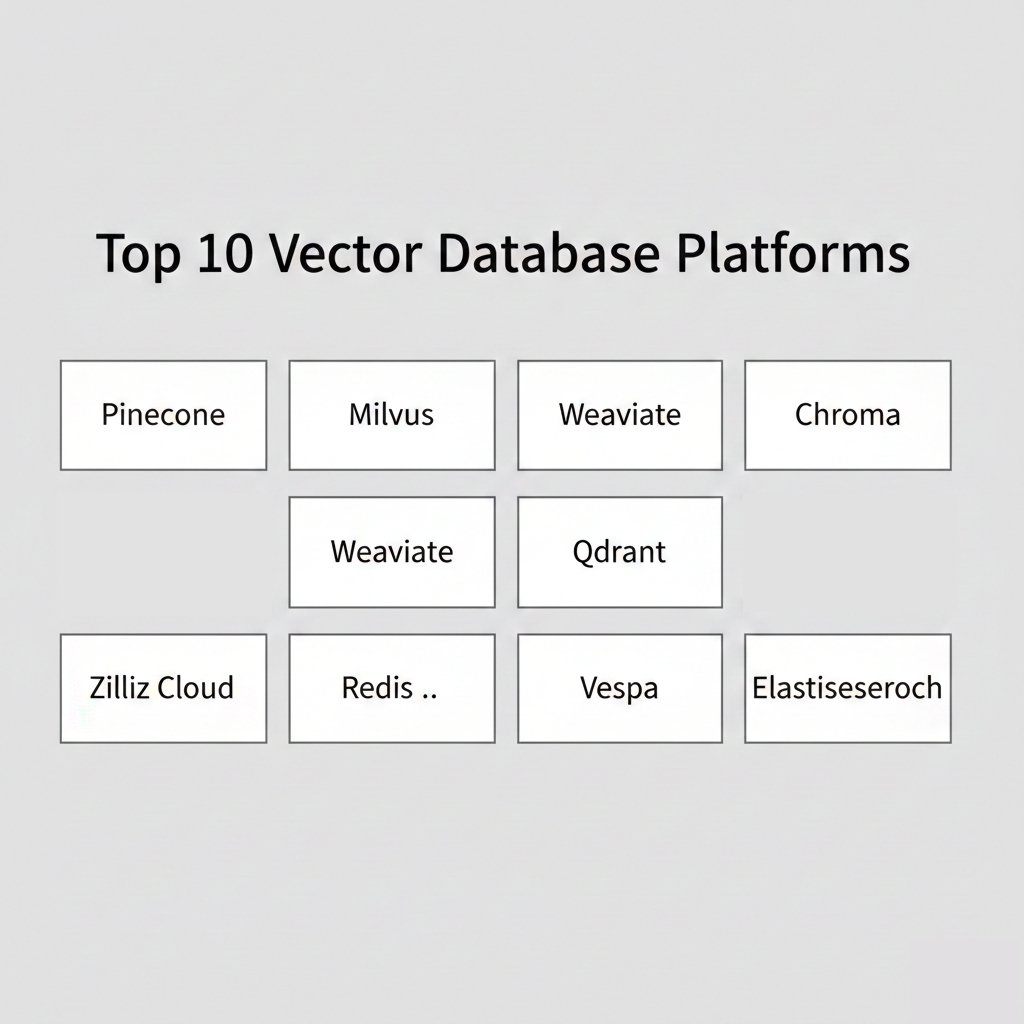
Top 10 Vector Database Platforms Tools
1 — Pinecone
Pinecone is a fully managed, cloud-native vector database designed for high-performance AI applications. It is famous for its “serverless” architecture that allows developers to scale from zero to billions of vectors without managing infrastructure.
- Key features:
- Serverless architecture with auto-scaling capabilities.
- Real-time index updates (add data and search immediately).
- Metadata filtering to combine vector search with traditional keyword filters.
- Highly optimized for low-latency retrieval.
- Native integration with OpenAI, Cohere, and Anthropic.
- Pros:
- Zero operational overhead; no clusters to manage or tune.
- Exceptional developer experience with a simple, clean API.
- Cons:
- Cloud-only; no option for on-premise or self-hosted deployment.
- Costs can become high for very high-throughput production environments.
- Security & compliance: SOC 2 Type II, HIPAA (on Enterprise), GDPR, and encryption at rest/transit.
- Support & community: Extensive documentation, active community forums, and dedicated enterprise technical support.
2 — Milvus
Milvus is an open-source vector database built for scale. It is highly flexible and widely used by organizations that want to host their own high-performance vector search engine on Kubernetes.
- Key features:
- Cloud-native architecture with a separated storage-compute model.
- Support for multiple indexing types (HNSW, IVF, ANNOY).
- Integration with popular open-source tools like Prometheus and Grafana.
- Hybrid search capabilities (Vector + Scalar).
- Highly resilient with built-in failover and recovery.
- Pros:
- Massive scalability for petabyte-scale datasets.
- Completely free and open-source, offering total control over data.
- Cons:
- Significant administrative complexity; requires Kubernetes expertise.
- Higher resource consumption compared to some lightweight alternatives.
- Security & compliance: Supports TLS/SSL, RBAC, and is GDPR compliant when self-hosted correctly.
- Support & community: Strong GitHub community, detailed Wiki, and commercial support available through Zilliz.
3 — Weaviate
Weaviate is an open-source vector database that allows you to store data objects and vector embeddings from your favorite ML models. It is known for its “schema-first” approach.
- Key features:
- Built-in modules for text, image, and multi-modal search.
- GraphQL and REST API support for intuitive querying.
- Hybrid search that combines keyword-based (BM25) and vector search.
- Horizontal scalability with high-availability support.
- Support for multi-tenancy (important for SaaS apps).
- Pros:
- Excellent for developers who prefer a structured, object-oriented data model.
- Flexible deployment: Open-source, managed cloud, or hybrid.
- Cons:
- The learning curve for its GraphQL interface can be a bit steep for some.
- Indexing speed can be slower than Pinecone for very large batches.
- Security & compliance: SOC 2, ISO 27001 (Managed version), and GDPR.
- Support & community: Very active Slack community and excellent “Weaviate Academy” for onboarding.
4 — Qdrant
Qdrant is a vector similarity search engine and vector database with an emphasis on performance and ease of use. It is written in Rust, ensuring high speed and safety.
- Key features:
- High-performance Rust-based engine.
- Flexible payload filtering with support for complex conditions.
- API available in multiple languages (Python, Go, Node.js).
- Distributed deployment support via Raft consensus.
- Quantization techniques to reduce memory usage.
- Pros:
- Incredibly efficient memory usage, lowering infrastructure costs.
- The “Payload” system makes filtering as powerful as a document database.
- Cons:
- Smaller ecosystem compared to Milvus or Pinecone.
- Documentation is good but not as exhaustive as the market leaders.
- Security & compliance: SSO, RBAC, and SOC 2 Type II (Cloud version).
- Support & community: Active Discord channel and growing enterprise support options.
5 — Chroma
Chroma is the “AI-native” open-source embedding database. It focuses on getting a developer from zero to a working RAG application in the shortest time possible.
- Key features:
- Lightweight and easy to install (
pip install chromadb). - Designed specifically for Python and JavaScript developers.
- Built-in embedding functions (no need to call external APIs).
- Optimized for developer productivity and local testing.
- “Serverless” local mode for quick prototyping.
- Lightweight and easy to install (
- Pros:
- The easiest tool to set up for a weekend project or an MVP.
- Very low barrier to entry for Python developers.
- Cons:
- Currently lacks some of the massive enterprise scaling features of Milvus.
- Managed cloud service is still evolving compared to Pinecone.
- Security & compliance: Standard open-source security; Managed version adds SOC 2.
- Support & community: Explosive growth in the developer community; very popular in the LangChain ecosystem.
6 — Zilliz Cloud
Zilliz Cloud is the fully managed version of Milvus. It offers all the power of the Milvus engine with the ease of a SaaS platform.
- Key features:
- Enterprise-grade management for Milvus clusters.
- Automated data migration and backup tools.
- Advanced monitoring and diagnostic dashboards.
- Multi-cloud availability (AWS, GCP, Azure).
- High-performance “Knowhere” vector execution engine.
- Pros:
- Best of both worlds: Open-source foundation with enterprise-grade stability.
- Robust scalability for the most demanding corporate workloads.
- Cons:
- Can be more expensive than running Milvus manually if not optimized.
- Interface is more complex than Pinecone’s minimalist approach.
- Security & compliance: SOC 2 Type II, HIPAA, ISO 27001, and GDPR.
- Support & community: Professional 24/7 technical support and white-glove onboarding.
7 — Redis (Vector Similarity Search)
While known as a cache, Redis has evolved to include powerful Vector Similarity Search (VSS) capabilities, making it a dual-purpose tool for high-speed apps.
- Key features:
- In-memory performance for sub-millisecond retrieval.
- Integrated with the broader Redis stack (Streams, Pub/Sub).
- Support for HNSW and Flat indexing.
- Hybrid queries (querying vectors and JSON data simultaneously).
- Real-time data persistence to disk.
- Pros:
- If you already use Redis for caching, adding vector search is seamless.
- The fastest possible latency for real-time AI features.
- Cons:
- Limited by RAM; storing billions of high-dimensional vectors can get expensive.
- Not a “purpose-built” vector database, though it is highly capable.
- Security & compliance: Redis Enterprise offers SOC 2, HIPAA, and PCI-DSS.
- Support & community: Massive global community and world-class enterprise support.
8 — Faiss
Faiss (Facebook AI Similarity Search) is a library—rather than a full database—for efficient similarity search and clustering of dense vectors. It is the core engine behind many other databases.
- Key features:
- Contains algorithms that search in sets of vectors of any size.
- Highly optimized for GPU acceleration.
- Support for billions of vectors via product quantization.
- Written in C++ with Python wrappers.
- Minimalist and purely focused on search performance.
- Pros:
- The fastest search algorithms available in the industry.
- Ideal for researchers who need to build custom vector solutions.
- Cons:
- Not a database; lacks storage management, APIs, and multi-user support.
- Requires significant engineering to turn into a production system.
- Security & compliance: N/A (Standard library security depends on implementation).
- Support & community: Widely used in academia and big tech; extensive GitHub issues/discussions.
9 — Vespa
Vespa is an open-source “big data” serving engine. It handles vector search, structured search, and organization of data for real-time applications at massive scale.
- Key features:
- Combines vector search with advanced ranking and machine learning.
- True real-time updates and indexing.
- Sophisticated “tensors” support for complex math operations.
- High availability and automated recovery.
- Used by Yahoo to power massive web-scale features.
- Pros:
- Incredible for applications that need to do more than just vector search (e.g., complex ranking).
- Proven to handle the largest datasets in existence.
- Cons:
- Very high learning curve; it is a massive, complex system.
- Overkill for simple AI applications or small teams.
- Security & compliance: Enterprise-grade security features; GDPR compliant.
- Support & community: Managed version available with professional support tiers.
10 — Elasticsearch (Vector Search)
Elasticsearch is the veteran of the search world. With recent updates, it has added robust support for dense vector fields and k-nearest neighbor (kNN) search.
- Key features:
- Familiar Lucene-based architecture.
- Ability to combine vector search with full-text BM25 search.
- Robust aggregation and analytical tools.
- Enterprise-ready scaling and monitoring.
- Support for HNSW indexing for approximate nearest neighbors.
- Pros:
- Perfect for teams already using the ELK stack (Elasticsearch, Logstash, Kibana).
- Unrivaled for “Hybrid Search” (combining text and vector).
- Cons:
- Vector search is an add-on; not as “AI-native” as Chroma or Pinecone.
- Can be resource-heavy and complex to tune for vector-only workloads.
- Security & compliance: SOC 2, HIPAA, FedRAMP, and GDPR.
- Support & community: Massive global community and extensive training resources.
Comparison Table
| Tool Name | Best For | Platform(s) Supported | Standout Feature | Rating (Gartner/Trusted) |
| Pinecone | Rapid Deployment | AWS, GCP, Azure | Serverless Scaling | 4.7 / 5.0 |
| Milvus | High-Scale Open Source | K8s, Cloud, Linux | Multi-Index Support | 4.5 / 5.0 |
| Weaviate | Structured AI Apps | Docker, Cloud, K8s | GraphQL Integration | 4.6 / 5.0 |
| Qdrant | Resource Efficiency | Docker, Cloud, Rust | Powerful Filtering | 4.5 / 5.0 |
| Chroma | Python Prototypes | Local, Docker, Cloud | 1-Line Setup | N/A |
| Zilliz Cloud | Enterprise Milvus | AWS, GCP, Azure | Automated Operations | 4.6 / 5.0 |
| Redis | Real-time / Caching | Multi-Cloud, On-prem | In-Memory Speed | 4.6 / 5.0 |
| Faiss | Research / Custom | Library (C++, Py) | GPU Acceleration | N/A |
| Vespa | Complex Ranking | Cloud, Docker | Tensor Processing | 4.4 / 5.0 |
| Elasticsearch | Hybrid Search | Multi-Cloud, On-prem | Text + Vector Sync | 4.5 / 5.0 |
Evaluation & Scoring of Vector Database Platforms
When selecting a platform, we use a weighted scoring model to determine which tool fits which scenario. Below is the rubric used for this guide.
| Metric | Weight | Evaluation Criteria |
| Core Features | 25% | kNN search, indexing types, and hybrid search capabilities. |
| Ease of Use | 15% | API quality, setup time, and documentation clarity. |
| Integrations | 15% | Compatibility with LangChain, OpenAI, and cloud ecosystems. |
| Security | 10% | Encryption, compliance (SOC 2/HIPAA), and RBAC. |
| Performance | 10% | Latency, throughput, and indexing speed. |
| Support | 10% | Community size and professional support availability. |
| Price / Value | 15% | Free tier accessibility and predictable scaling costs. |
Which Vector Database Platforms Tool Is Right for You?
Solo Users vs SMB vs Mid-Market vs Enterprise
- Solo Users/Developers: Chroma is your best bet. It is free, runs locally, and gets your prototype working in minutes.
- SMBs: Pinecone offers a great balance of power and zero maintenance, allowing small teams to focus on the AI model rather than the database.
- Mid-Market/Enterprise: Milvus (Zilliz) or Weaviate are ideal for teams that need to scale to millions of users while maintaining control over data residency and costs.
Budget-Conscious vs Premium Solutions
- Budget-Conscious: Milvus or Qdrant (Open Source) allow you to host on your own hardware, avoiding high monthly SaaS fees.
- Premium: Zilliz Cloud or Pinecone Enterprise provide white-glove service and automated scaling for organizations where uptime is critical.
Feature Depth vs Ease of Use
- Ease of Use: Pinecone and Chroma win here. Their APIs are designed for developers, not DBAs.
- Feature Depth: Vespa and Elasticsearch offer a depth of analytical and ranking features that specialized vector databases can’t match.
Integration and Scalability Needs
If you are already deep in the AWS or Azure ecosystem, using Elasticsearch or a managed Redis instance might be easier for compliance. If you need global scale and multi-cloud flexibility, Milvus is the standard.
Frequently Asked Questions (FAQs)
1. What is a “vector embedding”?
A vector embedding is a list of numbers that represents a piece of data (like a word or image) in a way that captures its meaning. Computers use these numbers to calculate how similar two pieces of information are.
2. Can I use a regular database like PostgreSQL for vectors?
Yes, you can use extensions like pgvector. It is great for small to medium datasets, but for millions of vectors and high-speed AI apps, a dedicated vector database is usually more efficient.
3. What is Retrieval-Augmented Generation (RAG)?
RAG is a technique where an AI model looks up relevant documents in a vector database before generating an answer. This keeps the AI’s information accurate and up to date.
4. How do I choose between HNSW and IVF indexing?
HNSW is generally faster for retrieval but uses more memory. IVF is more memory-efficient but can be slightly slower. Most managed databases like Pinecone handle this choice for you.
5. Is Pinecone better than Milvus?
It depends on your needs. Pinecone is easier to use and fully managed. Milvus is more powerful, scalable, and can be self-hosted, but it requires more engineering effort to manage.
6. Does a vector database store the original text or image?
Most can store the original data as “metadata” alongside the vector, but some people choose to store only the vector and a reference ID to a different storage system (like an S3 bucket).
7. How much does a vector database cost?
Open-source tools are free to use but require hosting costs. Managed services like Pinecone usually have a free tier, with paid tiers starting around $70-$100 per month and scaling with data volume.
8. Can vector databases handle real-time data?
Yes, most modern platforms like Pinecone, Weaviate, and Milvus support real-time indexing, meaning you can search data almost immediately after adding it.
9. What is “Hybrid Search”?
Hybrid search combines vector search (concepts) with traditional keyword search (exact words). This often yields the most accurate results for user-facing search bars.
10. Do I need a GPU to run a vector database?
Most vector databases run efficiently on CPUs. However, libraries like Faiss can use GPUs to significantly speed up the initial indexing process for massive datasets.
Conclusion
The choice of a vector database platform is a foundational decision for any AI-driven project. If you are just starting your journey, a developer-friendly tool like Chroma or Pinecone will help you move fast. For those building the next global AI powerhouse, the scalability and flexibility of Milvus or Weaviate are indispensable.
As AI continues to evolve, these databases will only become more integrated into our tech stacks. The “best” tool isn’t necessarily the one with the most features; it’s the one that aligns with your team’s skills, your budget, and your performance requirements.

- Top 10 Email Deliverability Tools: Features, Pros, Cons & Comparison - September 6, 2026
- Top 10 Pharmacovigilance Software: Features, Pros, Cons & Comparison - September 6, 2026
- Top 10 Manufacturing Execution Systems (MES) - July 30, 2026