Introduction
Vector search tooling represents a fundamental shift in how we store and retrieve information. Unlike traditional databases that look for exact keyword matches, vector search tools use mathematical representations of data—known as embeddings—to find information based on conceptual meaning. By transforming text, images, or audio into high-dimensional vectors, these tools can calculate the “distance” between different points of data. This allows a system to understand that “feline” and “cat” are related concepts, even though the words share no common letters.
In the age of generative AI, vector search has become the backbone of Retrieval-Augmented Generation (RAG). It allows large language models to access private, real-time data without constant retraining. Beyond AI, it powers modern recommendation engines, visual search for e-commerce, and advanced fraud detection systems. When evaluating these tools, users should prioritize factors such as latency (how fast the search is), scalability (how many millions of vectors it can hold), and hybrid search capabilities (the ability to combine keyword and vector searches).
Best for: These tools are indispensable for AI engineers, data scientists, and enterprise software architects building “intelligent” applications. They are ideal for technology-driven companies in e-commerce, cybersecurity, and any industry implementing customer-facing AI agents or complex recommendation systems.
Not ideal for: Organizations running traditional CRUD (Create, Read, Update, Delete) applications that rely solely on structured data like names, dates, and prices. If your search needs are limited to finding exact part numbers or simple filter-based queries, a standard relational database is more efficient and significantly less expensive.
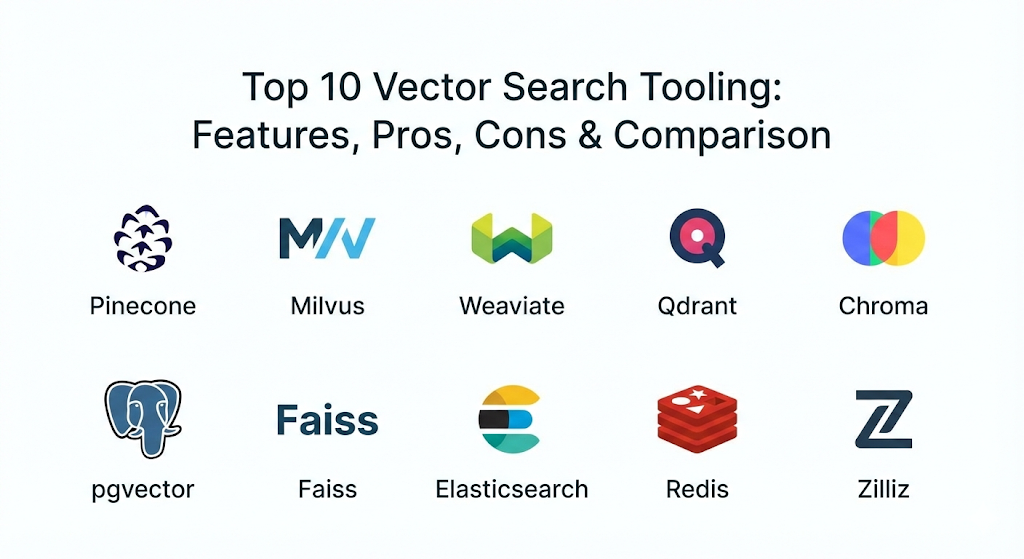
Top 10 Vector Search Tooling Tools
1 — Pinecone
Pinecone is widely considered the pioneer of the managed vector database category. It is a cloud-native platform designed to handle high-performance vector search without requiring the user to manage any underlying infrastructure.
- Key Features:
- Serverless Architecture: Automatically scales compute and storage independently to optimize costs.
- Real-time Indexing: Allows for immediate data freshness, meaning new data is searchable the moment it is added.
- Metadata Filtering: Combines vector similarity with hard filters (e.g., “Find similar images, but only from the 2024 collection”).
- Global Distribution: Supports multi-region deployments to reduce latency for global users.
- Hybrid Search: Seamlessly integrates keyword and semantic search in a single query.
- Easy-to-use API: Focused on developer experience with simple SDKs for Python and Node.js.
- Pros:
- Virtually zero maintenance; you never have to worry about sharding or hardware provisioning.
- Exceptional performance for RAG applications where data changes frequently.
- Cons:
- No local or on-premise version; you are locked into their cloud platform.
- Costs can escalate quickly as your vector count and query volume grow.
- Security & Compliance: Offers SOC 2 Type II, HIPAA compliance (on Enterprise plans), encryption at rest/transit, and SSO integration.
- Support & Community: Excellent documentation, 24/7 premium support for enterprise customers, and a massive community of AI developers.
2 — Milvus
Milvus is an open-source heavyweight designed for massive, enterprise-scale vector search. It is built on a distributed architecture that separates storage from computing, allowing it to handle billions of vectors with ease.
- Key Features:
- Cloud-Native Design: Built specifically to run on Kubernetes for maximum scalability.
- Multiple Index Types: Supports various indexing algorithms like HNSW, IVF, and DiskANN to tune for speed vs. accuracy.
- High Availability: Built-in redundancy ensures that the system stays up even if individual nodes fail.
- Time Travel: Allows users to query data as it existed at a specific point in the past.
- Dynamic Schema: Supports both fixed and flexible data structures for metadata.
- Disaggregated Storage: Uses object storage (like S3) for cost-efficient long-term data retention.
- Pros:
- Probably the most scalable open-source option available today for billions of vectors.
- Highly customizable for specific hardware configurations (GPU vs. CPU).
- Cons:
- Significant operational complexity; requires specialized knowledge to manage a distributed cluster.
- Resource-intensive; it requires more hardware overhead than lightweight alternatives.
- Security & Compliance: Supports RBAC (Role-Based Access Control), TLS encryption, and audit logs. Compliance depends on the hosting environment.
- Support & Community: Very strong GitHub presence, detailed technical whitepapers, and a dedicated Slack channel for troubleshooting.
3 — Weaviate
Weaviate is an open-source vector database that stands out for its “graph-like” approach to data and its deep integration with popular AI model providers like OpenAI and Cohere.
- Key Features:
- Modular Architecture: Easily swap out different embedding models or vectorizers within the database itself.
- Multi-modal Support: Capable of storing and searching vectors for text, images, and video simultaneously.
- Hybrid Search: Combines BM25 keyword search with vector search using a sophisticated ranking algorithm.
- Multi-tenancy: Efficiently separates data for different customers within a single database instance.
- GraphQL Support: Uses a familiar query language for developers to explore data relationships.
- Auto-schema: Automatically infers data types when you import information.
- Pros:
- The integrated vectorization modules save developers from having to manage external embedding pipelines.
- Excellent for complex data models where relationships between objects are as important as the vectors themselves.
- Cons:
- Can be memory-hungry compared to tools written in lower-level languages like Rust or C++.
- Managed cloud pricing is relatively high compared to some serverless competitors.
- Security & Compliance: SOC 2 Type II, GDPR ready, OIDC/SSO support, and encrypted backups.
- Support & Community: High-quality documentation, a vibrant Discord community, and structured onboarding for enterprise users.
4 — Qdrant
Written in Rust, Qdrant is a high-performance vector search engine that focuses on efficiency, reliability, and ease of deployment. It has gained significant traction for being fast and resource-light.
- Key Features:
- Rust-based Engine: Offers predictable performance and low memory overhead.
- Payload Filtering: Highly optimized system for filtering search results based on complex metadata rules.
- Quantization: Supports various compression techniques to fit more vectors into less RAM without losing much accuracy.
- Distributed Mode: Uses the Raft consensus protocol for reliable scaling and high availability.
- Snapshot Support: Easily move data between local development and cloud production using snapshots.
- gRPC & HTTP Support: Flexible communication protocols for high-speed data transfer.
- Pros:
- Extremely fast and stable; the use of Rust prevents many common memory-related bugs.
- One of the best balances between feature richness and operational simplicity.
- Cons:
- Community and ecosystem are smaller than older giants like Milvus.
- Managed cloud options are somewhat newer and have fewer regions than Pinecone.
- Security & Compliance: SSO, API key management, TLS, and SOC 2 Type II compliance.
- Support & Community: Known for very responsive maintainers on GitHub and a growing repository of tutorials.
5 — Chroma
Chroma is the “developer-first” vector database. It gained fame for being the easiest tool to get started with, specifically targeting small teams and researchers building AI prototypes.
- Key Features:
- Minimalist API: You can get a vector store running in just four lines of Python code.
- In-memory Mode: Run the database entirely in your local RAM for lightning-fast testing.
- Automatic Embedding: Built-in support for multiple embedding functions out of the box.
- Lightweight Footprint: Can be easily embedded into larger applications or run as a standalone server.
- Collection Management: Simple way to organize different sets of vectors and metadata.
- Native JS/Python Support: Direct SDKs that feel natural to modern application developers.
- Pros:
- Unbeatable for prototyping and local development; it “just works.”
- Open-source and free to use without complex infrastructure requirements.
- Cons:
- Not yet as proven for massive, multi-billion vector enterprise deployments as Milvus or Pinecone.
- Lacks some of the advanced distributed management features found in specialized cloud databases.
- Security & Compliance: Basic authentication and encryption. Advanced compliance features are still maturing.
- Support & Community: One of the fastest-growing communities in the AI space, with heavy adoption in the LangChain ecosystem.
6 — pgvector (PostgreSQL Extension)
For many, the best vector database is the database they already have. pgvector is an extension for PostgreSQL that allows the world’s most popular open-source database to store and search vectors.
- Key Features:
- Seamless Integration: Use standard SQL to query both your relational data and your vectors in the same command.
- IVFFlat and HNSW Indexing: Supports modern indexing methods to speed up similarity searches.
- Distance Metrics: Support for L2 distance, inner product, and cosine distance.
- Standard SQL Power: Use JOINs, WHERE clauses, and GROUP BY on your vector results.
- ACID Compliance: Benefit from the rock-solid reliability and data integrity of PostgreSQL.
- Cloud Availability: Supported by major providers like AWS RDS, Google Cloud SQL, and Azure.
- Pros:
- No need to learn a new query language or manage a separate piece of infrastructure.
- Makes it easy to maintain “single source of truth” for your data.
- Cons:
- Not as optimized for extreme-scale vector search as dedicated tools.
- Large vector indexes can impact the performance of other traditional SQL queries on the same server.
- Security & Compliance: Inherits all PostgreSQL security, including HIPAA, SOC 2, and military-grade encryption.
- Support & Community: Backed by the massive global PostgreSQL community and all major cloud support teams.
7 — Faiss (Meta AI)
Faiss (Facebook AI Similarity Search) isn’t a database, but a library. Developed by Meta, it is the fundamental technology that many other vector databases use under the hood for high-speed indexing.
- Key Features:
- Unrivaled Performance: Written in highly optimized C++ with optional GPU acceleration.
- Algorithm Diversity: Offers the widest range of indexing strategies in the industry.
- Memory Mapping: Allows searching through indexes that are too large to fit in RAM by using disk.
- Clustering Support: Built-in tools for K-means clustering and PCA dimensionality reduction.
- Batch Processing: Highly efficient at searching for thousands of vectors at the same time.
- Direct Python Bindings: Easy to use for data science workflows in Jupyter notebooks.
- Pros:
- If you need the absolute fastest possible search on a single machine, this is it.
- Completely free and open-source with no overhead for database management.
- Cons:
- It is a library, not a server; you have to build your own API, persistence, and distribution layers.
- No built-in support for metadata filtering or CRUD operations.
- Security & Compliance: N/A (It is a local library; security depends on your application).
- Support & Community: Expert-level community; used by almost every major tech company for research.
8 — Elasticsearch (Vector Support)
Elasticsearch has long been the leader in keyword search. In recent years, it has transformed into a “vector-capable” engine, making it a top choice for companies moving from old-school search to AI search.
- Key Features:
- Dense and Sparse Vectors: Supports both traditional vector search and newer sparse vector methods.
- ELSER Model: A proprietary model that improves search relevance without requiring custom embeddings.
- Hybrid Ranking: Uses Reciprocal Rank Fusion (RRF) to perfectly balance keyword and vector results.
- Enterprise Scalability: Proven to handle petabytes of data across distributed clusters.
- Visualizations: Deep integration with Kibana for searching and visualizing vector data.
- Advanced Security: Extremely mature permission and audit systems.
- Pros:
- The best option for teams that need a mix of complex text search and vector search.
- A very safe, “enterprise-ready” choice with long-term stability.
- Cons:
- Can be very expensive to run at scale due to high RAM requirements for vector indexes.
- The configuration is complex and can be overwhelming for simple AI apps.
- Security & Compliance: High-end security including FIPS 140-2, SOC 2, HIPAA, and GDPR.
- Support & Community: Massive ecosystem with thousands of plugins and certified professional support.
9 — Redis (Vector Support)
Redis is famous for being the world’s fastest in-memory data store. With its vector support, it has become a popular choice for “real-time” AI applications where every millisecond counts.
- Key Features:
- In-Memory Speed: Sub-millisecond latency for vector similarity searches.
- Multiple Data Types: Store vectors alongside hashes, lists, and sets.
- RediSearch Module: Provides a powerful engine for indexing and querying.
- Stream Support: Ideal for analyzing vectors from live data streams or IoT devices.
- Simple Deployment: Available as a managed service or a lightweight Docker container.
- High Throughput: Capable of handling millions of operations per second.
- Pros:
- The absolute lowest latency for production environments.
- Great if you are already using Redis for caching or session management.
- Cons:
- Since it runs in RAM, storing millions of large vectors can become extremely expensive.
- Not designed for “cold storage” of billions of vectors.
- Security & Compliance: ACLs (Access Control Lists), TLS, and SOC 2 compliance.
- Support & Community: Huge community and world-class enterprise support from Redis Inc.
10 — Zilliz
Zilliz is the commercial, fully-managed version of Milvus. It offers all the power of the open-source engine but with a “one-click” cloud experience similar to Pinecone.
- Key Features:
- Optimized Milvus Engine: Runs a specially tuned version of Milvus that is faster than the open-source edition.
- Visual Management: A clean web console to manage collections, indexes, and queries.
- Auto-scaling: Automatically grows or shrinks your cluster based on traffic.
- Data Migration: Tools to easily move data from other databases into Zilliz.
- Pipeline Support: Integrated tools to handle the embedding process within the platform.
- Enterprise Governance: Advanced tools for tracking usage and costs across different departments.
- Pros:
- All the scale of Milvus without the headache of managing Kubernetes.
- Better performance and lower operational costs than self-hosted Milvus for many teams.
- Cons:
- You lose some of the deep “knob-turning” control of the open-source version.
- Pricing is a premium over raw infrastructure costs.
- Security & Compliance: SOC 2 Type II, ISO 27001, HIPAA, and GDPR compliance.
- Support & Community: Enterprise-grade SLAs and direct access to the creators of Milvus.
Comparison Table
| Tool Name | Best For | Platform(s) Supported | Standout Feature | Rating |
| Pinecone | Rapid AI Prototyping | Cloud (AWS, GCP, Azure) | Serverless Ease | 4.8/5 |
| Milvus | Massive Enterprise Apps | Kubernetes, Cloud, On-prem | Distributed Scale | 4.7/5 |
| Weaviate | Graph/Multi-modal Data | Docker, Cloud, On-prem | Multi-modal Built-in | 4.6/5 |
| Qdrant | High Efficiency | Docker, Cloud, Managed | Rust Performance | 4.7/5 |
| Chroma | Local Dev & Small Apps | Local, Docker | Simple Python API | 4.5/5 |
| pgvector | Teams already on Postgres | Cloud SQL, RDS, Local | SQL Compatibility | 4.4/5 |
| Faiss | Research & Libraries | Local (Python/C++) | Raw Speed (GPU) | 4.3/5 |
| Elasticsearch | Hybrid Text/Vector Search | Cloud, On-prem | Enterprise Search | 4.5/5 |
| Redis | Real-time / Low Latency | In-memory, Cloud | Sub-ms Latency | 4.6/5 |
| Zilliz | Managed Milvus | Cloud (AWS, GCP, Azure) | milvus-as-a-service | 4.7/5 |
Evaluation & Scoring of Vector Search Tooling
The following weighted rubric represents how we evaluated these tools based on current industry standards and buyer priorities.
| Criteria | Weight | Explanation |
| Core Features | 25% | Capacity for high-dimensional search, hybrid ranking, and indexing flexibility. |
| Ease of Use | 15% | Time required to go from installation to a working production query. |
| Integrations | 15% | Connectivity with LangChain, LlamaIndex, OpenAI, and cloud ecosystems. |
| Security | 10% | Availability of SOC 2, HIPAA, encryption, and robust access controls. |
| Performance | 10% | Search latency and throughput under high query-per-second (QPS) loads. |
| Support | 10% | Quality of documentation, enterprise SLAs, and active community forums. |
| Price / Value | 15% | Predictability of costs and efficiency of resource usage. |
Which Vector Search Tooling Tool Is Right for You?
Solo Users vs. SMB vs. Mid-market vs. Enterprise
If you are a solo developer or working at a startup, Chroma or Pinecone are the clear winners. Chroma is free and runs on your laptop, making it perfect for the “building in public” phase. Pinecone’s serverless tier is ideal for small businesses because it scales from zero dollars to a few hundred only as you get traffic. Mid-market companies often find Qdrant or Weaviate to be the sweet spot, offering more control than Pinecone but less complexity than Milvus. Large enterprises with billions of records and strict compliance needs should look toward Milvus (or Zilliz) and Elasticsearch.
Budget-conscious vs. Premium Solutions
If budget is the primary driver, pgvector is often the winner because you can run it on your existing PostgreSQL instance for zero extra license cost. For high-end performance where cost is secondary to reliability and speed, Pinecone and Zilliz offer premium managed experiences that justify their price tags by saving thousands of engineering hours.
Feature Depth vs. Ease of Use
For those who want a tool that “just works” without reading 50 pages of documentation, Chroma and Pinecone are the easiest. However, if you need “feature depth”—meaning you need to tune specific distance metrics, use GPU acceleration, or create complex multi-tenant architectures—Milvus and Faiss provide the most knobs to turn.
Frequently Asked Questions (FAQs)
1. What is a “distance metric” in vector search?
A distance metric is a formula used to calculate how similar two vectors are. Common metrics include Cosine Similarity (focuses on the angle/meaning), Euclidean Distance (focuses on the straight-line distance), and Inner Product.
2. Can I store my actual text/images in a vector database?
Most vector databases allow you to store “metadata” alongside the vector. This can include the original text snippet, a URL to an image, or a JSON object containing details about the data.
3. Do I need a GPU to run vector search?
No, most tools run perfectly on standard CPUs. GPUs are generally only needed for the “embedding” process (creating the vectors) or for extremely high-speed research environments using libraries like Faiss.
4. What is the “curse of dimensionality”?
This is a mathematical phenomenon where, as you add more dimensions to a vector, the data becomes very sparse, and every point starts to look like it’s far away from every other point. Modern vector tools use specialized indexing to overcome this.
5. How is vector search different from regular search?
Regular search looks for exact characters (e.g., “blue shoes”). Vector search looks for mathematical proximity (e.g., “navy sneakers” or “azure footwear”) by understanding the context and meaning.
6. Is pgvector fast enough for production?
For most applications with under a million vectors, pgvector is more than fast enough. If you are hitting millions of queries per day or billions of vectors, you may need a dedicated tool.
7. What is HNSW?
Hierarchical Navigable Small World (HNSW) is a popular indexing algorithm. It builds a graph-based structure that allows the search engine to “skip” across the data to find the right neighborhood very quickly.
8. Can I use vector search for languages other than English?
Yes. As long as your embedding model (like those from OpenAI or Cohere) supports multiple languages, the vector database will store and search them without any extra configuration.
9. What is “Hybrid Search”?
Hybrid search is the combination of traditional keyword matching and vector similarity. It ensures that if a user types an exact name, they find it, while also getting conceptually related results.
10. What is a “Vector Store” in LangChain?
In frameworks like LangChain, a “Vector Store” is simply a wrapper that allows the AI to easily send data to and from a vector database like Pinecone or Chroma.
Conclusion
The explosion of generative AI has moved vector search tooling from a niche research interest to a core component of the modern enterprise tech stack. While the market is crowded, the right choice usually reveals itself based on your existing infrastructure. If you are already running on PostgreSQL, pgvector is a natural first step. If you need a scalable, hands-off cloud solution, Pinecone remains the gold standard.
Ultimately, the “best” tool is the one that allows your team to iterate quickly. AI is moving fast, and the ability to swap models or scale your data without re-architecting your entire system is the most valuable feature a tool can offer. Start small with a developer-friendly option like Chroma or Pinecone, and move to a heavy-duty distributed system like Milvus only when your data volume demands it.

- Top 10 Email Deliverability Tools: Features, Pros, Cons & Comparison - September 6, 2026
- Top 10 Pharmacovigilance Software: Features, Pros, Cons & Comparison - September 6, 2026
- Top 10 Manufacturing Execution Systems (MES) - July 30, 2026