Introduction
In the heart of every mission-driven organization lies a community of dedicated supporters. However, as these communities grow, the logistical challenge of coordinating hundreds or thousands of individuals can quickly overwhelm even the most seasoned coordinators. Volunteer Management Software (VMS) is a specialized digital platform designed to centralize and automate the entire volunteer lifecycle—from the first touchpoint of recruitment to the final report on social impact. By moving away from fragmented spreadsheets and manual email chains, organizations can ensure that their most valuable resource—human time—is utilized with maximum efficiency and care.
The importance of a robust VMS cannot be overstated. It serves as a “single source of truth,” ensuring that volunteer data is secure, schedules are balanced, and communication is consistent. Real-world use cases span from local food banks managing daily shifts to global sporting events coordinating a workforce of 20,000+ activists. When evaluating these tools, organizations should prioritize automation capabilities, mobile accessibility, integration with existing CRMs, and user experience for the volunteers themselves. A system that is too difficult to navigate will ultimately lead to lower engagement and higher churn.
Best for: Nonprofits of all sizes, community-driven organizations, healthcare facilities, schools, and corporate social responsibility (CSR) programs that need to scale their impact while reducing administrative overhead.
Not ideal for: Very small grassroots groups with fewer than 10 volunteers who can easily manage their coordination via a shared calendar or simple group chat. It may also not be necessary for organizations that only host one-off, infrequent events.
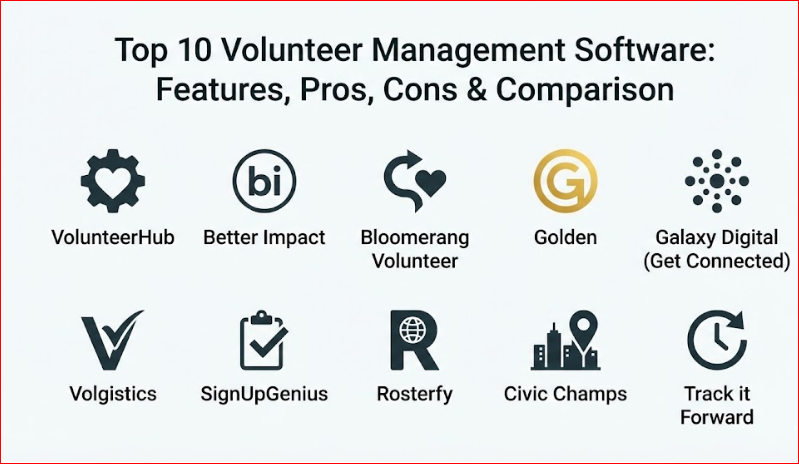
Top 10 Volunteer Management Software Tools
1 — VolunteerHub
VolunteerHub is an enterprise-grade platform known for its robust automation and its ability to handle complex, multi-site organizations. It is specifically built to streamline recruitment and eliminate the friction of manual data entry.
- Key Features:
- Automated Communication: Triggers emails and SMS based on sign-ups, cancellations, or milestones.
- Waitlist Management: Automatically fills open spots from a waitlist when a volunteer cancels.
- Landing Pages: Create branded, event-specific pages to target different volunteer segments.
- User Groups: Segment volunteers by skill set, location, or membership status for targeted recruitment.
- Onboarding Workflows: Custom registration paths that ensure waivers and training are completed before sign-up.
- Fundraising Integration: Features to identify and convert active volunteers into financial donors.
- Pros:
- Excellent for large organizations needing deep customization and multi-location management.
- Strong emphasis on volunteer-to-donor conversion, maximizing organizational ROI.
- Cons:
- The pricing is on the higher end, making it less accessible for very small nonprofits.
- The interface, while functional, can feel more “corporate” and less modern than some newer competitors.
- Security & Compliance: SOC 2 Type II compliant, GDPR compliant, and features 256-bit SSL encryption.
- Support & Community: High-quality documentation, dedicated account managers for enterprise plans, and regular training webinars.
2 — Better Impact
Better Impact is a holistic management suite that offers a highly user-friendly experience for both administrators and volunteers. It is designed to be a comprehensive “people management” tool for the nonprofit sector.
- Key Features:
- MyImpactPage: A dedicated portal for volunteers to manage their own schedules and log hours.
- Detailed Reporting: Generates complex impact reports with just a few clicks for grant applications.
- e-Learning Integration: Built-in modules to train and test volunteers within the platform.
- Mobile App: A native app that allows for on-site check-ins and real-time schedule updates.
- Qualification Tracking: Monitor certifications (e.g., CPR or background checks) with automated expiration alerts.
- Customizable Forms: Drag-and-drop application builders to capture specific volunteer data.
- Pros:
- Known for having some of the most responsive and helpful customer support in the industry.
- The “all-in-one” nature reduces the need for multiple disconnected software subscriptions.
- Cons:
- Some users find the initial setup and configuration of “modules” to be time-consuming.
- The visual design of the volunteer portal is functional but somewhat dated.
- Security & Compliance: ISO 27001 certified, GDPR compliant, and supports Two-Factor Authentication (2FA).
- Support & Community: Extensive video library, “Better Impact Academy” for users, and 24/7 emergency support.
3 — Bloomerang Volunteer
Formerly known as InitLive, Bloomerang Volunteer focuses on the synergy between event management and long-term volunteer engagement. It is part of the broader Bloomerang ecosystem, making it a powerhouse for organizations focused on donor relations.
- Key Features:
- Live Event Dashboard: Monitor check-ins and staff levels in real-time during major events.
- Shift Swapping: Allows volunteers to trade shifts with one another (with admin approval) to reduce no-shows.
- Integrated CRM: Seamlessly shares data between the volunteer database and the donor database.
- Mobile Staff App: Empower on-site coordinators to manage volunteers from their smartphones.
- Automated Reminders: Highly customizable SMS and email schedules to keep volunteers informed.
- Qualification Screening: Automated workflows to accept or reject applications based on specific criteria.
- Pros:
- Best-in-class for organizations that view volunteers as their most likely future donors.
- Extremely strong event-day features that prevent logistical chaos during high-stress activities.
- Cons:
- The volunteer management module is often sold as an add-on to the main CRM, which can be expensive.
- Advanced analytics are sometimes locked behind higher-tier subscription plans.
- Security & Compliance: SOC 2 compliant, GDPR compliant, and utilizes secure AWS hosting.
- Support & Community: Comprehensive onboarding services, live chat support, and a vibrant user community.
4 — Golden
Golden is a modern, high-tech platform that utilizes AI to automate the “boring bits” of management. It is designed for the mobile-first generation, emphasizing ease of use and viral sharing.
- Key Features:
- AI Matching: Automatically suggests opportunities to volunteers based on their interests and past behavior.
- Background Check Integration: Native, instant background checks via Sterling or Checkr.
- Branded Kiosks: Simple iPad or tablet setups for on-site check-ins.
- Viral Recruitment: Built-in tools for volunteers to share opportunities on social media with one click.
- Grant Reporting: Automatically formats volunteer impact data into the specific language used by major grantors.
- Global Scalability: Support for multiple languages and international volunteer programs.
- Pros:
- The most modern and visually appealing interface currently on the market.
- Significant time savings through heavy automation of administrative tasks.
- Cons:
- The “hands-off” AI approach may feel less personal for organizations that prefer manual oversight.
- Some advanced integrations require the enterprise-level plan.
- Security & Compliance: GDPR and HIPAA compliant options available; SOC 2 Type II compliant.
- Support & Community: 24/7 live chat, “Golden Academy” training videos, and a dedicated developer API.
5 — Galaxy Digital (Get Connected)
Galaxy Digital’s “Get Connected” platform is uniquely designed for community-wide coordination. It is the preferred choice for United Ways and city-wide programs that need to manage thousands of volunteers across multiple agencies.
- Key Features:
- Agency Portals: Allows partner nonprofits to manage their own needs within a central community hub.
- Gamification: Rewards volunteers with digital badges and “impact milestones” to drive engagement.
- Disaster Response Mode: Quickly pivots the platform to coordinate emergency volunteers during crises.
- Skill-Based Matching: Advanced filters to find specialized volunteers (e.g., lawyers, accountants).
- Community Dashboards: High-level views of total community impact and economic value of hours.
- Corporate Portals: Specialized views for local businesses to track their employees’ service hours.
- Pros:
- Unrivaled for “umbrella” organizations coordinating across many different local partners.
- Strong emphasis on building a local “brand” for volunteering in a specific city or region.
- Cons:
- Can be overly complex for a single standalone nonprofit with simple needs.
- Reporting can be overwhelming due to the sheer volume of data categories available.
- Security & Compliance: GDPR compliant, 2FA enabled, and industry-standard data encryption.
- Support & Community: Dedicated “Success Managers,” regional user groups, and extensive help articles.
6 — Volgistics
Volgistics is a veteran in the field, offering a highly customizable, web-based solution that is particularly popular in the healthcare and education sectors.
- Key Features:
- VicNet Portal: A secure way for volunteers to check schedules and sign up for shifts from any browser.
- VicTouch Kiosk: A touch-screen time clock for on-site attendance tracking.
- Deep Customization: Nearly every field and report can be tailored to the organization’s specific terminology.
- Service Tracking: Comprehensive history of every hour served, including “Mandatory Service” tracking for schools.
- Document Storage: Securely store applications, photos, and training documents in each volunteer’s profile.
- Flexible Billing: Pricing based on the number of active volunteers, allowing the system to scale with your growth.
- Pros:
- Incredible reliability; a “tried and true” system that rarely experiences downtime.
- High level of control over data privacy and specific user permissions.
- Cons:
- The user interface looks and feels like it belongs in the early 2010s.
- Lacks a dedicated, native mobile app (though the web portal is mobile-responsive).
- Security & Compliance: HIPAA compliant, GDPR compliant, and features robust audit logs.
- Support & Community: Highly detailed written documentation and a responsive email-based support team.
7 — SignUpGenius
SignUpGenius is the go-to tool for grassroots groups, schools, and small nonprofits that need a simple, effective sign-up sheet without the complexity of a full CRM.
- Key Features:
- Simple Sign-Up Sheets: Create a professional-looking list of slots in minutes.
- Slot Logic: Prevent double-booking and set limits on how many slots a person can take.
- Payment Collection: Collect event fees or donations directly on the sign-up page.
- Auto-Reminders: Sends email or text alerts to volunteers before their scheduled time.
- Theme Library: Hundreds of pre-designed templates for different types of events.
- Report Generation: Quick exports of participant lists for on-site registration.
- Pros:
- The fastest learning curve; anyone can master it in 15 minutes.
- Offers a completely free version for very small or infrequent needs.
- Cons:
- Lacks “volunteer lifecycle” features like background checks or long-term engagement tracking.
- The free version is heavily supported by advertisements, which can be distracting.
- Security & Compliance: Varies / Standard web encryption; GDPR compliant for paid tiers.
- Support & Community: Massive help center, email support, and a huge community of casual users.
8 — Rosterfy
Rosterfy is an enterprise workforce management platform designed for global sporting events, festivals, and massive government-led volunteer initiatives.
- Key Features:
- Automated Onboarding Journeys: Creates a custom “pathway” for volunteers based on their role.
- Training Modules: Integrated video and quiz components to ensure safety and compliance.
- Check-in/Check-out Tech: Support for QR code scanning and high-volume mobile check-ins.
- Workforce Communication: Bulk SMS and email with dynamic tags for personalization.
- Compliance Guardrails: Prevents volunteers from signing up if their certifications are missing or expired.
- Global Support: Available in multiple languages and currencies for international operations.
- Pros:
- Built for scale; handles hundreds of thousands of volunteers without performance lag.
- Powerful automation that can replace several full-time administrative staff members.
- Cons:
- Too expensive and complex for small or mid-sized local nonprofits.
- Requires a dedicated project manager to set up and maintain the complex workflows.
- Security & Compliance: ISO 27001, GDPR, and SOC 2 Type II compliant.
- Support & Community: Professional services for implementation, 24/7 global support, and enterprise SLAs.
9 — Civic Champs
Civic Champs is a mobile-first platform that focuses on the “user experience” of the volunteer. It is known for its innovative use of geofencing to automate the tracking of hours.
- Key Features:
- Geofencing: Automatically prompts volunteers to check in when they arrive at a pre-defined location.
- Micro-Donations: Prompts volunteers to make a small donation immediately after a positive service experience.
- Leaderboards: Friendly competition features to encourage repeat volunteering.
- Feedback Surveys: Automatically sends a “How was your shift?” survey once a volunteer leaves.
- Simple Admin Dashboard: A clean, modern view for coordinators to manage data on the go.
- Waiver Management: Digital signatures for liability waivers directly within the app.
- Pros:
- The “geofencing” feature practically eliminates the problem of volunteers forgetting to log hours.
- High engagement rates due to the intuitive, app-based design.
- Cons:
- Relies heavily on volunteers having a smartphone and enabling location services.
- Not as deep in “legacy” database features as competitors like Volgistics.
- Security & Compliance: GDPR compliant, secure cloud hosting, and encrypted data storage.
- Support & Community: Live chat support, onboarding webinars, and a very active blog for volunteer coordinators.
10 — Track it Forward
Track it Forward is a streamlined tool that focuses on one thing and does it exceptionally well: tracking and verifying volunteer hours. It is ideal for schools and organizations that have specific “hour requirements.”
- Key Features:
- Self-Service Logging: Volunteers log their own hours via web or mobile app.
- Verification Workflows: Requires a digital signature or GPS pin to “verify” the hours.
- Milestone Tracking: Automated alerts when a volunteer hits a goal (e.g., 50 hours).
- Check-in Kiosk: A simple interface for on-site logging.
- Approval Queue: Administrators can quickly review and approve or reject logged hours.
- Custom Data Fields: Ask volunteers for specific info (e.g., “Which project did you work on?”) during logging.
- Pros:
- Extremely affordable; often the best value for mid-sized groups focused purely on tracking.
- Very low administrative burden; the system practically runs itself once set up.
- Cons:
- Lacks advanced recruitment and communication features found in “full-suite” VMS.
- No built-in background check integration.
- Security & Compliance: Standard web security and GDPR compliance.
- Support & Community: Email support, help articles, and video tutorials.
Comparison Table
| Tool Name | Best For | Platform(s) Supported | Standout Feature | Rating (Gartner / User Avg) |
| VolunteerHub | Enterprise/Compliance | Web | Multi-site Rollups | 4.4 / 5 (User Avg) |
| Better Impact | Holistic Management | Web, iOS, Android | MyImpactPage Portal | 4.6 / 5 (User Avg) |
| Bloomerang Vol. | Event/Donor Synergy | Web, iOS, Android | Shift Swapping | 4.5 / 5 (Gartner) |
| Golden | Automation/AI | Web, iOS, Android | AI Matching Engine | 4.7 / 5 (User Avg) |
| Galaxy Digital | Community Networks | Web, iOS, Android | Agency Hubs | 4.5 / 5 (Gartner) |
| Volgistics | Healthcare/Education | Web (VicNet) | VicTouch Kiosks | 4.4 / 5 (User Avg) |
| SignUpGenius | Grassroots/Small Orgs | Web, iOS, Android | Theme Templates | 4.6 / 5 (User Avg) |
| Rosterfy | Global Scale Events | Web, iOS, Android | Automated Onboarding | 4.8 / 5 (Gartner) |
| Civic Champs | Mobile/Engagement | iOS, Android, Web | Geofencing Tracking | 4.7 / 5 (User Avg) |
| Track it Forward | Hour Verification | Web, iOS, Android | GPS Verification | 4.5 / 5 (User Avg) |
Evaluation & Scoring of Volunteer Management Software
Choosing a VMS is a high-stakes decision that impacts your organization’s reputation and efficiency. We evaluated the market leaders using the following weighted rubric:
| Criteria | Weight | Evaluation Focus |
| Core Features | 25% | Recruitment, scheduling, hour tracking, and reporting depth. |
| Ease of Use | 15% | Intuitiveness for both the coordinator and the volunteer. |
| Integrations | 15% | Ability to sync with CRMs, payment processors, and background checks. |
| Security & Compliance | 10% | Data encryption, GDPR/HIPAA compliance, and audit logs. |
| Performance | 10% | System uptime, mobile app stability, and speed of reporting. |
| Support & Community | 10% | Quality of documentation and availability of live human help. |
| Price / Value | 15% | Transparency of costs and ROI for the specific org size. |
Which Volunteer Management Software Tool Is Right for You?
Selecting a tool requires balancing your immediate needs with your long-term growth plans.
Solo Users vs. SMB vs. Mid-Market vs. Enterprise
- Solo Users/Tiny Groups: Stick to SignUpGenius. It provides exactly what you need (a list of names) without the cost.
- Small to Medium Businesses (SMBs): Look at Civic Champs or Track it Forward. They offer professional tracking without the enterprise price tag.
- Mid-Market Nonprofits: Better Impact and Golden are the sweet spots here, offering robust features and automation while remaining user-friendly.
- Enterprises: Rosterfy and VolunteerHub are built for the scale and security required by billion-dollar organizations and global events.
Budget-Conscious vs. Premium Solutions
If you have zero budget, the free tier of SignUpGenius is your only real option. If you have a modest budget and need tracking, Track it Forward offers high value. For premium needs—where security and data-syncing are paramount—the investment in Bloomerang or Galaxy Digital pays for itself in staff time saved.
Feature Depth vs. Ease of Use
A common mistake is buying a “feature-heavy” tool that nobody uses. If your volunteers are less tech-savvy, prioritize Better Impact or Civic Champs. If your staff needs high-level data and compliance reporting, you must sacrifice some ease of use for the depth of Volgistics or VolunteerHub.
Frequently Asked Questions (FAQs)
1. What is the difference between a CRM and a VMS?
A CRM (Customer Relationship Manager) tracks high-level relationships and donations. A VMS (Volunteer Management Software) handles the granular logistics of volunteering, such as shift scheduling, hour tracking, and specific volunteer certifications.
2. Can I use these tools to perform background checks?
Many premium tools like Golden, Better Impact, and Rosterfy have native integrations with services like Sterling or Checkr, allowing you to trigger a background check directly from the volunteer’s profile.
3. Is my volunteer data secure in the cloud?
Most reputable providers use 256-bit encryption and are GDPR compliant. However, if you handle sensitive medical or minor-related data, look specifically for tools that are HIPAA or COPPA compliant.
4. How do these tools prevent “no-shows”?
By using automated SMS and email reminders, as well as features like “shift swapping” (found in Bloomerang), these tools keep your mission top-of-mind for busy volunteers, significantly reducing flake rates.
5. Can I export my data if I want to switch systems?
Yes, virtually all professional VMS options allow you to export your database into a CSV or Excel format. Always check the “data portability” clause in your contract before signing.
6. Do volunteers need to download an app?
While many tools (Civic Champs, Golden) offer apps for a better experience, most also provide mobile-responsive web portals that work perfectly in any phone browser without a download.
7. Can I track “group” volunteering (e.g., a corporate team)?
Yes, Galaxy Digital and VolunteerHub have specialized features for “Group Leaders” to sign up their entire team at once and track their collective impact.
8. What is “Geofencing” in volunteer management?
Geofencing uses a phone’s GPS to create a virtual “fence” around your event location. The app then automatically asks the volunteer to check in or out once they cross that boundary.
9. How long does implementation typically take?
For simple tools like SignUpGenius, it takes minutes. For enterprise solutions like Rosterfy or VolunteerHub, expect a 4-to-8 week onboarding period to ensure data is migrated and staff are trained.
10. Why should I pay for software when spreadsheets are free?
Spreadsheets are prone to human error, lack security controls, and don’t provide automated reminders. The cost of one staff member’s time spent manual-tracking usually far exceeds the cost of a VMS subscription.
Conclusion
At its core, Volunteer Management Software is about more than just scheduling; it is about respecting the time and energy of those who give freely to your cause. Whether you choose the automation-heavy approach of Golden, the community-centric hub of Galaxy Digital, or the simple reliability of Track it Forward, the goal remains to remove the friction between a willing heart and a helping hand.
When choosing your tool, remember that the “best” software is the one that your volunteers will actually use and your staff can easily manage. Start with a clear list of your “must-have” features, utilize free demos to test the interface, and choose a partner that values your mission as much as you do.

- Top 10 Email Deliverability Tools: Features, Pros, Cons & Comparison - September 6, 2026
- Top 10 Pharmacovigilance Software: Features, Pros, Cons & Comparison - September 6, 2026
- Top 10 Manufacturing Execution Systems (MES) - July 30, 2026
This is a highly practical and well-organized comparison of volunteer management software — exactly the kind of resource nonprofits and community organizations need when choosing tools that support both their mission and their people. Volunteer management isn’t just about tracking hours; it’s about efficient scheduling, seamless communication, easy onboarding, and reliable reporting that helps teams stay coordinated and engaged without manual overhead. I especially appreciate how the guide outlines key features like automated scheduling, volunteer profiles, event management, and communication workflows, along with clear pros and cons for each platform. That side-by-side format helps decision-makers see trade-offs around usability, customization, cost, and support, making it easier to pick a solution that fits their organizational size and engagement goals. Overall, it’s a thoughtful look at tools that help strengthen volunteer impact and community outcomes.