Laravel:-Open source web application framework, written in PHP.
Step 01 : Install Laravel 5.8
composer create-project --prefer-dist laravel/laravel 002 "5.8.*"“002” is a project name and 5.8 is a version of Laravel.
Step 02 : Update database configuration
A : .env
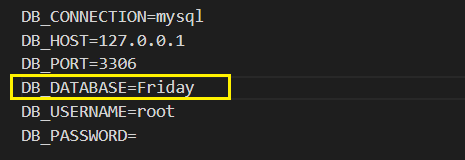
B : phymyadmin
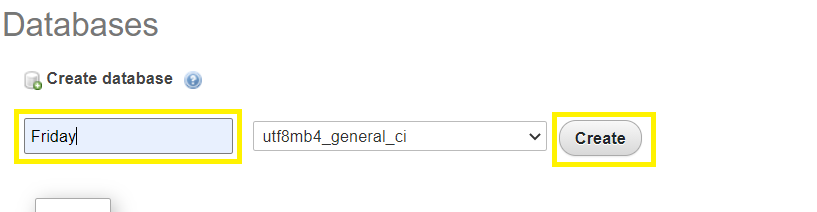
NOTE:- Same name .env and database.
Step 03 : Make mode with -mcr
php artisan make:model Today -mcrStep 04 : Inside todays table (migrations)
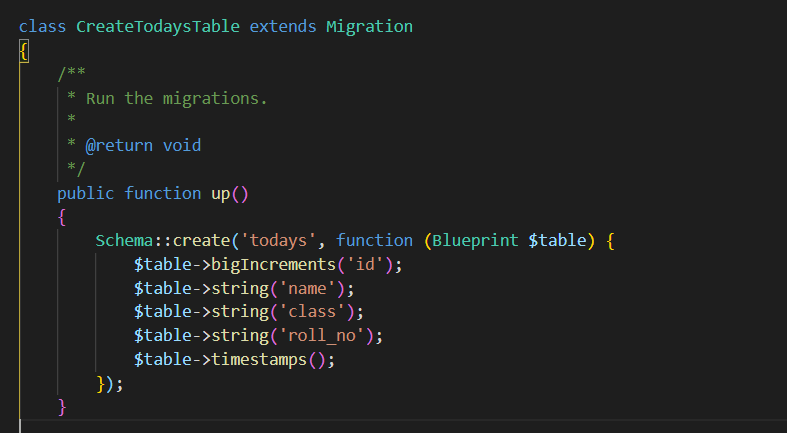
Step 05 : Migrate with database
php artisan migrateStep 06 : Make blade file in resources
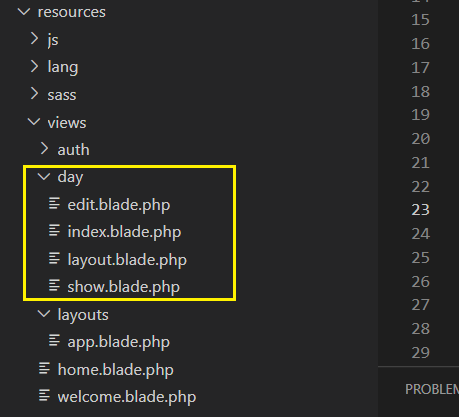
Step 07 :make button in laravel dashboard (Welcome.blade.php)
<a href="{{route('student')}}"><button type="button" btn btn-primary>Student</button></a>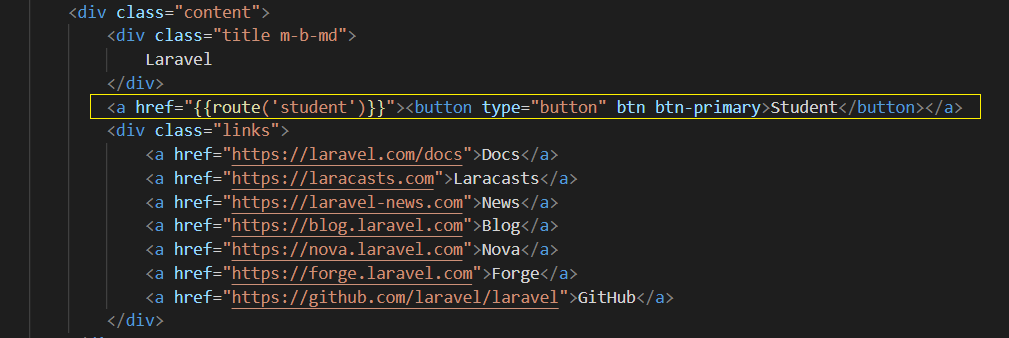
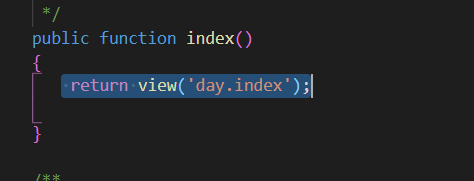
Route for button inside TodayController :- Route::get(‘student’, ‘TodayController@index’)->name(‘student’);
Call blade file from index function(TodayController) :- return view(‘day.index’);
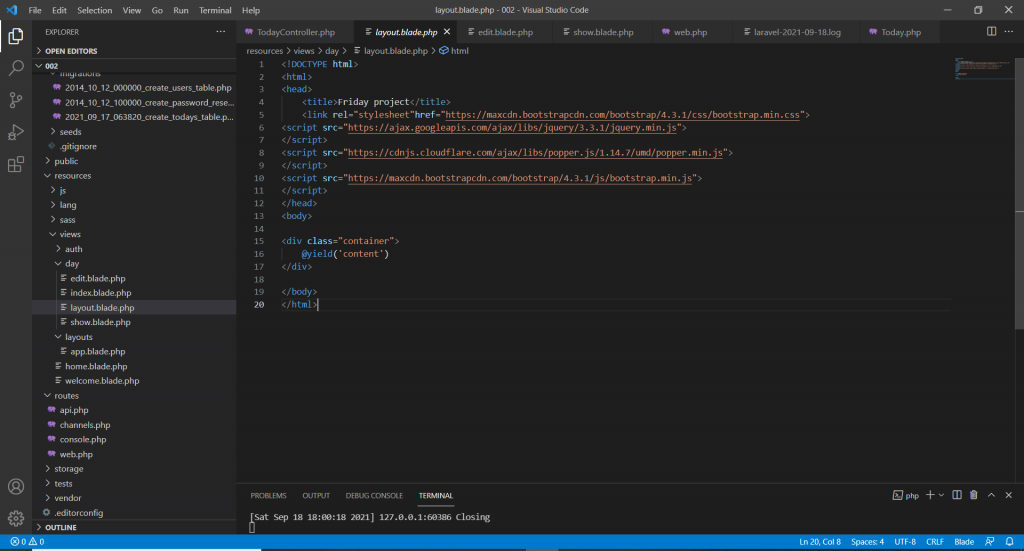
resources->views->day->layout.blade.php
resources->views-> day->index.blade.php
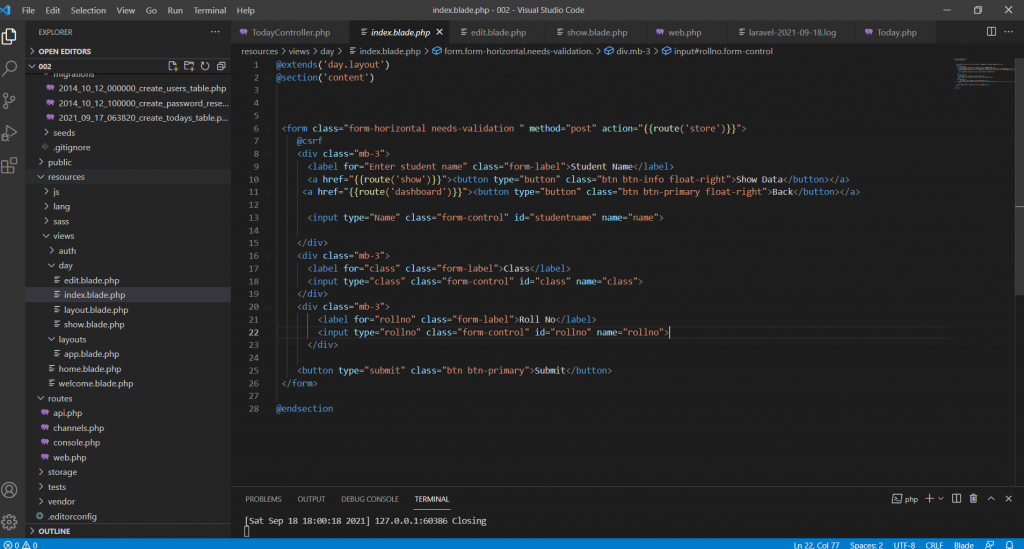
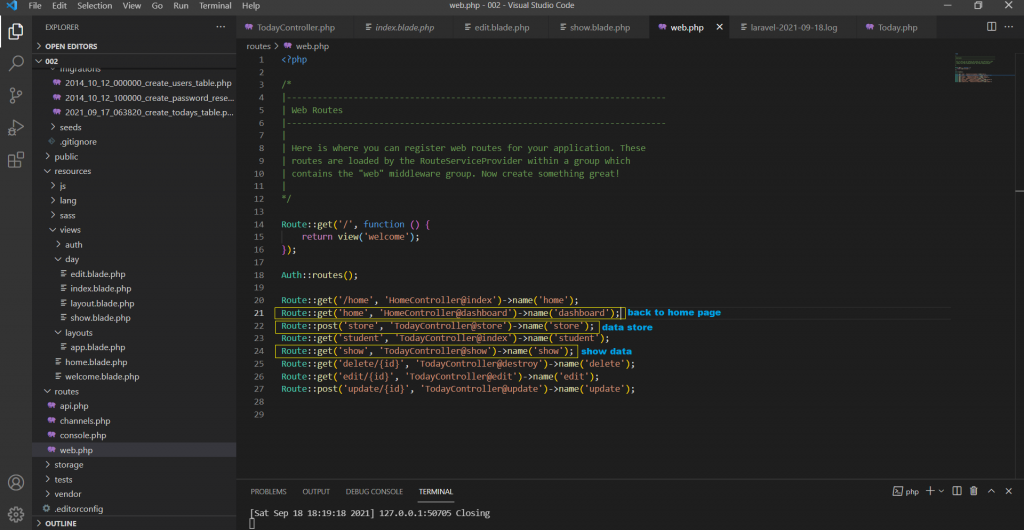
#Make route for show data , back and submit.
Route::post(‘store’, ‘TodayController@store’)->name(‘store’); //store data
Route::get(‘show’, ‘TodayController@show’)->name(‘show’); // show data
Route::get(‘home’, ‘HomeController@dashboard’)->name(‘dashboard’); // back to dashboard of Laravel
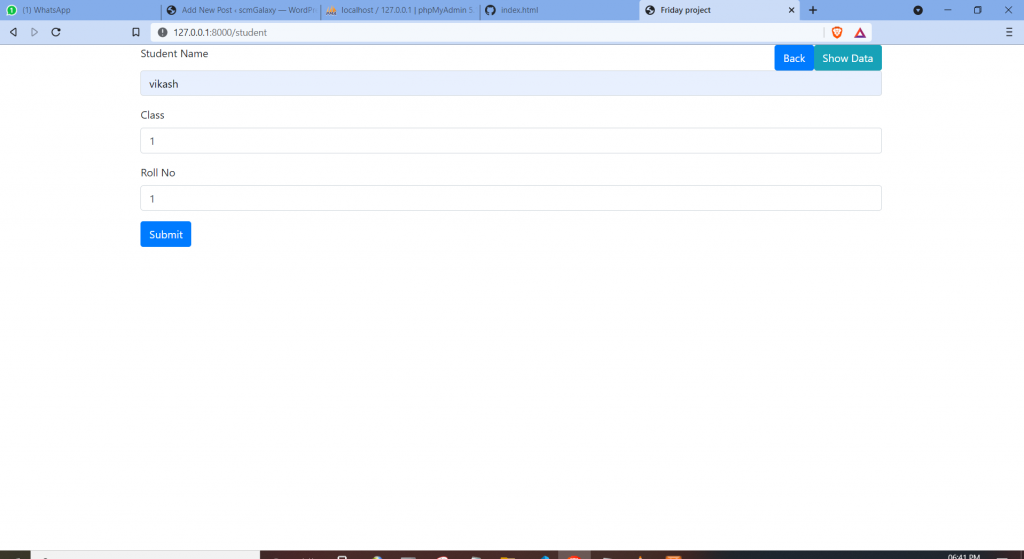
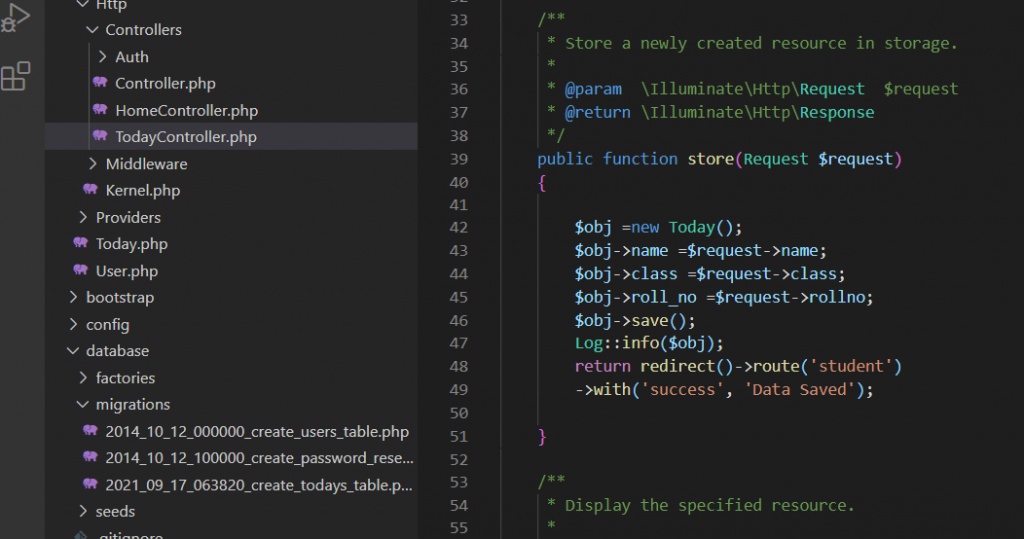
Store data in data base when we hit the submit button
Step 08 : Show data (when we click on show data button)
- <a href=”{{route(‘show’)}}”><button type=”button” class=”btn btn-info float-right”>Show Data</button></a> // route in button
- Route::get(‘show’, ‘TodayController@show’)->name(‘show’); // Route (web.php)
- Inside show function inside TodayController
 public function show(Today $today)
    {
        $todays =Today::all();
       return view('day.show',compact('todays'));
    }
4. Return show.blade.php With compact (all data)
5. Route in edit and delete button.
<a href=”{{route(‘edit’,[‘id’=> $today->id])}}”><button type=”button” class=”btn btn-primary”>edit</button></a> // edit data
<a href=”{{route(‘delete’, [‘id’ => $today->id])}}”><button type=”button” class=”btn btn-danger”>Delete</button></a> // delete data
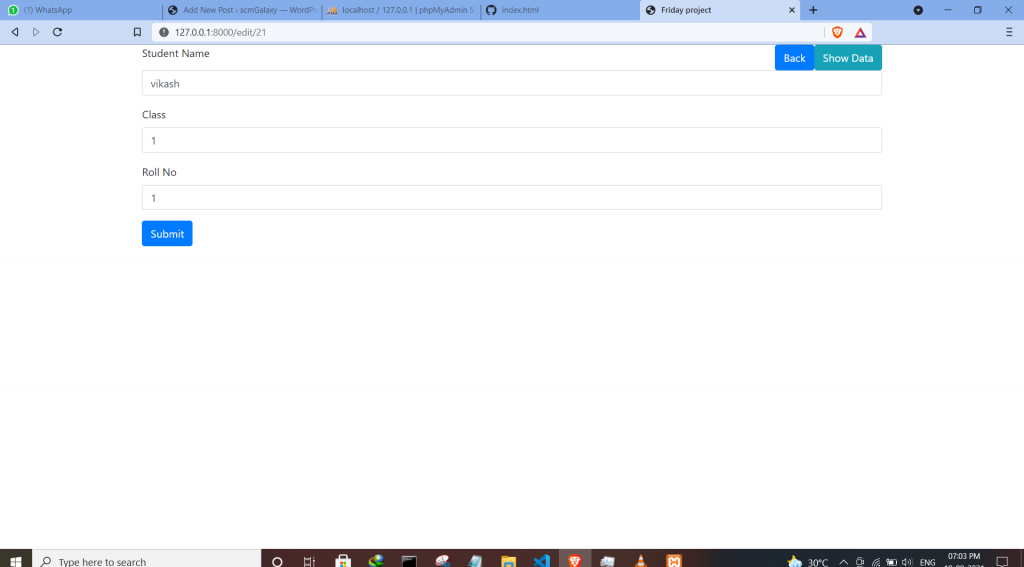
Step 09 : Edit data (edit button)
1.<a href=”{{route(‘edit’,[‘id’=> $today->id])}}”><button type=”button” class=”btn btn-primary”>edit</button></a> // edit data in edit button
2. Route::get(‘edit/{id}’, ‘TodayController@edit‘)->name(‘edit’); // edit route
3.TodayController->edit function
 public function edit($id)
    {
        Log::info('inside edit function');
        Log::info($id);
        $today =Today::find($id);
        return view('day.edit',compact('today'));
}4. return to blade file edit.blade.php
Submit button update function (TodayController)
Step 10 : Delete data

- PHP OOP: Traits - October 25, 2021
- PHP OOP: Late Static Binding - October 25, 2021
- PHP OOP : Static Members - October 23, 2021