Introduction
In the digital landscape , the value of owned community space has never been higher. Community Forum Software refers to specialized platforms designed to facilitate structured, long-form discussions, knowledge sharing, and peer-to-peer support. Unlike the fleeting nature of social media feeds, forum software prioritizes “searchable” and “persistent” conversations. These tools allow organizations to build a centralized hub where users can ask questions, provide feedback, and form deep connections around shared interests, products, or professional goals.
The importance of these platforms lies in their ability to reduce support costs, improve customer retention, and drive organic SEO through user-generated content. Instead of a support ticket that helps one person, a forum post helps thousands of people over several years. Key real-world use cases include customer support communities for software products, professional networks for niche industries, gaming fan hubs, and internal knowledge bases for large corporations. When evaluating tools, users should look for robust moderation capabilities, advanced search functionality, mobile responsiveness, and gamification elements (like badges or leaderboards) that encourage active participation.
Best for:
These tools are ideal for Customer Success Managers, Community Directors, and Marketing Leads in SaaS companies, non-profit organizations, and e-commerce brands. They benefit businesses of all sizes that want to move away from “rented” social media audiences and toward “owned” community assets where they control the data and the experience.
Not ideal for:
Small groups looking for rapid, real-time chat (who would be better served by Discord or Slack) or creators who only need a simple comment section under their blog posts. They are also not a replacement for high-touch project management tools or private 1-on-1 customer service channels.
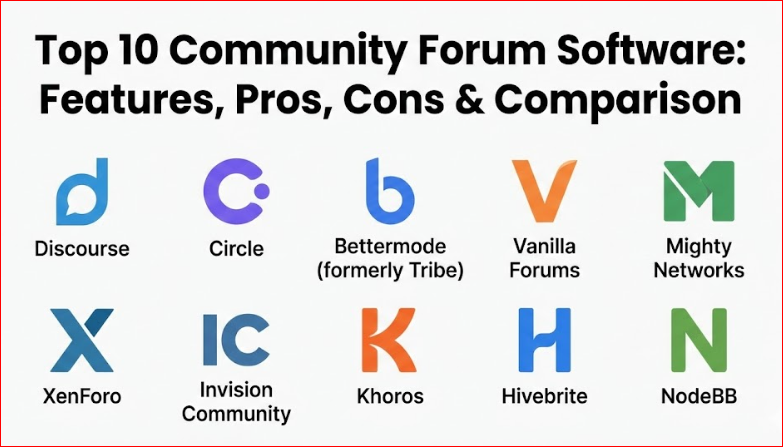
Top 10 Community Forum Software Tools
1 — Discourse
Discourse is widely considered the gold standard for modern, mobile-first community discussion. It is an open-source platform that reimagines the traditional forum for the modern web, focusing on infinite scrolling and “civilized” discussion.
- Key Features:
- Infinite Scrolling: Eliminates the need for traditional pagination, making browsing feel like social media.
- Trust System: Automatically grants users more permissions as they contribute positively to the community.
- Dynamic Notifications: Alerts users when they are quoted or mentioned in real-time.
- Mobile-First Design: Optimized for touchscreens with a highly responsive layout.
- Robust Plugin Ecosystem: Allows for extensive customization of functionality.
- Built-in SEO: Automatically generates search-engine-friendly pages.
- Advanced Moderation: Comprehensive tools for flags, bans, and shadow-banning.
- Pros:
- The most modern and user-friendly interface in the category, leading to high engagement.
- Excellent “trust level” system reduces the burden on human moderators by empowering community leaders.
- Cons:
- Self-hosting can be technically challenging for non-developers.
- The hosted “Managed” plans can be expensive compared to entry-level competitors.
- Security & compliance: SSO (Single Sign-On), Two-Factor Authentication, GDPR compliant, SOC 2 Type II (for enterprise plans), and regular third-party security audits.
- Support & community: Massive open-source community, extensive documentation, and priority email support for hosted customers.
2 — Circle
Circle is a modern community platform designed specifically for creators, coaches, and brands who want to combine discussions, events, and paid memberships in a sleek, “white-label” environment.
- Key Features:
- Spaces & Groups: Organize discussions into clean, visual categories.
- Live Streams: Host video events directly within the community platform.
- Paid Memberships: Native integration for paywalls and subscription tiers.
- Events Calendar: Manage and promote community meetups and webinars.
- Direct Messaging: Allows members to connect 1-on-1 outside of public threads.
- Member Directory: Searchable list of community members with custom profiles.
- Custom Branding: Fully “white-label” options to match your brand’s aesthetic.
- Pros:
- The “all-in-one” nature makes it perfect for creators who would otherwise need 3-4 different tools.
- Setup is incredibly fast and requires zero technical or coding knowledge.
- Cons:
- Lacks some of the deep “forum-specific” features (like complex threading) found in Discourse.
- Data portability is more restricted compared to open-source solutions.
- Security & compliance: SSO, GDPR compliant, SSL encryption, and secure payment processing via Stripe.
- Support & community: Very active “Circle Community,” weekly office hours, and responsive email support.
3 — Tribe (now Bettermode)
Bettermode is an enterprise-grade “customer community” platform that focuses on integrating community directly into the product experience. It is designed to look and feel like a modern social network.
- Key Features:
- Activity Feed: A personalized feed of content based on user interests.
- Design Studio: A “drag-and-drop” builder to customize the community’s look and feel.
- Apps & Integrations: Connects seamlessly with Salesforce, Zendesk, and Slack.
- Gamification: Customizable badges, points, and leaderboards.
- Multi-language Support: Built-in tools for global, multilingual communities.
- SEO Optimization: Schema markup and meta-tagging handled automatically.
- Rich Content Editor: Supports embeds from over 500+ different services.
- Pros:
- Highly professional and “corporate” aesthetic that fits well with SaaS brands.
- Exceptional integration capabilities with existing customer support and CRM stacks.
- Cons:
- The free tier has become much more limited over recent years.
- Can feel “too structured” for creative or informal communities.
- Security & compliance: SOC 2 Type II, GDPR, HIPAA (on request), and SSO via SAML/OpenID.
- Support & community: Dedicated success managers for enterprise, extensive knowledge base, and 24/7 technical support.
4 — Vanilla Forums (by Higher Logic)
Vanilla Forums is a long-standing player that focuses on providing high-performance, scalable forum solutions for large brands. It emphasizes a “gaming” aesthetic and deep customer loyalty features.
- Key Features:
- Themeable Interface: Advanced CSS/HTML control for pixel-perfect branding.
- Ideation Tools: Allow users to submit, vote on, and track product ideas.
- Advanced Q&A: A dedicated mode for support-focused communities.
- Reputation Engine: Complex scoring systems to identify top contributors.
- Sub-communities: Create separate hubs for different products or regions.
- In-depth Analytics: ROI-focused reporting on community health.
- Member Management: Powerful tools for managing thousands of active users.
- Pros:
- Probably the best tool on the market for “Ideation” and product feedback loops.
- Extremely stable and capable of handling millions of pageviews per month.
- Cons:
- The interface can feel a bit dated compared to Circle or Discourse.
- Focuses almost exclusively on the mid-market and enterprise; not for solo hobbyists.
- Security & compliance: SOC 2, GDPR, ISO 27001, and enterprise-grade SSO.
- Support & community: Phone support, dedicated account management, and a professional services team.
5 — Mighty Networks
Mighty Networks is a powerful platform that focuses on “Community-Led Growth.” It is unique because it emphasizes the mobile app experience, providing a “community in your pocket.”
- Key Features:
- Own Your App: Option to launch your own branded iOS and Android apps.
- Course Builder: Native tools to host and sell online courses.
- Landing Pages: Built-in tools to convert visitors into community members.
- Personalized Feeds: AI-driven content recommendations for members.
- Member Categories: Group members by location, interest, or “profession.”
- Live Polling: Real-time engagement tools during events.
- Subscription Billing: Handles global currencies and tax compliance.
- Pros:
- If you want a branded mobile app, this is the most cost-effective way to get one.
- Excellent for educational communities that want to mix learning with discussion.
- Cons:
- The desktop experience is good but clearly secondary to the mobile focus.
- The “Spaces” architecture can be confusing for users used to traditional forums.
- Security & compliance: GDPR, SSL, and PCI-compliant payments.
- Support & community: “Mighty Hosts” community for creators, regular webinars, and email support.
6 — XenForo
XenForo is the spiritual successor to traditional forum software. It is built by former vBulletin developers and is the go-to choice for large, traditional discussion boards that need high performance.
- Key Features:
- High-Performance PHP Engine: Built to handle massive databases and concurrent users.
- Direct Message System: Robust private messaging with multi-user support.
- Template System: Deeply customizable for developers who know PHP/HTML.
- Rich User Profiles: Includes trophies, signatures, and activity streams.
- Ad Management: Native tools for monetizing a community through banners.
- Spam Prevention: Multiple layers of automated and manual spam filtering.
- Alerts & Pushes: Browser-native notifications for user engagement.
- Pros:
- Unrivaled performance for very large communities (1 million+ posts).
- Huge library of third-party “add-ons” to extend functionality.
- Cons:
- It is “self-hosted” only (though third-party hosting exists), requiring technical setup.
- The look and feel is very “classic forum,” which might not appeal to Gen Z users.
- Security & compliance: Varies by host; includes standard encryption and SSO support.
- Support & community: One of the most passionate developer communities in the world.
7 — Invision Community
Invision Community is a massive suite of community tools that goes beyond the forum. It includes a gallery, file sharing, a blog, and a commerce system, all integrated into one dashboard.
- Key Features:
- App Suite: Separate modules for Forums, Pages, Gallery, and Downloads.
- Clubs: Allow users to create and manage their own mini-communities.
- Promotion Tools: Automatically move users to different groups based on activity.
- Advanced Search: Integrated Elasticsearch for near-instant results.
- Custom Fields: Add custom data to profiles, topics, or files.
- Social Logins: One-click registration via Facebook, Google, LinkedIn, etc.
- REST API: Full access for custom integrations.
- Pros:
- The most “complete” feature set of any tool on this list.
- “Clubs” are a game-changer for large communities that want to decentralize.
- Cons:
- The admin panel is incredibly complex and has a steep learning curve.
- Can be quite expensive once you add all the different app modules.
- Security & compliance: SSO, GDPR, and enterprise-level encryption on the cloud version.
- Support & community: High-quality ticket support and a large community of designers/developers.
8 — Khoros (formerly Lithium)
Khoros is the enterprise behemoth of the community world. It is designed for Fortune 500 companies that need to manage millions of users across multiple brands with military-grade security.
- Key Features:
- Omnichannel Support: Integrated community, social media, and chat management.
- Advanced Analytics: Deep insights into community sentiment and ROI.
- Care Integration: Directly links community posts to customer support tickets.
- Scalability: Capable of handling the world’s largest online communities.
- Brand Consistency: Tools to manage dozens of different community “skins.”
- Workflow Management: Sophisticated tools for large teams of moderators.
- Content Moderation AI: Automated flagging of toxic or inappropriate content.
- Pros:
- The only choice for massive, multi-brand corporations needing central control.
- Exceptional data security and compliance for regulated industries.
- Cons:
- Pricing is “hidden” and usually starts in the five-figure range.
- Complete overkill for anyone except large enterprises.
- Security & compliance: SOC 2, HIPAA, GDPR, ISO 27001, and FedRAMP (for gov).
- Support & community: Elite enterprise support with dedicated 24/7 success teams.
9 — Hivebrite
Hivebrite is the leading community platform for alumni networks, professional associations, and corporate communities that focus on networking and “portfolios.”
- Key Features:
- Job Board: Integrated tool for posting and searching for professional roles.
- Donation Management: Native tools for non-profits to collect funds.
- Networking Map: Visualize where community members are located globally.
- News Feed: Curated content feed for professional updates.
- Portfolio Showcase: Allow members to display their professional work.
- Event Management: Full ticketing and check-in system for live events.
- CRM Integration: Syncs with Salesforce, Blackbaud, and Microsoft Dynamics.
- Pros:
- The specialized “Job Board” and “Networking Map” are perfect for professional groups.
- Excellent tools for non-profits and universities.
- Cons:
- The forum/discussion feature is secondary to the networking features.
- Not ideal for support-focused or gaming communities.
- Security & compliance: GDPR, SSO, and secure data hosting.
- Support & community: Personalized onboarding and professional services.
10 — NodeBB
NodeBB is a modern, high-speed forum platform built on Node.js. It is designed for the modern real-time web, offering a “snappy” experience that feels more like an app than a website.
- Key Features:
- Real-time Streaming: New posts and notifications appear instantly without refreshing.
- Mobile App Support: Native push notifications for mobile browsers.
- Social Integration: Easy sharing and login through major social networks.
- Extensible Architecture: Hundreds of open-source plugins available.
- Built-in Chat: Real-time 1-on-1 and group chat for members.
- Full API: Everything in NodeBB can be accessed via an API.
- Modern UI: Clean, minimalist design that works well on all devices.
- Pros:
- The fastest and most “responsive” feel of any platform on this list.
- Excellent for tech-savvy communities that value speed and real-time interaction.
- Cons:
- Requires a Node.js environment for self-hosting (more complex than PHP).
- Smaller ecosystem of templates compared to XenForo or Discourse.
- Security & compliance: GDPR compliant, SSO support, and standard encryption.
- Support & community: Active GitHub and community forum; email support for hosted plans.
Comparison Table
| Tool Name | Best For | Platform(s) Supported | Standout Feature | Rating |
| Discourse | Modern Discussion | Web, iOS, Android | Trust System | 4.8 / 5 |
| Circle | Creators & Coaches | Web, iOS | All-in-One Creator Hub | 4.7 / 5 |
| Bettermode | SaaS Support | Web, iOS, Android | Design Studio / Integrations | 4.6 / 5 |
| Vanilla Forums | Mid-Market Brands | Web | Product Ideation Tools | 4.4 / 5 |
| Mighty Networks | Branded Mobile Apps | Web, iOS, Android | Native Mobile Experience | 4.5 / 5 |
| XenForo | Large Traditional Boards | Web (Self-Host) | Raw Speed & Performance | 4.7 / 5 |
| Invision Community | Complex Organizations | Web, Cloud | “Clubs” Functionality | 4.6 / 5 |
| Khoros | Fortune 500 | Web, Cloud | Care / Support Integration | 4.8 / 5 |
| Hivebrite | Alumni & Professional | Web, iOS, Android | Job Board / Member Map | 4.5 / 5 |
| NodeBB | Real-time Tech Hubs | Web, Cloud | Instant Real-time Updates | 4.4 / 5 |
Evaluation & Scoring of Community Forum Software
We have evaluated these platforms using a weighted rubric focused on long-term community health and ROI.
| Category | Weight | Evaluation Criteria |
| Core Features | 25% | Moderation, search, mobile responsiveness, and threading. |
| Ease of Use | 15% | Admin dashboard intuition and member onboarding speed. |
| Integrations | 15% | CRM, SSO, and customer support tool connectivity. |
| Security & Compliance | 10% | GDPR, SOC 2, and data export portability. |
| Performance | 10% | Page load speed, database efficiency, and uptime. |
| Support & Community | 10% | Quality of documentation and developer ecosystem. |
| Price / Value | 15% | Cost vs. features and hidden “per member” fees. |
Which Community Forum Software Tool Is Right for You?
Choosing the right platform is a high-stakes decision; moving community data later is notoriously difficult.
Solo Users vs. SMB vs. Mid-market vs. Enterprise
- Solo Creators & SMBs: Circle and Mighty Networks are the clear winners. They provide everything you need (including monetization) without requiring a developer.
- Mid-Market SaaS: Discourse or Bettermode are the best choices. They offer the professional integrations and SEO power needed to support a growing product.
- Enterprise & Large Scale: Khoros or Vanilla Forums are the only tools built to handle the compliance and volume requirements of global brands.
Budget-Conscious vs. Premium Solutions
If you are on a tight budget and have technical skills, self-hosting Discourse or XenForo is the most cost-effective path. If you have more budget than time, a managed solution like Circle or Bettermode will save you hundreds of hours in maintenance and setup.
Feature Depth vs. Ease of Use
If you need a “deep” forum with complex permissions and archives, XenForo or Invision Community are the best. If you want something your grandmother could use, Circle’s clean interface is the benchmark for modern ease of use.
Frequently Asked Questions (FAQs)
1. Is a forum better than a Facebook group?
Yes, for long-term value. Forums are searchable by Google (SEO), you own the member data, and you aren’t at the mercy of an algorithm change. Facebook groups are great for “quick” engagement but terrible for building a structured knowledge base.
2. Can I move my data from one forum tool to another?
It is possible but difficult. Open-source tools like Discourse and XenForo have the best import/export scripts. Proprietary “all-in-one” platforms make it much harder to leave.
3. Do these tools work on mobile devices?
Yes. In 2026, every tool on this list is mobile-responsive. Platforms like Mighty Networks even allow you to launch your own dedicated mobile app.
4. How do I prevent spam on my forum?
Most modern tools use Akismet, honey pots, and “Trust Levels.” Discourse is particularly good at this, requiring new users to “earn” the right to post links or images.
5. How much does community software cost?
Open-source software is free to download but costs $20-$100/month to host. Managed platforms like Circle or Bettermode start around $50-$100/month and scale with member count.
6. Is a forum good for SEO?
Forums are SEO goldmines. They generate thousands of pages of long-tail keyword content based on real questions people are typing into Google.
7. Can I charge for membership?
Yes, platforms like Circle, Mighty Networks, and Invision Community have native paywalls built-in.
8. What is “Self-Hosting”?
This means you install the software on your own server (like DigitalOcean or AWS). It gives you total control but requires you to handle security and updates yourself.
9. How do I choose between a forum and a chat tool like Discord?
Choose a forum if you want conversations to be searchable and organized by topic. Choose Discord if you want real-time, high-energy “chatter” that doesn’t need to be referenced later.
10. Do I need a moderator?
Yes. Every community needs at least one person to welcome members and enforce rules. However, tools like Discourse use AI and trust levels to reduce the amount of manual work required.
Conclusion
Building a community is a marathon, not a sprint. The Community Forum Software you choose today will be the home for your members for years to come.
- If you want the most modern discussion engine, choose Discourse.
- If you are a creator looking to monetize, choose Circle.
- If you are a SaaS company focused on support, choose Bettermode.
- If you are a massive enterprise, choose Khoros.
The “best” tool is the one that removes the most friction between your members and the value they provide to one another. Focus on the user experience first, and the community will grow itself.

- Top 10 Email Deliverability Tools: Features, Pros, Cons & Comparison - September 6, 2026
- Top 10 Pharmacovigilance Software: Features, Pros, Cons & Comparison - September 6, 2026
- Top 10 Manufacturing Execution Systems (MES) - July 30, 2026
This is a highly informative and practical comparison for anyone evaluating community forum software — especially with so many options and features to consider. A strong forum platform is more than just a place for discussion; it needs intuitive navigation, robust moderation tools, scalable user management, rich search and analytics capabilities, and seamless integrations to support growth and engagement over time. I especially appreciate how the comparison outlines both pros and cons, which helps readers match the right solution to their specific community goals — whether that’s lightweight, open-source flexibility or enterprise-level analytics and support. Considering key features like user profiles, discussion organization, mobile responsiveness, and moderation options can make all the difference when building a thriving online space.