Introduction
Membership management software (MMS) is an all-in-one digital platform designed to automate and streamline the administrative tasks associated with running a member-based organization. At its core, it acts as a centralized database for member information, but its true power lies in its ability to handle renewals, event registrations, payment processing, and communication through a single portal.
In the modern era, these tools are essential because they eliminate “data silos.” Instead of manually updating a spreadsheet when someone pays their dues or signs up for a webinar, the software does it automatically. This shift not only saves hundreds of hours in manual labor but also significantly improves the member experience by providing individuals with self-service portals where they can update their own profiles and access exclusive content.
Key Real-World Use Cases
- Professional Associations: Automating annual certification renewals and managing continuing education credits.
- Non-Profit Organizations: Combining donor management with membership tiers to maximize fundraising efforts.
- Chambers of Commerce: Providing business directories and managing complex networking events.
- Fitness & Wellness Clubs: Handling recurring monthly subscriptions and class bookings.
What to Look For (Evaluation Criteria)
When choosing a platform, you should evaluate it based on scalability, the flexibility of membership tiers, payment gateway integrations, and the quality of the mobile experience for your members. A tool that works for 50 people may become a bottleneck when you reach 5,000.
Best for: Small to mid-sized non-profits, professional trade associations, and community groups looking to reduce administrative overhead and improve member retention through automation.
Not ideal for: Organizations that only require a basic contact list without the need for payments or portals, or extremely large enterprises that require a custom-built, highly specialized ERP system rather than a standard SaaS solution.
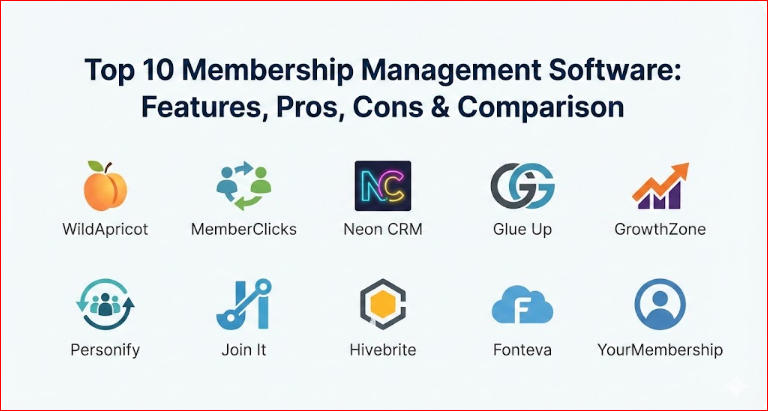
Top 10 Membership Management Software Tools
1 — WildApricot
WildApricot remains a market leader for small to mid-sized organizations due to its “all-in-one” approach. It provides a website builder, a member database, and a payment processor in one package, making it perfect for teams without a dedicated IT department.
- Key Features:
- Drag-and-drop website builder with mobile-responsive themes.
- Automated membership renewal emails and invoices.
- Public and private member directories.
- Integrated online store for merchandise sales.
- Mobile app for both administrators and members.
- Waitlist management for popular events.
- Pros:
- Extremely user-friendly interface that requires zero coding knowledge.
- Comprehensive “Everything-in-one” pricing that includes hosting and security.
- Cons:
- The website builder can feel restrictive for advanced designers.
- Transaction fees can be higher if not using their internal payment system.
- Security & Compliance: GDPR compliant, PCI DSS Level 1 certified for payments, and supports SSL encryption for all sites.
- Support & Community: Extensive knowledge base, “Apricot Academy” training videos, and a very active community forum of non-profit leaders.
2 — MemberClicks
MemberClicks (by Personify) is designed for professional associations and chambers of commerce that have outgrown basic tools. It offers more robust reporting and “member-journey” tracking than entry-level competitors.
- Key Features:
- Advanced relational database for complex member structures.
- Learning Management System (LMS) integration for CE credits.
- Job board functionality to provide extra value to members.
- Automated “nurture” campaigns for new member onboarding.
- Granular permission levels for staff and volunteers.
- Pros:
- Superior data reporting and visualization tools compared to WildApricot.
- Dedicated project managers assigned during the onboarding process.
- Cons:
- Higher price point makes it inaccessible for very small clubs.
- The learning curve is steeper due to the depth of features.
- Security & Compliance: SOC 2 Type II compliant, data encryption at rest, and multi-factor authentication (MFA) support.
- Support & Community: US-based phone support, dedicated account management for higher tiers, and annual user conferences.
3 — Neon CRM
Neon One’s membership module is highly integrated into their broader CRM ecosystem. It is the gold standard for organizations where the line between “member” and “donor” is blurred.
- Key Features:
- Unified dashboard for tracking donations, dues, and volunteer hours.
- Household and organization-based account linking.
- Customizable online forms for memberships and surveys.
- Wealth screening tools to identify high-value prospects.
- Peer-to-peer fundraising integration.
- Pros:
- The best choice for fundraising-focused organizations.
- High level of customization for data fields and workflows.
- Cons:
- Interface can feel cluttered due to the sheer number of non-profit tools.
- Initial setup requires significant time to map data correctly.
- Security & Compliance: HIPAA compliant (optional), GDPR ready, and hosted on secure AWS servers.
- Support & Community: Online ticketing system, certified consultant network, and extensive webinars.
4 — Glue Up
Glue Up stands out for its sleek, modern design and its strength in managing international associations and corporate memberships. It focuses heavily on the engagement side of the membership equation.
- Key Features:
- Best-in-class mobile networking app for members.
- AI-powered engagement scoring to predict member churn.
- Digital membership cards with QR codes for event check-in.
- Support for multiple currencies and languages.
- Integrated webinar and virtual event platform.
- Pros:
- The user interface is modern and looks much better than legacy platforms.
- Strong focus on “community” and member-to-member networking.
- Cons:
- Some administrative workflows are less intuitive than competitors.
- Advanced customization of the member portal can be limited.
- Security & Compliance: ISO 27001 certified, SOC 2 compliant, and GDPR aligned.
- Support & Community: 24/7 global support, multilingual assistance, and a dedicated “Success Manager” for every account.
5 — GrowthZone
GrowthZone is specifically built with Chambers of Commerce and real estate associations in mind. It includes built-in sales funnel management to help these organizations recruit new members more effectively.
- Key Features:
- Full-featured “Sales Funnel” tool for tracking prospective members.
- Continuing Education (CE) tracking and automated certificates.
- Mobile staff app for managing events in the field.
- Cloud-based API for custom integrations.
- Real estate-specific modules (e.g., MLS integration).
- Pros:
- Unmatched features for trade-specific associations.
- Strong focus on revenue generation and member recruitment.
- Cons:
- Pricing is on the higher end of the spectrum.
- May feel “over-engineered” for a small social club.
- Security & Compliance: PCI compliant, daily data backups, and secure SSO (Single Sign-On) options.
- Support & Community: High-quality phone support and “GrowthZone University” for staff training.
6 — Personify (ThreeSixty)
If you are a massive organization with 50,000+ members and complex data needs, Personify ThreeSixty is the “Enterprise” choice. It is essentially an ERP for the association world.
- Key Features:
- Massive scalability for millions of member records.
- Business intelligence (BI) and predictive analytics.
- Deep integration with external accounting and marketing suites.
- Highly complex multi-tier membership logic.
- Extensive API for bespoke development.
- Pros:
- Capable of handling the most complex organizational structures.
- Enterprise-grade reliability and uptime guarantees.
- Cons:
- Extremely expensive (six-figure implementations are common).
- Requires a dedicated IT team or consultant to maintain.
- Security & Compliance: SOC 1 & 2, ISO 9001, GDPR, and enterprise-level audit logs.
- Support & Community: 24/7 mission-critical support, executive business reviews, and a massive enterprise user base.
7 — Join It
Join It is the “antidote” to complex software. It is a lightweight, modern platform that focuses on doing one thing perfectly: managing a member list and collecting payments via Stripe.
- Key Features:
- Simple, 5-minute setup process.
- Deep “Sync” with tools like Mailchimp, Slack, and Eventbrite.
- Automated digital membership cards via Apple Wallet.
- Beautiful, minimalist member checkout experience.
- Basic reporting on growth and churn.
- Pros:
- The most affordable and easiest to use on this list.
- Integrates with the tools you already use instead of trying to replace them.
- Cons:
- Lacks a built-in website builder or advanced CRM features.
- Not suitable for associations with complex certification needs.
- Security & Compliance: Uses Stripe’s secure infrastructure; GDPR and CCPA compliant.
- Support & Community: Fast email and chat support, though no phone support for lower tiers.
8 — Hivebrite
Hivebrite is less about “database management” and more about “community building.” It is the preferred choice for alumni networks, professional communities, and corporate incubators.
- Key Features:
- Powerful community forum and newsfeed features.
- Mentorship matching and job boards.
- Advanced “Search and Map” member directories.
- Sub-group/Chapter management capabilities.
- Fully white-labeled mobile app.
- Pros:
- The best engagement features for driving member-to-member value.
- Highly customizable branding to make the portal feel like your own.
- Cons:
- Administrative backend can be confusing for non-technical users.
- Higher cost than standard membership databases.
- Security & Compliance: SOC 2 Type II, GDPR compliant, and secure data hosting in Europe and the US.
- Support & Community: Strategic onboarding and a community of “Community Managers.”
9 — Fonteva
Fonteva is unique because it is built natively on Salesforce. If your organization already uses Salesforce as its CRM, Fonteva is the logical choice to manage memberships without ever leaving the ecosystem.
- Key Features:
- 100% Salesforce native data (no syncing issues).
- Access to the entire Salesforce AppExchange for extensions.
- Flexible event management with complex ticketing.
- E-commerce and financial management modules.
- Real-time Salesforce reporting and dashboards.
- Pros:
- No data silos—everything lives inside your primary CRM.
- Limitless scalability and customization possibilities.
- Cons:
- Requires a Salesforce license, which increases the total cost.
- Can be overwhelming for staff who are not comfortable with Salesforce.
- Security & Compliance: Inherits all of Salesforce’s world-class security certifications (HIPAA, FedRAMP, etc.).
- Support & Community: Access to the global “Trailblazer” community and specialized Fonteva support.
10 — YourMembership
YourMembership (by Community Brands) provides an affordable all-in-one solution for small to mid-sized associations that want a more “social” feel than WildApricot but aren’t ready for Personify.
- Key Features:
- Built-in “Social Community” features (member walls, friending).
- Integrated career center to monetize job listings.
- Automated renewals and tiered membership billing.
- Website CMS with modern templates.
- Ad management tools for your website.
- Pros:
- Great balance of “Database” and “Social Community.”
- Built-in tools to help generate non-dues revenue (like ads and jobs).
- Cons:
- Customer support response times can vary.
- Some users report that the interface feels a bit dated in 2026.
- Security & Compliance: PCI Level 1, SSAE 16 audited data centers, and GDPR ready.
- Support & Community: Phone support, web-based training, and an active user community.
Comparison Table
| Tool Name | Best For | Platform(s) Supported | Standout Feature | Rating (TrueReviewnow) |
| WildApricot | Small Non-Profits | Web, iOS, Android | All-in-one Simplicity | 4.8 / 5 |
| MemberClicks | Mid-size Associations | Web | Relational Database | 4.6 / 5 |
| Neon CRM | Donor-focused Orgs | Web, iOS, Android | Fundraising Integration | 4.7 / 5 |
| Glue Up | Global Engagement | Web, iOS, Android | Member Mobile App | 4.9 / 5 |
| GrowthZone | Chambers of Commerce | Web, iOS, Android | Sales Funnel CRM | 4.5 / 5 |
| Personify | Large Enterprises | Web | Enterprise Scalability | 4.2 / 5 |
| Join It | Solo / Simple Clubs | Web | Lightweight Automation | 4.9 / 5 |
| Hivebrite | Alumni / Community | Web, iOS, Android | Networking & Mapping | 4.7 / 5 |
| Fonteva | Salesforce Users | Web (Salesforce) | Native CRM Integration | 4.4 / 5 |
| YourMembership | Social Associations | Web | Social Community Feed | 4.3 / 5 |
Evaluation & Scoring of Membership Management Software
To help you decide, we have evaluated these tools using a weighted scoring rubric that reflects what matters most to organization leaders in 2026.
| Criteria | Weight | Evaluation Focus |
| Core Features | 25% | Renewals, database depth, payment handling. |
| Ease of Use | 15% | Admin learning curve and member portal UX. |
| Integrations | 15% | API access and pre-built syncs (email, accounting). |
| Security | 10% | GDPR, SOC 2, and data encryption standards. |
| Performance | 10% | System uptime and mobile app responsiveness. |
| Support | 10% | Availability of phone/chat and quality of training. |
| Price / Value | 15% | ROI relative to the feature set. |
Which Membership Management Software Tool Is Right for You?
Choosing the right tool is less about finding the “best” software and more about finding the “best fit” for your organization’s current stage and future goals.
Solo Users vs. SMBs vs. Enterprises
If you are a solo operator or a small volunteer-run club, look at Join It. Its low cost and ease of setup mean you won’t spend your weekends fighting with software. SMBs and growing associations will find the most value in WildApricot or MemberClicks, which offer a balance of features and affordability. Enterprise organizations should focus on Personify or Fonteva, where the higher cost is offset by the ability to handle massive data complexity.
Budget-Conscious vs. Premium Solutions
If budget is your primary constraint, WildApricot offers the most “bang for your buck” by including a website and hosting. However, if you are looking to drive non-dues revenue (through job boards or ads), a premium solution like YourMembership or GrowthZone often pays for itself through the extra income it generates.
Feature Depth vs. Ease of Use
There is always a trade-off. Join It is incredibly easy but lacks depth. Personify has infinite depth but is very difficult to master. Always ask: “Does my team have the technical skill to use this tool?” If not, prioritize ease of use to ensure your staff actually adopts the platform.
Frequently Asked Questions (FAQs)
What is the average cost of membership management software?
Pricing varies widely. Simple tools like Join It start around $30/month, while mid-market tools like WildApricot range from $50 to $500/month. Enterprise solutions can cost thousands per year.
Is my data secure in a cloud-based membership platform?
Yes, most modern providers use bank-level encryption and are compliant with global standards like GDPR and PCI DSS. Ensure your chosen tool has SOC 2 or ISO certification for maximum security.
Can I migrate my existing Excel data into these tools?
Almost all membership platforms offer a CSV import tool. Higher-end services like MemberClicks or Neon CRM often provide dedicated migration experts to handle the transition for you.
Do I need a separate website if I use this software?
Many tools (WildApricot, YourMembership) include a built-in website builder. Others (Join It, Fonteva) are designed to “plug into” your existing WordPress or Squarespace site.
What is the difference between an AMS and a CRM?
An Association Management System (AMS) is specifically designed for member workflows like renewals. A CRM (Customer Relationship Management) is a general tool for tracking all interactions, often used in sales or fundraising.
Can these tools handle physical member cards?
Most have shifted to digital cards (Apple/Google Wallet), but many still allow you to generate and print PDF cards for members who prefer physical copies.
How does automated renewal improve retention?
By removing the “friction” of manual payments. Members are more likely to stay if their dues are automatically charged and they receive a digital receipt, rather than having to mail a check.
Can I manage multiple chapters or locations?
Yes, platforms like Hivebrite and GrowthZone offer “parent-child” account structures that allow you to manage a national headquarters while giving local chapters their own sub-dashboards.
Do these platforms support hybrid or virtual events?
Most modern MMS tools now integrate directly with Zoom, Teams, or have their own built-in virtual event modules to handle registrations and attendance tracking seamlessly.
What is the biggest mistake people make when buying MMS?
Buying based on “feature lists” rather than “user experience.” If the software is too hard for your members or staff to use, they won’t use it, regardless of how many features it has.
Conclusion
The “best” membership management software is the one that your staff can use effectively and your members enjoy interacting with. For small clubs, the simplicity of Join It or WildApricot is often the winning factor. For associations aiming for high engagement and professional networking, Glue Up or Hivebrite represent the future of the industry.
Before making a final decision, always request a live demo and take advantage of free trials. Focus on how well the tool handles your most common daily tasks—like renewing a member or sending a newsletter. When the administration is automated, you can finally get back to the work that truly matters: serving your community.

- Top 10 Email Deliverability Tools: Features, Pros, Cons & Comparison - September 6, 2026
- Top 10 Pharmacovigilance Software: Features, Pros, Cons & Comparison - September 6, 2026
- Top 10 Manufacturing Execution Systems (MES) - July 30, 2026
This is a really practical roundup because it frames membership software the way teams actually use it day to day—centralizing member data, automating renewals and recurring payments, supporting events and communications, and giving admins reporting that replaces messy spreadsheets. It also helps to see the pros/cons side-by-side, since “best” usually depends on org size and complexity (a lightweight tool for a small club can feel limiting for a fast-growing association, while enterprise platforms can be overkill and slower to implement). I also like that the comparison pushes readers to look beyond features and check the fundamentals like integrations, security/access controls, and how easy it is to run renewals, events, and targeted outreach without manual work.