Introduction
IT Financial Management Tools are software solutions that help organizations plan, track, control, and optimize spending related to IT services, infrastructure, software, and cloud usage. In simple terms, these tools help businesses understand where IT money is being spent, why it is being spent, and how it can be spent better.
IT Financial Management is important because IT costs are often complex and spread across many systems, teams, and vendors. Without proper tools, organizations may overspend, lose budget control, or fail to show the value of IT investments to leadership. These tools bring transparency, accountability, and better financial planning to IT operations.
In real-world use, IT Financial Management tools are used for budgeting, forecasting, cost allocation, chargeback or showback, cloud cost control, vendor management, and financial reporting. When choosing a tool, users should look for clarity of reports, ease of use, integration with IT and finance systems, scalability, security, and strong support.
Best for:
IT Financial Management tools are best for CIOs, IT managers, finance teams, FinOps teams, cloud cost managers, large enterprises, growing mid-sized companies, and industries like banking, healthcare, telecom, SaaS, and government.
Not ideal for:
Very small businesses with limited IT spend, startups in early stages, or teams with simple fixed IT costs may not need full IT financial tools. Basic accounting or spreadsheet-based tracking may be enough for them.
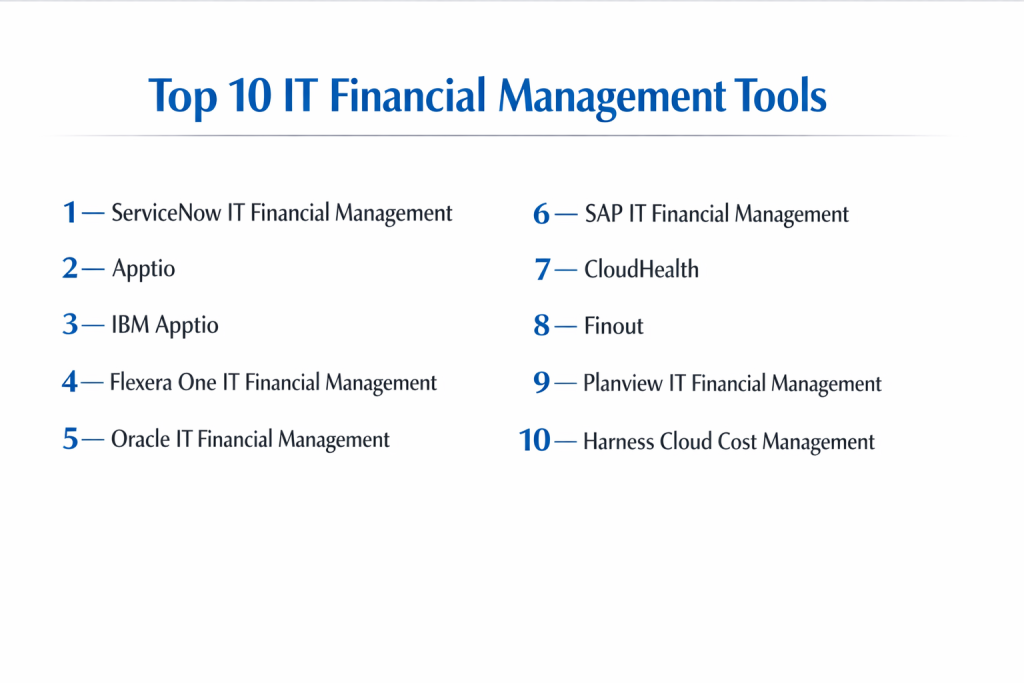
Top 10 IT Financial Management Tools
1 — ServiceNow IT Financial Management
Short description:
An enterprise-focused IT financial management solution designed to connect IT costs with business value.
Key features:
- IT budgeting and forecasting
- Cost modeling and allocation
- Showback and chargeback
- Service-based cost visibility
- Integration with IT service management
- Financial reporting dashboards
Pros:
- Strong enterprise capabilities
- Clear service cost visibility
- Deep platform integration
Cons:
- High licensing cost
- Best suited for large organizations
Security & compliance:
Supports SSO, encryption, audit logs, and enterprise compliance controls.
Support & community:
Strong documentation, enterprise onboarding, active professional community.
2 — Apptio
Short description:
A well-known IT financial management and cost transparency platform.
Key features:
- Technology cost transparency
- Budgeting and forecasting
- Cloud cost management
- Benchmarking
- Cost allocation models
- Executive-level reporting
Pros:
- Clear financial insights
- Trusted by enterprises
- Strong reporting
Cons:
- Complex initial setup
- Premium pricing
Security & compliance:
Enterprise-grade security, audit trails, and compliance standards.
Support & community:
Good documentation, enterprise support, strong customer network.
3 — IBM Apptio
Short description:
An advanced IT financial management platform focused on value-based IT decisions.
Key features:
- IT cost modeling
- Cloud financial management
- Forecasting and planning
- Cost optimization insights
- Business-aligned reporting
- Integration with finance tools
Pros:
- Strong analytics
- Good for large IT environments
- Clear cost-to-value mapping
Cons:
- Requires financial expertise
- Learning curve for new users
Security & compliance:
Supports encryption, access control, audit logs, and compliance needs.
Support & community:
Enterprise support, detailed documentation, expert services.
4 — Flexera One IT Financial Management
Short description:
A tool designed to manage IT spend across software, hardware, and cloud.
Key features:
- IT spend analysis
- Software and cloud cost optimization
- Budget tracking
- License and vendor cost visibility
- Reporting dashboards
- Integration with asset tools
Pros:
- Strong cost optimization
- Broad IT spend coverage
- Good compliance visibility
Cons:
- Interface can feel complex
- Setup needs planning
Security & compliance:
Supports role-based access, audit logs, and data protection standards.
Support & community:
Good documentation, enterprise support, user forums.
5 — Oracle IT Financial Management
Short description:
An IT financial management solution integrated with enterprise finance systems.
Key features:
- IT cost tracking
- Budget planning
- Cost allocation
- Financial reporting
- Integration with ERP
- Compliance support
Pros:
- Strong financial accuracy
- Enterprise reliability
- Good for regulated industries
Cons:
- Heavy interface
- Longer implementation time
Security & compliance:
Enterprise security, audit trails, and compliance features.
Support & community:
Structured support, enterprise documentation, partner ecosystem.
6 — SAP IT Financial Management
Short description:
A financial management solution designed for large IT and finance teams.
Key features:
- IT budgeting and planning
- Cost allocation and reporting
- Financial integration
- Compliance tracking
- Asset cost visibility
- Executive dashboards
Pros:
- Strong finance alignment
- Trusted enterprise platform
- Scales well
Cons:
- Requires skilled administrators
- Not beginner-friendly
Security & compliance:
Supports encryption, audit logs, and enterprise compliance standards.
Support & community:
Global support network, extensive documentation.
7 — CloudHealth
Short description:
A cloud-focused IT financial management tool for managing cloud spend.
Key features:
- Cloud cost visibility
- Budget alerts
- Usage optimization
- Cost forecasting
- Multi-cloud support
- Policy-based controls
Pros:
- Strong cloud cost control
- Easy-to-read dashboards
- Useful alerts
Cons:
- Limited non-cloud coverage
- Best for cloud-heavy teams
Security & compliance:
Supports encryption, access controls, and audit logging.
Support & community:
Good documentation, responsive support, cloud-focused community.
8 — Finout
Short description:
A modern FinOps-focused tool built for cloud and SaaS cost management.
Key features:
- Cloud cost allocation
- Real-time cost visibility
- Budget tracking
- Engineering-focused dashboards
- Multi-cloud support
- Cost optimization insights
Pros:
- Simple and modern interface
- Good for engineering teams
- Fast setup
Cons:
- Limited traditional IT finance features
- Best for cloud-first companies
Security & compliance:
Supports encryption and access control.
Support & community:
Helpful onboarding, growing user community.
9 — Planview IT Financial Management
Short description:
An IT financial management solution focused on portfolio and investment planning.
Key features:
- IT investment planning
- Budget forecasting
- Cost tracking
- Portfolio prioritization
- Reporting dashboards
- Strategic planning tools
Pros:
- Strong planning capabilities
- Good executive visibility
- Suitable for large teams
Cons:
- Complex configuration
- Learning curve
Security & compliance:
Enterprise security features and compliance support.
Support & community:
Professional support, structured documentation.
10 — Harness Cloud Cost Management
Short description:
A cloud-focused IT financial management tool with automation and savings features.
Key features:
- Cloud spend tracking
- Automated cost optimization
- Budget alerts
- Usage analytics
- Integration with CI/CD
- Real-time insights
Pros:
- Strong automation
- Good cost-saving features
- Developer-friendly
Cons:
- Limited on-prem IT finance
- Cloud-only focus
Security & compliance:
Supports encryption, access control, and audit logs.
Support & community:
Good documentation, enterprise support, growing community.
Comparison Table
| Tool Name | Best For | Platform(s) Supported | Standout Feature | Rating |
|---|---|---|---|---|
| ServiceNow IT Financial Management | Large enterprises | Web-based | Service cost transparency | N/A |
| Apptio | IT cost visibility | Web-based | Cost modeling | N/A |
| IBM Apptio | Enterprise IT finance | Web-based | Value-based analytics | N/A |
| Flexera One ITFM | IT spend optimization | Web-based | License and cloud cost control | N/A |
| Oracle IT Financial Management | Regulated enterprises | Web-based | Financial accuracy | N/A |
| SAP IT Financial Management | Large finance teams | Web-based | Finance integration | N/A |
| CloudHealth | Cloud-focused teams | Web-based | Cloud cost governance | N/A |
| Finout | Cloud-native companies | Web-based | Engineering-focused insights | N/A |
| Planview IT Financial Management | Strategic planners | Web-based | Portfolio planning | N/A |
| Harness Cloud Cost Management | DevOps teams | Web-based | Automated savings | N/A |
Evaluation & Scoring of IT Financial Management Tools
| Criteria | Weight | What to Evaluate |
|---|---|---|
| Core features | 25% | Budgeting, cost tracking, allocation |
| Ease of use | 15% | Interface and usability |
| Integrations & ecosystem | 15% | Finance, IT, and cloud tools |
| Security & compliance | 10% | Access control and audits |
| Performance & reliability | 10% | Accuracy and stability |
| Support & community | 10% | Documentation and help |
| Price / value | 15% | Cost versus benefits |
Which IT Financial Management Tool Is Right for You?
- Solo users: Simple cloud cost tools or spreadsheets may work.
- SMBs: Tools with clear dashboards and lower cost are better.
- Mid-market: Platforms with automation and forecasting add value.
- Enterprise: Full-featured ITFM with compliance and integration is critical.
Budget-conscious teams should focus on visibility first. Enterprises should prioritize governance, reporting, and scalability. Cloud-heavy organizations should choose FinOps-focused tools, while traditional IT teams may prefer enterprise ITFM platforms.
Frequently Asked Questions (FAQs)
1. What is IT financial management?
It is the practice of managing and optimizing IT-related spending.
2. How is ITFM different from accounting?
ITFM focuses on IT services, usage, and value, not just expenses.
3. Do ITFM tools support cloud costs?
Many tools offer strong cloud cost management features.
4. Are ITFM tools hard to implement?
Some are simple, others require planning and training.
5. Can ITFM tools help reduce IT costs?
Yes, by identifying waste and improving planning.
6. Are ITFM tools secure?
Enterprise tools offer strong security and audit features.
7. Do these tools support budgeting?
Yes, budgeting and forecasting are core features.
8. Are ITFM tools useful for DevOps teams?
Yes, especially cloud-focused and FinOps tools.
9. What is a common mistake when choosing ITFM tools?
Choosing tools that are too complex or too limited.
10. Can ITFM tools scale with business growth?
Yes, if designed for enterprise or cloud growth.
Conclusion
IT Financial Management tools help organizations gain control, transparency, and confidence over IT spending. The most important factors when choosing the right tool are clarity of costs, ease of use, integration with existing systems, security, and long-term value. There is no single best tool for everyone. The right choice always depends on organization size, IT complexity, cloud usage, and financial goals.

- Top 10 Email Deliverability Tools: Features, Pros, Cons & Comparison - September 6, 2026
- Top 10 Pharmacovigilance Software: Features, Pros, Cons & Comparison - September 6, 2026
- Top 10 Manufacturing Execution Systems (MES) - July 30, 2026