Introduction
In the modern digital landscape, the average enterprise utilizes hundreds of disparate software applications. Integration Platform as a Service (iPaaS) is a suite of cloud services that enables the development, execution, and governance of integration flows connecting any combination of on-premises and cloud-based processes, services, applications, and data within individual or across multiple organizations. 1Essentially, iPaaS acts as a centralized “digital glue” that allows different software systems—which were never designed to talk to each other—to share data and automate complex workflows seamlessly.
The importance of iPaaS lies in its ability to eliminate data silos and reduce the manual effort of moving information between systems. Key real-world use cases include synchronizing CRM data with accounting software, automating employee onboarding across HR and IT systems, connecting e-commerce storefronts to warehouse management systems, and aggregating data for real-time business intelligence. When evaluating tools in this category, users should look for pre-built connector libraries, visual workflow designers, robust error handling, data transformation capabilities, and enterprise-grade security.
Best for:
IT managers, enterprise architects, and DevOps teams in mid-to-large-scale organizations. It is essential for industries like healthcare, finance, and retail that manage high volumes of data across multiple platforms and require strict compliance and automated reliability.
Not ideal for:
Very small businesses with only two or three basic applications (e.g., just Gmail and Slack), where simple built-in integrations or basic automation tools might suffice without the overhead and cost of a full enterprise iPaaS.
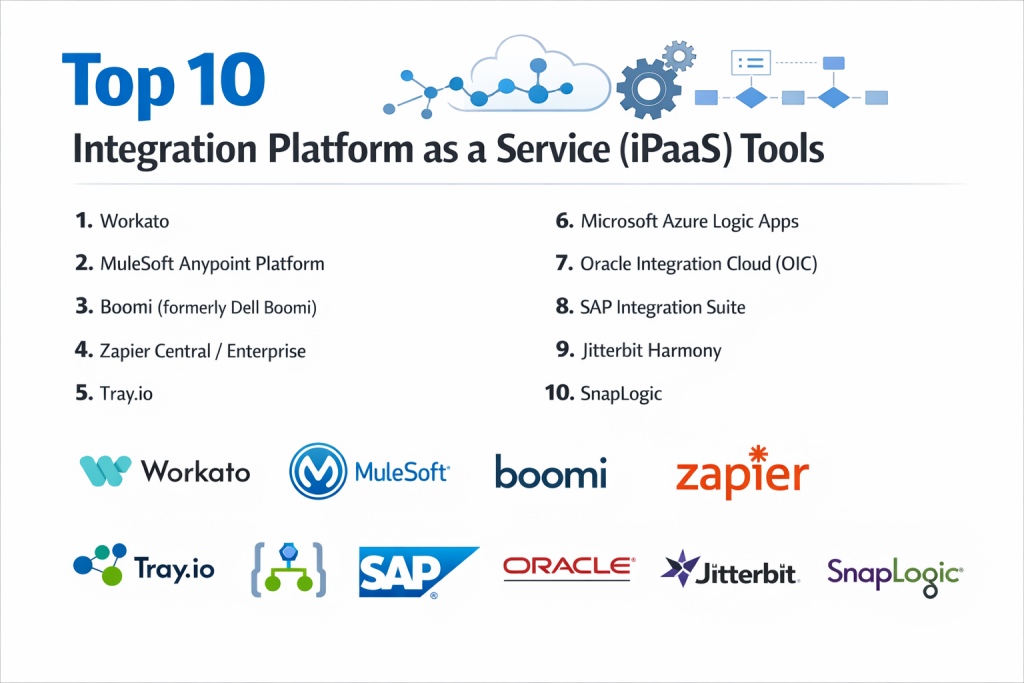
Top 10 Integration Platform as a Service (iPaaS) Tools
1 — Workato
Workato is a leading enterprise-grade iPaaS that combines powerful integration capabilities with a focus on “Recipes”—automated workflows that can be built by both IT and business users.
- Key features:
- Recipe-based Automation: Uses a natural language interface to describe complex logic.
- Enterprise Workflow Action: Advanced branching, looping, and conditional logic.
- Workbot for Slack/Teams: Allows users to interact with enterprise apps directly from chat.
- 1,000+ Pre-built Connectors: Extensive library for SaaS, on-prem, and legacy systems.
- Zero-footprint Agent: Securely connects to on-premises data without complex firewall changes.
- Smart Error Handling: Automatically identifies and suggests fixes for broken flows.
- Pros:
- Exceptionally user-friendly for “citizen integrators” while remaining powerful for IT.
- Rapid time-to-value due to the massive community library of shared recipes.
- Cons:
- Pricing is significantly higher than entry-level automation tools.
- The high level of abstraction can occasionally make extremely granular debugging difficult.
- Security & compliance: SOC 2 Type II, GDPR, HIPAA, and ISO 27001 compliant; features advanced encryption and SSO.
- Support & community: High-quality documentation, active “Product Hour” webinars, and a robust community sharing automated templates.
2 — MuleSoft Anypoint Platform (Salesforce)
Owned by Salesforce, MuleSoft is often considered the “gold standard” for complex, API-led connectivity in large global enterprises.
- Key features:
- API Designer: Full lifecycle management from design to retirement.
- Anypoint Exchange: A marketplace for reusable assets, APIs, and connectors.
- DataWeave: A powerful data transformation language for complex mapping.
- Mule Runtime: A flexible engine that can run in the cloud or on-premise.
- AnyPoint Visualizer: Real-time mapping of your entire application network and its health.
- High Availability: Built for 99.99% uptime with clustered deployment options.
- Pros:
- Unrivaled for creating a reusable “Application Network” rather than just point-to-point links.
- Deepest capabilities for data transformation and legacy system integration.
- Cons:
- Steep learning curve requiring specialized “MuleSoft Certified” developers.
- Implementation projects are typically long and capital-intensive.
- Security & compliance: FedRAMP, HIPAA, SOC 1/2, PCI DSS, and GDPR compliant; features government-grade security.
- Support & community: Extensive official certification paths, a global network of partners, and premium enterprise support.
3 — Boomi (formerly Dell Boomi)
Boomi is a pioneer in the iPaaS space, offering a highly scalable, “low-code” platform that excels at data management and EDI (Electronic Data Interchange).
- Key features:
- Boomi Suggest: AI-driven mapping suggestions based on millions of successful integrations.
- AtomSphere: A centralized management console for all integration processes.
- Master Data Hub: Ensures data consistency across all integrated systems.
- B2B/EDI Management: Specialized tools for supply chain and partner integrations.
- Flow: A low-code app development tool for building user-facing workflow interfaces.
- Visual Designer: Drag-and-drop interface for building “shapes” and logic paths.
- Pros:
- Excellent balance between ease of use and deep technical capability.
- The AI-assisted mapping significantly speeds up the development process.
- Cons:
- The user interface can feel dated compared to newer platforms like Workato.
- Licensing models can be complex, often based on the number of “endpoints.”
- Security & compliance: SOC 1/2, HIPAA, FedRAMP, and ISO 27001 compliant.
- Support & community: Strong “Boomi Community” forum, comprehensive training (Boomi University), and professional services.
4 — Zapier Central
While Zapier started as a consumer tool, Zapier Central and its enterprise tiers have evolved into a major player for SMB and mid-market iPaaS needs.
- Key features:
- 6,000+ Integrations: The largest library of app connectors in the world.
- Zapier Central (AI): Uses AI agents to interact with data and perform cross-app actions.
- Paths: Conditional logic to create different outcomes within a single “Zap.”
- Tables & Interfaces: Built-in database and UI tools to manage integrated data.
- Transfer: Bulk data movement between apps on a scheduled basis.
- Formatter: Built-in utilities to clean and reformat data (dates, text, currency).
- Pros:
- The fastest tool for setting up simple integrations (often in minutes).
- Low barrier to entry; anyone in the company can build an automation.
- Cons:
- Not suitable for high-volume, real-time data syncs required by enterprise ERPs.
- Lacks the deep governance and audit logs required by highly regulated industries.
- Security & compliance: SOC 2 Type II and GDPR compliant; 2FA and SSO available on higher tiers.
- Support & community: Massive knowledge base, 24/7 ticket support, and a vast ecosystem of third-party “Zapier Experts.”
5 — Tray.io
Tray.io is a “low-code” but highly sophisticated platform that caters to technically savvy business teams and engineers who want flexibility without writing code.
- Key features:
- Tray Merlin AI: An AI assistant that helps build and troubleshoot integrations via chat.
- Elastic Architecture: Built on a serverless back-end that scales automatically with traffic.
- Universal Connector: Connect to any service with a REST or GraphQL API.
- Tray Embedded: Allows SaaS companies to “white-label” Tray’s integrations inside their own app.
- Debugger: High-resolution logs for every step of a workflow.
- Governance Dashboard: Centralized view of all automated processes and their success rates.
- Pros:
- Offers much more power and flexibility than Zapier while being easier than MuleSoft.
- The embedded offering is a game-changer for software vendors wanting to offer native integrations.
- Cons:
- Can be “too technical” for non-IT users compared to Workato.
- Documentation for custom connector building can be complex.
- Security & compliance: SOC 2 Type II, HIPAA, and GDPR compliant; features end-to-end data encryption.
- Support & community: Direct Slack channel support for enterprise customers and a detailed technical blog.
6 — Informatica Intelligent Data Management Cloud (IDMC)
Informatica is the veteran leader in data integration, making it the top choice for companies focusing on “Data-First” iPaaS and ETL (Extract, Transform, Load).
- Key features:
- CLAIRE AI: An industry-leading metadata-driven AI for data discovery and mapping.
- Advanced ETL/ELT: Optimized for moving massive volumes of data into cloud warehouses.
- Data Quality: Built-in profiling and cleansing to ensure integrated data is accurate.
- API Center: Tools to create and manage APIs from existing data processes.
- Mass Ingestion: Specialized for moving terabytes of data from files or databases.
- Cloud Integration Hub: A publish/subscribe model for data distribution.
- Pros:
- Unrivaled for large-scale data migration and complex data warehousing projects.
- The most mature data governance and quality features on the market.
- Cons:
- Extremely complex; requires specialized Informatica-trained engineers.
- Can be overkill for simple application-to-application workflow automation.
- Security & compliance: SOC 1/2/3, HIPAA, FedRAMP, and ISO 27001 compliant.
- Support & community: Professional global support, Informatica University, and a deep network of system integrators.
7 — Celigo
Celigo is an iPaaS that specifically dominates the e-commerce and retail space, offering highly specialized “Integration Apps” for ERPs like NetSuite.
- Key features:
- NetSuite Integration App: The most popular and robust NetSuite-to-Amazon/Shopify connector.
- Integration Templates: Pre-configured flows for common business processes (e.g., Order-to-Cash).
- Flow Builder: A visual interface that balances technical control with ease of use.
- Error Management: Centralized dashboard for retrying and resolving failed syncs.
- API Assistant: Helps developers build custom connectors for niche software.
- JavaScript Support: Allows for custom coding within flows when standard logic isn’t enough.
- Pros:
- The “go-to” choice for any business running NetSuite.
- Very strong focus on business processes rather than just technical connections.
- Cons:
- Less versatile for non-commerce use cases compared to Workato or Tray.
- Customizing the pre-built apps can sometimes be restrictive.
- Security & compliance: SOC 2 Type II and GDPR compliant; features robust audit trails.
- Support & community: Excellent “Celigo University” and a community focused on NetSuite and e-commerce optimization.
8 — Microsoft Azure Logic Apps
Logic Apps is Microsoft’s native iPaaS, offering a cost-effective and highly scalable solution for businesses already deep in the Azure ecosystem.
- Key features:
- Visual Designer: Web-based designer that integrates with Visual Studio.
- B2B / EDI Support: Robust support for AS2, X12, and EDIFACT standards.
- Connectors for Microsoft: Best-in-class integration for O365, Dynamics 365, and SharePoint.
- Consumption Pricing: Pay-per-execution, making it very affordable for low-volume users.
- Azure Sentinel Integration: Monitor integrations for security threats using Azure’s AI.
- Workflow Definition Language: Ability to edit the underlying JSON for power users.
- Pros:
- The most cost-effective solution for enterprises already paying for Azure.
- Seamlessly bridges the gap between on-premise Microsoft servers and the cloud.
- Cons:
- The interface is more “developer-centric” and not intended for business users.
- Managing complex flows can lead to “spaghetti” logic without strict discipline.
- Security & compliance: Inherits all Azure compliance certifications (ISO, SOC, HIPAA, FedRAMP).
- Support & community: Backed by Microsoft’s global support and a massive community of Azure developers.
9 — SAP Integration Suite
Designed for the global enterprise, the SAP Integration Suite is essential for companies whose business core runs on SAP S/4HANA or ECC.
- Key features:
- Cloud Integration: Connects cloud and on-premise SAP and non-SAP systems.
- API Management: Unified gateway to expose and protect SAP data.
- Open Connectors: Over 170 non-SAP connectors to bridge the SAP ecosystem.
- Trading Partner Management: Simplifies B2B integrations with suppliers and vendors.
- Pre-packaged Content: Thousands of ready-to-use integration flows for SAP modules.
- Event Mesh: Support for event-driven architectures and real-time alerts.
- Pros:
- Ensures the integrity of the “Digital Core” for SAP-centric organizations.
- Highly reliable for mission-critical financial and supply chain data.
- Cons:
- Very complex and typically requires specialized SAP consultants.
- Pricing is enterprise-level and can be prohibitive for smaller companies.
- Security & compliance: ISO 27001, SOC 1/2, and GDPR compliant; deep integration with SAP Cloud Identity.
- Support & community: Professional SAP support, SAP Community forums, and global partner ecosystem.
10 — Jitterbit Harmony
Jitterbit Harmony is an iPaaS that emphasizes “speed of deployment,” offering tools that help companies go live with integrations in days rather than months.
- Key features:
- Cloud Studio: A modern, browser-based visual designer for all users.
- Management Console: Real-time visibility into the health and status of all projects.
- API Manager: Quickly turn any integration into a reusable API.
- App Builder: Low-code tool to build mobile and web apps on top of integrated data.
- Automated Data Mapping: Simplifies the process of matching fields between systems.
- Scalable Agents: Run integration agents in Jitterbit’s cloud or on your own servers.
- Pros:
- Known for having one of the fastest deployment cycles in the industry.
- Very strong customer satisfaction and high-touch support services.
- Cons:
- The connector library is smaller than Workato or Zapier.
- Advanced scripting requires knowledge of Jitterbit’s proprietary scripting language.
- Security & compliance: SOC 1/2, HIPAA, and GDPR compliant; features high-level data encryption.
- Support & community: High-quality “Jitterbit University” and a reputation for excellent live customer support.
Comparison Table
| Tool Name | Best For | Platform(s) Supported | Standout Feature | Rating (Gartner) |
| Workato | Enterprise Automation | Cloud-Native | Natural Language Recipes | 4.7 / 5 |
| MuleSoft | API-Led Connectivity | Hybrid, Multi-cloud | AnyPoint Exchange | 4.6 / 5 |
| Boomi | Data & EDI Mgmt | Hybrid, Cloud | Boomi Suggest (AI) | 4.5 / 5 |
| Zapier | SMB / Simple Flows | Cloud | 6,000+ App Ecosystem | 4.5 / 5 |
| Tray.io | Technical Teams | Cloud-Native | Tray Embedded | 4.6 / 5 |
| Informatica | Mass Data / ETL | Cloud-Native | CLAIRE AI Engine | 4.6 / 5 |
| Celigo | NetSuite / E-com | Cloud-Native | Specialized ERP Apps | 4.8 / 5 |
| Azure Logic | Microsoft Shops | Azure Native | Pay-per-Execution | 4.4 / 5 |
| SAP Suite | SAP Ecosystem | Hybrid, SAP Cloud | Pre-packaged SAP flows | 4.4 / 5 |
| Jitterbit | Rapid Deployment | Hybrid, Cloud | Built-in App Builder | 4.6 / 5 |
Evaluation & Scoring of iPaaS
| Category | Weight | Score | Analysis |
| Core Features | 25% | 9.0 / 10 | Most tools now offer robust visual design and API management. |
| Ease of Use | 15% | 8.2 / 10 | Workato and Zapier lead; MuleSoft and SAP remain complex. |
| Integrations | 15% | 9.5 / 10 | Huge growth in pre-built connectors across all platforms. |
| Security/Comp. | 10% | 9.8 / 10 | A high-scoring area as this is non-negotiable for enterprise IPaaS. |
| Performance | 10% | 8.8 / 10 | Cloud-native tools (Workato, Tray) excel at scaling on demand. |
| Support/Comm. | 10% | 8.5 / 10 | Community-led learning (Zapier, Workato) is disrupting traditional support. |
| Price / Value | 15% | 7.5 / 10 | High-end tools provide massive ROI but have high initial costs. |
Which iPaaS Tool Is Right for You?
Solo Users vs SMB vs Mid-market vs Enterprise
- Solo Users: Zapier is the only logical choice. It is affordable and requires no technical training to solve everyday automation tasks.
- SMBs: Zapier Enterprise or Celigo (if on NetSuite) provide the right balance of cost and professional reliability.
- Mid-market: Workato or Tray.io are perfect. They allow small IT teams to act like large ones by empowering business users to build their own integrations safely.
- Enterprise: MuleSoft, Informatica, or SAP Integration Suite are required for global scale, complex data governance, and legacy connectivity.
Budget-conscious vs Premium Solutions
For those on a strict budget, Azure Logic Apps or Zapier offer the lowest entry costs. If you are looking for a “premium” experience where the platform does most of the heavy lifting through AI and pre-built templates, Workato and Boomi are worth the investment.
Feature Depth vs Ease of Use
If you need Ease of Use, Workato’s recipe-based approach is the benchmark. If you need Feature Depth (e.g., you need to write custom Java code to transform a 50-year-old database format), MuleSoft is the necessary powerhouse.
Frequently Asked Questions (FAQs)
- What is the difference between iPaaS and Zapier?Zapier is actually a type of iPaaS. However, “Enterprise iPaaS” (like Workato or MuleSoft) offers much deeper security, complex error handling, and the ability to connect to on-premise corporate servers.
- Do I need to be a developer to use iPaaS?No. Many modern platforms use “Low-Code” or “No-Code” interfaces. However, for complex enterprise integrations involving data mapping and logic, a basic understanding of APIs and data structures is helpful.
- How long does it take to implement iPaaS?Simple automations can take minutes. A full enterprise implementation involving a core ERP (like SAP or Oracle) can take 3 to 6 months to fully architect and secure.
- Is my data safe in an iPaaS?Yes. Reputable iPaaS providers use end-to-end encryption. In most cases, the data simply “passes through” the platform without ever being permanently stored there.
- Why is iPaaS so expensive?You aren’t just paying for the software; you are paying for the thousands of pre-built connectors that the vendor maintains so you don’t have to write custom code every time an app updates its API.
- What is an “Integration Recipe”?Used primarily by Workato, a recipe is a set of steps (Trigger -> Action -> Action) written in plain English that describes how an automation should work.
- Can iPaaS connect to old “On-Premise” servers?Yes. Most enterprise iPaaS tools provide “Secure Agents” that you install on your local server to create a safe bridge to the cloud without opening dangerous firewall ports.
- What is “Citizen Integration”?It refers to business users (in Marketing, HR, or Finance) who build their own automations using low-code iPaaS tools rather than waiting for the IT department to do it for them.
- What happens if an integration fails?Enterprise tools have “Error Handling” that can automatically retry the action, send an alert to Slack, or even roll back the data so you don’t end up with partial records.
- Can I use multiple iPaaS tools?Surprisingly, yes. Many companies use Zapier for simple office tasks and MuleSoft or Boomi for their critical financial and core business data.
Conclusion
The market for Integration Platform as a Service (iPaaS) has matured into a diverse ecosystem where there is a “best” tool for every specific organizational need. If your goal is to empower your business teams with rapid automation, Workato and Tray.io are leading the charge. If you are a global organization managing a complex web of legacy and cloud systems, MuleSoft and Informatica remain the titans of the industry.
Ultimately, choosing an iPaaS is a strategic decision that affects the agility of your entire business. A well-chosen platform doesn’t just connect apps; it transforms your organization into a real-time, automated enterprise where data flows freely and humans are freed from repetitive manual work. Focus on your specific “anchors”—the core software like SAP, NetSuite, or Salesforce that you use most—and choose the tool that has the strongest native connection to those systems.

- Top 10 Email Deliverability Tools: Features, Pros, Cons & Comparison - September 6, 2026
- Top 10 Pharmacovigilance Software: Features, Pros, Cons & Comparison - September 6, 2026
- Top 10 Manufacturing Execution Systems (MES) - July 30, 2026