Introduction
In today’s fast-paced digital economy, manual data entry and repetitive administrative tasks are the primary “productivity killers” for growing businesses. A Workflow Automation Platform is a suite of tools designed to connect disparate software applications and automate end-to-end business processes without requiring manual intervention. By using “If This, Then That” (IFTTT) logic, these platforms allow data to flow seamlessly between systems—for example, automatically saving an email attachment to a cloud drive, notifying a Slack channel, and creating a follow-up task in a project management tool.
The importance of these platforms lies in their ability to eliminate human error, reduce operational costs, and free up high-value employees for strategic work. In 2026, the category has evolved from simple task-linking to “Hyperautomation,” incorporating Agentic AI that can make context-aware decisions within a workflow. Key real-world use cases include automated lead routing for sales teams, employee onboarding orchestration in HR, and synchronized multi-channel marketing campaigns. When evaluating tools, users should prioritize integration depth, ease of use for non-technical staff, scalability, and AI capabilities.
Best for:
Operations managers, IT directors, and “citizen developers” in organizations of all sizes. They are particularly beneficial for departments with high-volume, rule-based processes such as Finance, HR, and Marketing. Large enterprises benefit from the governance and security features, while SMBs gain the “extra pair of hands” needed to scale without massive hiring.
Not ideal for:
Small businesses with extremely simple, non-repetitive tasks where the cost of the subscription and the time spent on setup exceed the manual effort. They may also be overkill for developers who prefer building custom integrations via hard-coded scripts for unique, highly specialized legacy systems that lack API support.
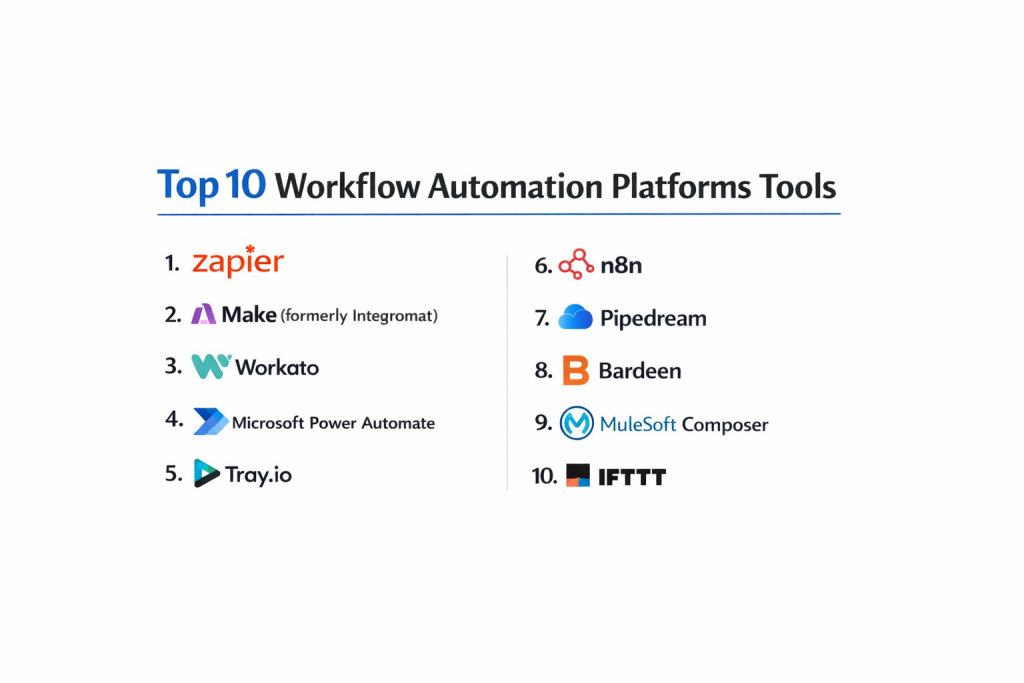
Top 10 Workflow Automation Platforms Tools
1 — Zapier
Zapier is the “gold standard” for no-code automation, known for its massive library of integrations and user-friendly interface that allows anyone to build a “Zap” in minutes.
- Key features:
- 8,000+ App Integrations: The largest ecosystem in the world, covering almost every SaaS tool.
- Transfer: A tool for bulk-moving historical data between apps, not just new data.
- Zaps with Paths: Conditional logic that allows workflows to branch based on specific data points.
- Zapier Central: An AI-powered workspace where you can teach AI agents to interact with your apps.
- Tables: A built-in database to store and manage data specifically for your automations.
- Pros:
- Extremely low barrier to entry; no coding knowledge required.
- Excellent for quick “glue” automations between common cloud apps.
- Cons:
- Pricing is task-based and can become very expensive as volume scales.
- Linear builder can feel restrictive for highly complex, multi-branched enterprise logic.
- Security & compliance: SOC 2 Type II, SOC 3, GDPR compliant; features 2FA and AES-256 encryption.
- Support & community: Massive “Zapier University” learning center, extensive blog, and a huge community of experts.
2 — Make (formerly Integromat)
Make offers a powerful visual canvas for automation, providing granular control over data manipulation and complex scenarios that go beyond simple trigger-action steps.
- Key features:
- Visual Scenario Builder: A drag-and-drop “map” that lets you see the flow of data visually.
- Advanced Data Manipulation: Built-in functions for math, strings, and date formatting.
- HTTP/SOAP & JSON Modules: Easy way to connect to any app with an API, even if a native connector doesn’t exist.
- Iterators and Aggregators: Tools to split a single bundle of data into many, or combine many into one.
- Real-time Execution Tracking: Watch data move through the bubbles in your scenario in real-time.
- Pros:
- More cost-effective for high-volume users than Zapier.
- Unmatched flexibility for complex workflows involving heavy data transformation.
- Cons:
- Steeper learning curve; requires a basic understanding of how data structures work.
- Debugging complex scenarios can be time-consuming for beginners.
- Security & compliance: GDPR, SOC 2, and ISO 27001 compliant; data centers located in the US and EU.
- Support & community: Highly active user community and a detailed academy with “levels” of certification.
3 — Microsoft Power Automate
Designed for organizations deep in the Microsoft ecosystem, Power Automate combines cloud-based automation (DPA) with desktop-based robotic process automation (RPA).
- Key features:
- Deep Microsoft 365 Integration: Native triggers for Excel, Teams, SharePoint, and Outlook.
- AI Builder: Low-code AI for document processing (OCR), sentiment analysis, and prediction.
- Desktop RPA: Automate legacy “green screen” applications that don’t have modern APIs.
- Process Mining: Analyze your team’s actual work patterns to find the best processes to automate.
- Copilot Integration: Use natural language to describe a workflow and have AI build it for you.
- Pros:
- Often included in existing Microsoft 365 business licenses, making it “free” for many.
- Strongest governance and admin controls for large-scale IT deployments.
- Cons:
- Can be clunky and difficult to use when integrating with non-Microsoft tools (e.g., Google Workspace).
- Licensing tiers (Premium vs. Standard) can be confusing and lead to unexpected costs.
- Security & compliance: FedRAMP, HIPAA, SOC, and GDPR compliant; industry-leading enterprise security.
- Support & community: Extensive Microsoft documentation and a vast global network of enterprise partners.
4 — Workato
Workato is an enterprise-grade Integration Platform as a Service (iPaaS) that focuses on security, governance, and business-critical process orchestration.
- Key features:
- Recipes: Reusable automation templates that can be shared across an organization.
- Enterprise Workflow Bots: Build custom bots for Slack or Microsoft Teams to interact with backend systems.
- Low-Code API Management: Turn any “Recipe” into a secure, documented API.
- Workato Copilot: Generative AI to assist in building complex enterprise logic.
- On-Premise Agents: Securely connect cloud apps to databases sitting behind a corporate firewall.
- Pros:
- Built for scale; handles millions of transactions without breaking a sweat.
- Strong emphasis on “Citizen Development” with professional IT guardrails.
- Cons:
- High entry price point; generally out of reach for small businesses.
- Implementation often requires a dedicated operations or IT resource.
- Security & compliance: HIPAA, SOC 2 Type II, PCI DSS, and GDPR compliant; features specialized data masking.
- Support & community: High-touch enterprise support and a private “Pros” community for certified users.
5 — n8n
n8n is the premier “fair-code” (open-source) automation tool, offering technical teams full control over their data and the ability to self-host.
- Key features:
- Node-based Editor: A visual, flow-based interface similar to Make but with a technical edge.
- Self-Hosting: Run it on your own servers or in your own VPC for 100% data privacy.
- JavaScript Node: Write custom code directly inside the workflow for ultimate flexibility.
- 400+ Native Integrations: Strong coverage of developer tools and popular SaaS.
- AI-Native Nodes: Direct integration with LangChain and vector databases for building AI agents.
- Pros:
- Free to use if self-hosted (for most use cases), making it incredibly cost-effective.
- No “vendor lock-in”; you own your workflow definitions and your data.
- Cons:
- Requires technical knowledge to set up and maintain a server.
- The UI is less “polished” than premium competitors like Zapier.
- Security & compliance: Varies by deployment (Self-hosted allows for HIPAA/GDPR compliance by the user).
- Support & community: Thriving GitHub community and a very active discourse forum for troubleshooting.
6 — ServiceNow (App Engine)
ServiceNow is the giant of IT Service Management (ITSM), and its workflow engine is designed to automate complex, cross-departmental enterprise services.
- Key features:
- Flow Designer: A natural language builder for creating cross-enterprise workflows.
- IntegrationHub: Pre-built “spokes” to connect ServiceNow to Jira, Slack, Salesforce, and more.
- Service Catalog: A user-facing portal where employees can trigger automated workflows.
- Predictive Intelligence: Machine learning to automatically categorize and route requests.
- Now Assist: Generative AI for summarizing incidents and generating code.
- Pros:
- Unrivaled for internal service delivery (HR, IT, Legal).
- Single “platform of platforms” approach for massive global enterprises.
- Cons:
- Extremely complex; usually requires a team of certified consultants to implement.
- One of the most expensive platforms on the market.
- Security & compliance: FedRAMP High, DoD IL4/IL5, HIPAA, ISO 27001, and SOC 1/2.
- Support & community: World-class enterprise support and a massive global ecosystem of developers.
7 — Tray.ai (formerly Tray.io)
Tray.ai is an “AI-first” integration platform that focuses on giving technical teams the power of an iPaaS with the speed of a low-code tool.
- Key features:
- Tray Merlin AI: An AI platform for building, deploying, and monitoring automations via chat.
- Elastic Architecture: Serverless infrastructure that scales automatically with your data volume.
- Connector SDK: Build your own robust connectors if the native ones don’t meet your needs.
- Multi-region Hosting: Choose where your data is processed (US, EU, APAC).
- Advanced Error Handling: “Retry” logic and sophisticated error-catching for mission-critical flows.
- Pros:
- Highly flexible; perfect for “productized integrations” (embedded in your own app).
- Very powerful for marketing operations and RevOps teams.
- Cons:
- The learning curve is high; it leans more toward “low-code” than “no-code.”
- Pricing can be opaque and tailored toward mid-market and enterprise budgets.
- Security & compliance: HIPAA, SOC 2 Type II, and GDPR compliant; strong data governance tools.
- Support & community: Responsive account management and technical support teams.
8 — Nintex
Nintex specializes in automating document-heavy processes and structured business forms, making it a favorite for legal and compliance departments.
- Key features:
- Nintex Forms: Build responsive, complex forms that trigger workflows.
- Document Generation: Automatically create PDFs, Word docs, or Excel reports from data.
- K2 Cloud: Advanced process modeling for complex, long-running business logic.
- Nintex Assure: Digital signatures built directly into the workflow.
- Nintex Promapp: A tool for mapping out and documenting processes before you automate them.
- Pros:
- The best tool for organizations that live in documents and spreadsheets.
- Exceptional at handling “Human-in-the-loop” approvals and signatures.
- Cons:
- Less focused on “modern” SaaS-to-SaaS API triggers compared to Zapier or Make.
- User interface can feel a bit dated in the K2 modules.
- Security & compliance: SOC 2 Type II, HIPAA, and GDPR compliant; robust audit logs for all actions.
- Support & community: Strong training through “Nintex University” and a dedicated partner network.
9 — Kissflow
Kissflow is a “unified work platform” that prioritizes simplicity and is designed for business users to digitize their own departmental processes.
- Key features:
- Process, Project, & Case Management: Three different styles of work in one tool.
- No-code Visual Builder: Extremely intuitive drag-and-drop workflow designer.
- Integrated Form Builder: Easy-to-build forms with rich field types.
- Collaborative Context: Discussions and files are kept alongside the workflow.
- Reports & Analytics: Built-in dashboards to see where bottlenecks are occurring.
- Pros:
- One of the fastest platforms to get a department up and running.
- Excellent value for mid-market companies that need more than a task manager but less than an iPaaS.
- Cons:
- Integration library is smaller than Zapier’s.
- Limited capability for highly complex data transformations.
- Security & compliance: ISO 27001, SOC 2, HIPAA, and GDPR compliant; data encrypted at rest and in transit.
- Support & community: Known for very responsive 24/5 customer support and good onboarding resources.
10 — ClickUp (Automations)
While primarily a project management tool, ClickUp’s built-in automation engine has become a powerhouse for teams that want their “work” and “automation” in one place.
- Key features:
- Custom Triggers: Automate based on status changes, due dates, or custom field updates.
- External Integrations: Connect to Slack, Twilio, and Email directly from within ClickUp.
- Automation Templates: Hundreds of pre-set rules for common project management tasks.
- Conditional Logic: Only trigger an action if multiple specific criteria are met.
- API/Webhook Support: Trigger ClickUp automations from external systems easily.
- Pros:
- No need to pay for a separate tool like Zapier for internal workflow management.
- The most versatile “all-in-one” tool on the market today.
- Cons:
- Limited to actions that happen within or to ClickUp tasks; not a general-purpose iPaaS.
- The interface can be overwhelming due to the sheer number of features.
- Security & compliance: SOC 2 Type II, ISO 27001/27017/27018, and GDPR compliant.
- Support & community: Massive YouTube presence, 24/7 support, and a very active “voter” community for new features.
Comparison Table
| Tool Name | Best For | Platform(s) Supported | Standout Feature | Rating (Gartner) |
| Zapier | Solo & SMB / Simplicity | Cloud | 8,000+ Integrations | 4.5 / 5 |
| Make | Visual / Technical SMBs | Cloud | Visual Scenario Map | 4.7 / 5 |
| MS Power Automate | Microsoft Ecosystem | Cloud, Desktop | Copilot & RPA | 4.4 / 5 |
| Workato | Enterprise Ops / RevOps | Hybrid | Enterprise Bots (Slack) | 4.7 / 5 |
| n8n | Developers / Privacy | Self-hosted, Cloud | Open-Source / Code Node | 4.8 / 5 |
| ServiceNow | Internal Service Delivery | Cloud | Platform of Platforms | 4.3 / 5 |
| Tray.ai | Technical Teams / AI | Cloud | Merlin AI Assistant | 4.6 / 5 |
| Nintex | Document/Form Automation | Hybrid | DocGen & E-Sign | 4.4 / 5 |
| Kissflow | Mid-market Departments | Cloud | Unified Work Platform | 4.3 / 5 |
| ClickUp | Integrated Project Work | Cloud | PM-Native Automation | 4.7 / 5 |
Evaluation & Scoring of Workflow Automation Platforms
| Category | Weight | Score (Avg) | Analysis |
| Core Features | 25% | 9.5 / 10 | Most tools now offer robust branching and conditional logic as standard. |
| Ease of Use | 15% | 8.0 / 10 | Visual builders have improved, but enterprise tools remain complex. |
| Integrations | 15% | 9.0 / 10 | Ecosystem size is the biggest differentiator (Zapier leads). |
| Security & Comp. | 10% | 9.5 / 10 | High standards across the board due to enterprise data sensitivity. |
| Performance | 10% | 8.5 / 10 | Serverless tools like Tray.ai and Workato lead in throughput. |
| Support & Comm. | 10% | 8.8 / 10 | Self-hosted tools (n8n) have the most passionate technical communities. |
| Price / Value | 15% | 7.5 / 10 | “Success Tax” (paying per task) remains a major pain point for users. |
Which Workflow Automation Platform Is Right for You?
Solo users vs SMB vs Mid-market vs Enterprise
- Solo Users: Stick to Zapier for ease of use or ClickUp if you already use it for tasks.
- SMBs: Make offers the best balance of power and cost, while Kissflow is great for non-tech teams.
- Mid-market: n8n (if you have a dev) or Tray.ai provide high-end power without the multi-million dollar price tag.
- Enterprise: Workato, ServiceNow, and Power Automate provide the security and governance required by IT.
Budget-conscious vs Premium Solutions
If you are on a tight budget, n8n (self-hosted) is essentially free. Make is the next best value for high-volume tasks. Premium solutions like Workato and ServiceNow are investments meant to drive massive ROI through efficiency rather than save on subscription costs.
Feature Depth vs Ease of Use
For Feature Depth, choose Tray.ai or Workato. For Ease of Use, Zapier and Kissflow are the clear winners. If you need a mix of both, Make provides the most “power per click.”
Security and Compliance Requirements
If you are in a highly regulated industry (Healthcare/Finance), you need a platform that offers BAA for HIPAA and SOC 2 Type II. Workato, Nintex, and Power Automate are specifically designed for these rigorous environments.
Frequently Asked Questions (FAQs)
- What is the difference between a workflow and an automation?A workflow is the sequence of steps to complete a task. Automation is the technology that performs those steps without human intervention.
- Do I need to know how to code to use these platforms?No. Most tools (Zapier, Kissflow, ClickUp) are “no-code.” Some (Make, n8n, Tray.ai) are “low-code,” meaning code helps but isn’t strictly necessary.
- How does task-based pricing work?Every time an automation runs (e.g., one email sent), it counts as a “task” or “operation.” If you run 10,000 automations a month, you pay for that specific volume.
- Can I automate legacy software that doesn’t have an API?Yes, using Robotic Process Automation (RPA). Tools like Microsoft Power Automate and UiPath can “mimic” a human clicking buttons on a screen.
- Is my data safe on these platforms?Most major platforms use AES-256 encryption and are SOC 2 compliant. However, always check if the tool is HIPAA or GDPR compliant if you handle sensitive data.
- What happens if an automation fails?Most tools have “Error Handling.” They can notify you via email, retry the step automatically, or “stop” to prevent bad data from spreading.
- How long does it take to implement a workflow?A simple Zapier workflow takes 5–10 minutes. A complex enterprise-wide ServiceNow implementation can take 3–6 months.
- Can I use AI within these workflows?Yes. In 2026, most platforms have built-in AI (like Zapier Central or Power Automate Copilot) to summarize text, classify data, or make decisions.
- What is “Human-in-the-loop”?It’s an automation that pauses and asks a human for approval (like a manager signing an invoice) before continuing to the next step.
- Should I self-host my automation tool?Only if you have the technical skills and need 100% control over data privacy. For most, the “Cloud” versions (SaaS) are much easier to manage.
Conclusion
Choosing the right Workflow Automation Platform in 2026 is no longer about finding a tool that “can” connect your apps—almost all of them can. Instead, the decision hinges on who will be building the workflows and how much data you will be moving.
If you want your marketing team to be independent and fast, Zapier or Kissflow are unbeatable. If you have a technical team that wants to build sophisticated, high-volume data engines, Make or n8n are the smarter choices. For the large-scale enterprise, the choice usually comes down to the existing ecosystem: Power Automate for Microsoft shops and Workato or ServiceNow for platform-agnostic giants. Remember, the best automation is the one that actually gets built and used, so prioritize a user interface that your team feels comfortable with.

- Top 10 Email Deliverability Tools: Features, Pros, Cons & Comparison - September 6, 2026
- Top 10 Pharmacovigilance Software: Features, Pros, Cons & Comparison - September 6, 2026
- Top 10 Manufacturing Execution Systems (MES) - July 30, 2026