MOTOSHARE 🚗🏍️
Turning Idle Vehicles into Shared Rides & Earnings

From Idle to Income. From Parked to Purpose.
Earn by Sharing, Ride by Renting.
Where Owners Earn, Riders Move.
Owners Earn. Riders Move. Motoshare Connects.

With Motoshare, every parked vehicle finds a purpose. Owners earn. Renters ride.
🚀 Everyone wins.

Start Your Journey with Motoshare

How to create an Attractive Item Check List using HTML & CSS?

In this blog, I am going to create an item checklist using HTML & CSS. So, first, create an “index.html” and “style.css” page so, below-showing index.html page-

In this index.html mostly used label, & input tag with a class which is defined below style.css page-

In this style.css page used class and multiple tags which is included in index.html. After that with help of style.css page create below Item check list-
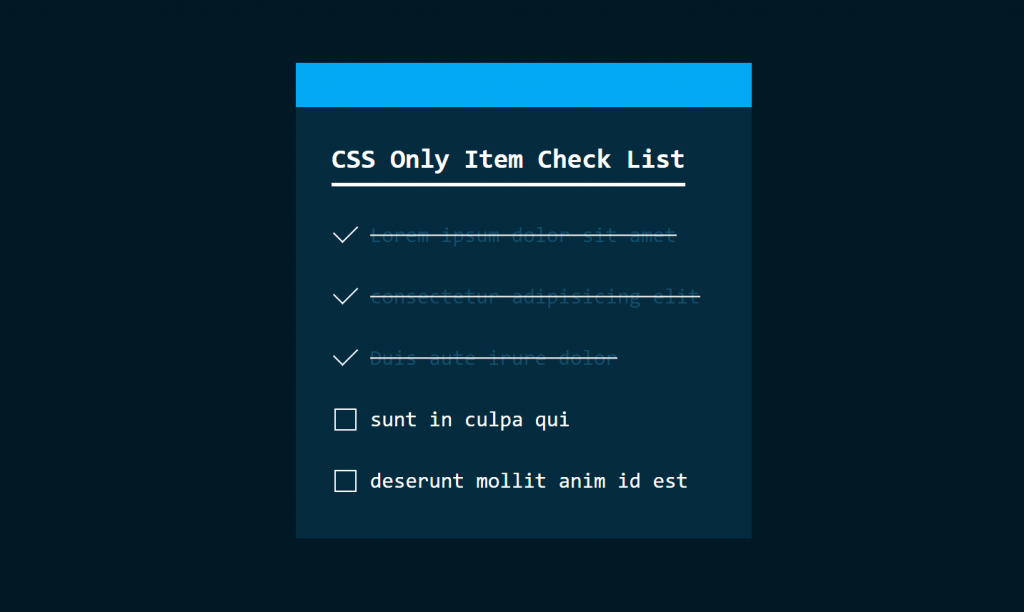
In this Item Check List when you click on the check box then show the correct sign and text will be dark from the horizontal line.
0 0 votes
Article Rating
Subscribe
Notify of
guest

0 Comments
Oldest
Newest Most Voted
Inline Feedbacks
View all comments
0
Would love your thoughts, please comment.x
()
x